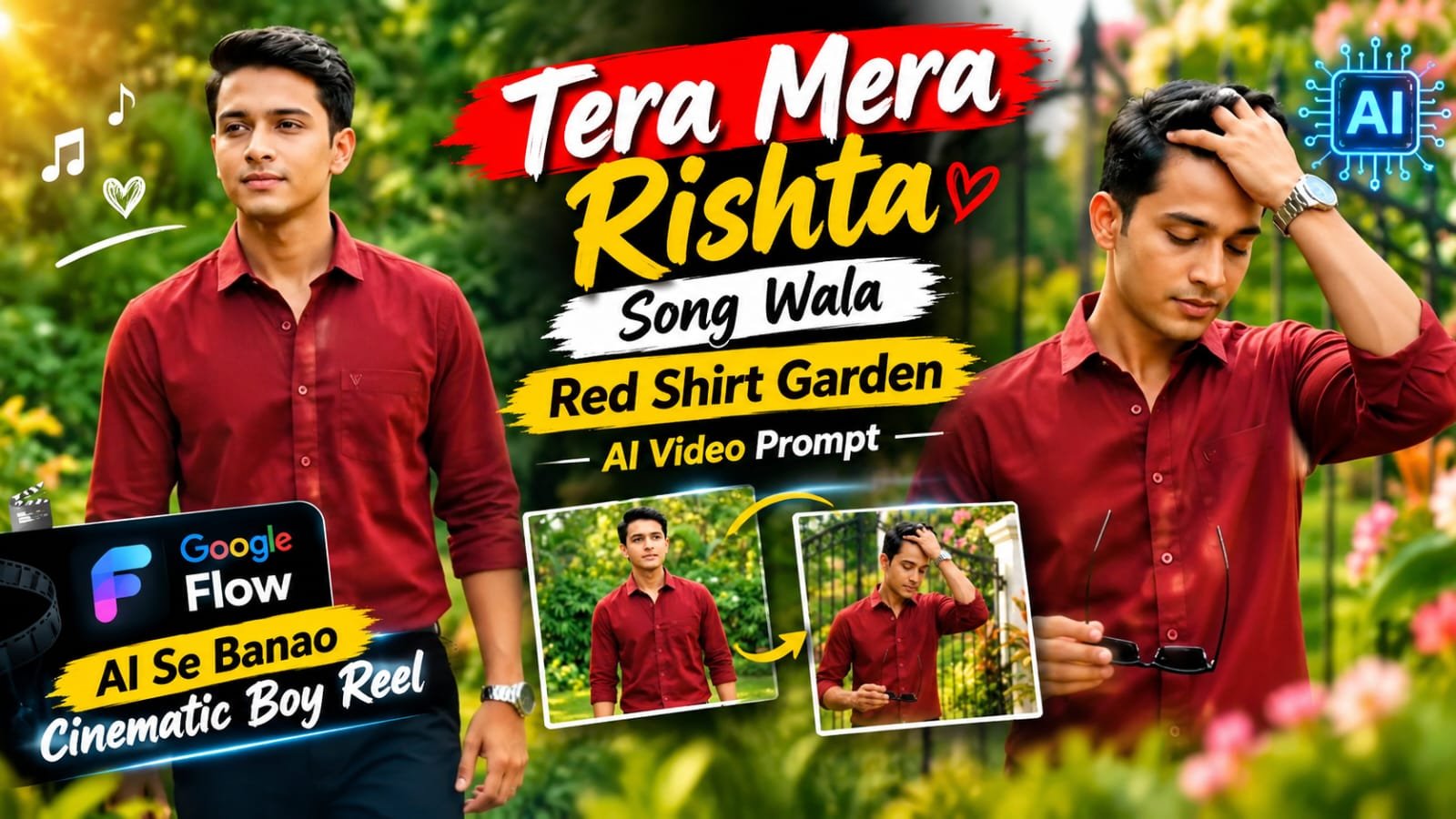
Aajkal Instagram par ek naya trend chal raha hai jisme boys “Tera Mera Rishta” song (Awarapan) ke saath ek cinematic, aesthetic garden-style AI video banwa rahe hain — red/maroon shirt, green garden background, golden sunlight aur slow cinematic camera movement ke saath. Is post me hum wahi exact style ka master prompt de rahe hain jise aap directly Google Flow AI me paste karke apna khud ka AI reel generate kar sakte ho, is emotional cult-classic track ke saath perfectly synced.
🎵 Song Trend Kya Hai
“Tera Mera Rishta” 2007 ki film Awarapan ka ek popular track hai, jise Mustafa Zahid ne gaya tha, aur ye aajkal Reels par ek fresh comeback kar raha hai.
Creators is intense, emotional tune ko apne cinematic garden-style AI videos ke background me use kar rahe hain, jisse video ka deep aur “main character energy” wala vibe aur bhi strong ban jata hai.
Poora concept ek boy ka hai jo garden me confidently walk karta hai, camera close-up me watch aur collar adjust karta hai, aur end me directly camera ki taraf dekhta hai — jaise koi film ka intense intro scene ho.
🌿 Video Ka Visual Breakdown
- Scene 1: Boy garden me walk kar raha hai, camera front se follow kar raha hai
- Scene 2: Close-up shot — hath se watch adjust kar raha hai
- Scene 3: Mid shot — shirt collar dono hath se set kar raha hai
- Scene 4: Final close-up — seedha camera ki taraf dekh raha hai, confident expression
- Background: Lush green garden, natural sunlight, cinematic blur
- Outfit: Maroon/red button-up shirt, sleeves rolled up, wrist watch
- Audio: “Tera Mera Rishta” (Awarapan) trending reel cut
🤖 Master AI Video Prompt (Google Flow)
Neeche wala prompt copy karke Google Flow AI (Veo) me paste kar dena.
Create a professional character turnaround sheet based on the uploaded selfie.


Show the same person consistently in:

1. Full-body front view

2. Full-body side view

3. Full-body back view

4. Portrait close-up


The character must maintain the exact same facial identity, facial structure, hairstyle, skin tone, body proportions, and overall appearance across every view.


Style: ultra-realistic 3D character render, cinematic soft lighting, neutral studio background, highly detailed natural skin texture, realistic hair and fabric, professional character design sheet, photorealistic facial details, consistent identity across all views.


The final result should look like a professional reference sheet created specifically for AI video generation. Keep the character clean, realistic, and clearly visible from every angle.

Important
Make sure your selfie is:

Clear and high quality
Front-facing if possible
Well lit
Without heavy filters
Showing your face clearly
The character sheet generated from this step will be your main character reference.📝 Step-by-Step Guide – Kaise Banaye
- Sabse pehle Google Flow AI (labs.google/flow) open karein aur apne Google account se login karein
- “Text to Video” ya “Frames to Video” option select karein
- Upar diya gaya master prompt copy-paste karein
- Agar aap apna khud ka face use karna chahte hain, to pehle ChatGPT ya Gemini se apni photo ka ek clean reference image generate kar lein aur usko “Frames to Video” me starting frame ki tarah use karein
- Video style ko “Cinematic” aur aspect ratio ko 9:16 (Reels/Shorts ke liye) select karein
- Generate button dabaye aur kuch seconds wait karein
- Video ready hone ke baad usko download karein
- CapCut ya VN app me video import karein aur “Tera Mera Rishta” audio ko trending reel cut ke saath add karein
- Halka color grading karke final reel export karein
📊 AI Tools Comparison Table
| Tool | Best For | Video Quality | Free Plan |
|---|---|---|---|
| Google Flow (Veo) | Cinematic realistic video | Excellent | Limited credits |
| Google Gemini | Reference image + prompt help | Good | Yes |
| ChatGPT | Prompt writing, image reference | Good | Yes |
| CapCut | Editing, color grading, audio sync | Excellent | Yes |
| VN Editor | Mobile editing, audio sync | Very Good | Yes |
| Midjourney | Static aesthetic images | Excellent | No (Paid only) |
| Leonardo AI | Realistic reference images | Very Good | Limited credits |
💡 Pro Tips
- Prompt me lighting ka exact mention zaroor karein — “golden hour natural sunlight” likhne se result aur realistic aata hai
- Camera movement ko slow aur smooth rakhein, isse video premium lagta hai
- “Tera Mera Rishta” ka wahi trending reel cut use karein jo Instagram par currently viral hai, isse reach better milta hai
- Agar apna face use kar rahe hain to reference image high quality aur clear honi chahiye
- Video ko 9:16 vertical me hi generate karein taki Reels aur Shorts dono me perfectly fit ho
❓ FAQs
Q1. “Tera Mera Rishta” song wala trend kaunsi movie se hai?
Ye song 2007 ki film Awarapan se hai, Mustafa Zahid ne isse gaya hai, aur ye aajkal Instagram Reels par ek naye trend ke roop me viral ho raha hai.
Q2. Is red shirt garden video ko Google Flow AI se free me bana sakte hain?
Haan, Google Flow AI limited free credits deta hai jisse aap is style ka short video try kar sakte hain.
Q3. “Tera Mera Rishta” audio reel me kaise add karein?
Video generate karne ke baad usse CapCut ya VN me import karein aur Instagram ke trending audio library se ya apne saved sound se “Tera Mera Rishta” wala reel-cut add kar dein.
Q4. Kya is prompt me apna khud ka face use kiya ja sakta hai?
Haan, agar aap “Frames to Video” feature use karke apni reference photo starting frame ki tarah dete hain to AI usi face ko animate karega.
Q5. Video kitne second ka generate hota hai?
Google Flow AI generally 5-8 second ke clips generate karta hai, jinhe aap CapCut me joinkar longer reel bana sakte hain jo song ke saath match ho.
Q6. Kya ye prompt sirf boys ke liye hai ya girls bhi use kar sakti hain?
Prompt ka structure same rehta hai, bas outfit aur styling details change karke girls bhi easily is trend ko follow kar sakti hain.
📲 Aise hi trending AI prompts, CapCut templates aur video ideas sabse pehle paane ke liye humara Telegram channel join karein — link bio me hai!