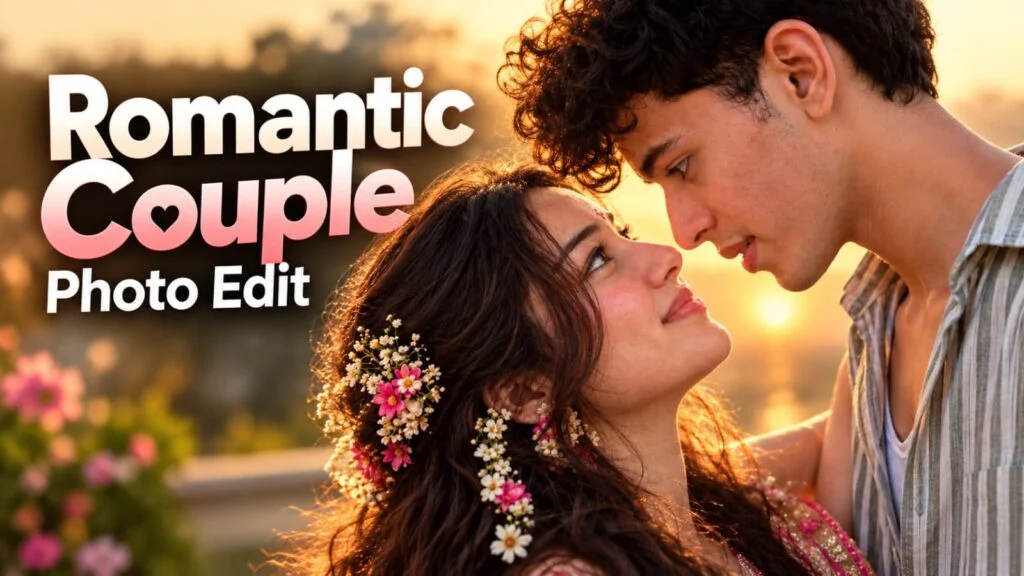
Matching your couple photo to a viral reference picture is one of the easiest ways to get a cinematic, Instagram-ready result without hiring a professional photographer. Instead of guessing poses, lighting, and background, you upload a reference photo and let AI recreate the exact same look using your own faces. This “photo matching” technique is trending right now because it gives natural, aesthetic couple photos that look shot by a real photographer — not generated by AI.
Is article mein hum dekhenge ki photo matching prompt kaise likhte hain, konsa AI tool best hai, aur step-by-step process kya hai apni couple photo ko kisi bhi reference photo se match karne ke liye.
📸 Photo Matching Prompt Kya Hota Hai?
Photo matching prompt ek aisa AI prompt hota hai jisme aap apni do photos (ek reference photo aur ek apni/partner ki photo) upload karte ho.
AI usse pose, lighting, background, aur mood ko copy karke naya image banata hai — lekin faces aapke real hote hain.
Isme identity preservation sabse important part hai, matlab AI ko face beautify ya change nahi karna chahiye.
Yeh technique especially couple photos, pre-wedding shoots, aur festival photos ke liye bohot popular ho gayi hai.
🪄 Photo Matching Ke Liye Step-by-Step Process
- Sabse pehle ek achhi quality reference photo choose karo jisका pose aapko pasand ho.
- Apni aur partner ki clear, well-lit photo select karo (face clearly visible honi chahiye).
- ChatGPT ya Gemini jaise AI tool mein dono photos upload karo.
- Neeche diya gaya prompt use karo aur apni details fill karo.
- Result generate hone ke baad lighting aur skin texture check karo — agar zyada smooth lage to “natural skin texture” wala instruction add karo.
- Final image ko CapCut ya VN mein thoda color grade karke Instagram par post karo.
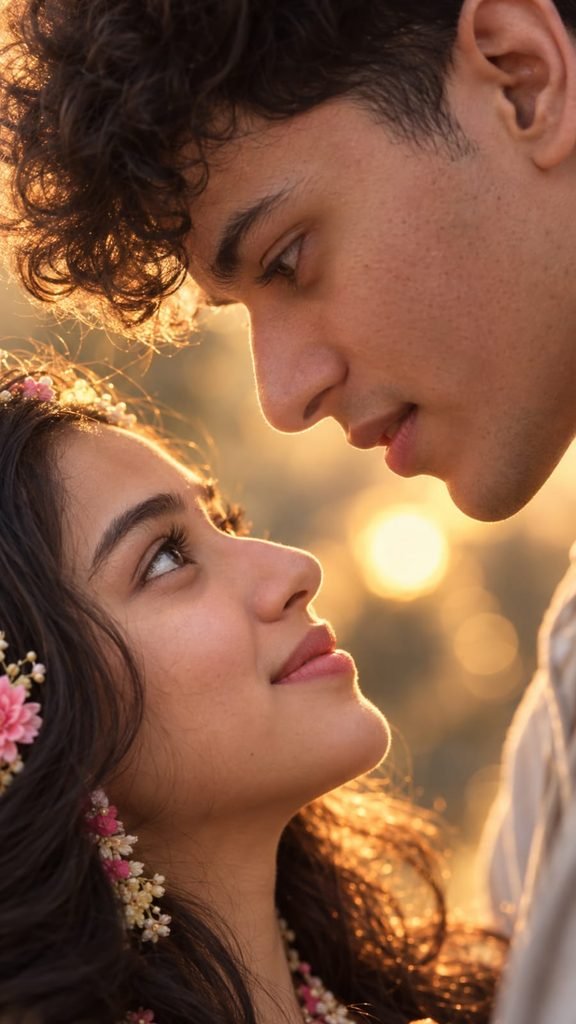
Create an ultra-realistic, highly detailed vertical 9:16 romantic close-up portrait of a young adult couple, inspired by the reference image.
Show only an extreme close-up of their faces in opposite orientations, with their eyes meeting intimately in the center of the frame. The man is positioned above and the woman below, both faces tilted naturally toward each other. Capture their eyes, eyelashes, eyebrows, skin texture, and subtle facial details with exceptional realism.
Use warm cinematic skin tones, soft natural lighting, shallow depth of field, and beautiful golden bokeh lights in the background. The composition should feel intimate, emotional, elegant, dreamy, and romantic.
Keep the framing tight and artistic, with the eyes as the main focal point. Natural skin texture, realistic pores, detailed eyelashes, authentic facial proportions, soft highlights, cinematic color grading, professional photography, 85mm macro-lens look, ultra sharp eye details, soft background blur, IMAX-level realism, high dynamic range, 8K quality.
No text, no watermark, no distortion, no extra facial features, no artificial-looking skin.
Vertical smartphone wallpaper composition, 9:16 aspect ratio.
Use the uploaded reference photos to preserve both individuals' exact facial identity, facial features, skin tone, hairstyle, and natural appearance. Do not change or beautify their faces.Make them strictly face-to-face, with their eyes directly meeting each other in the center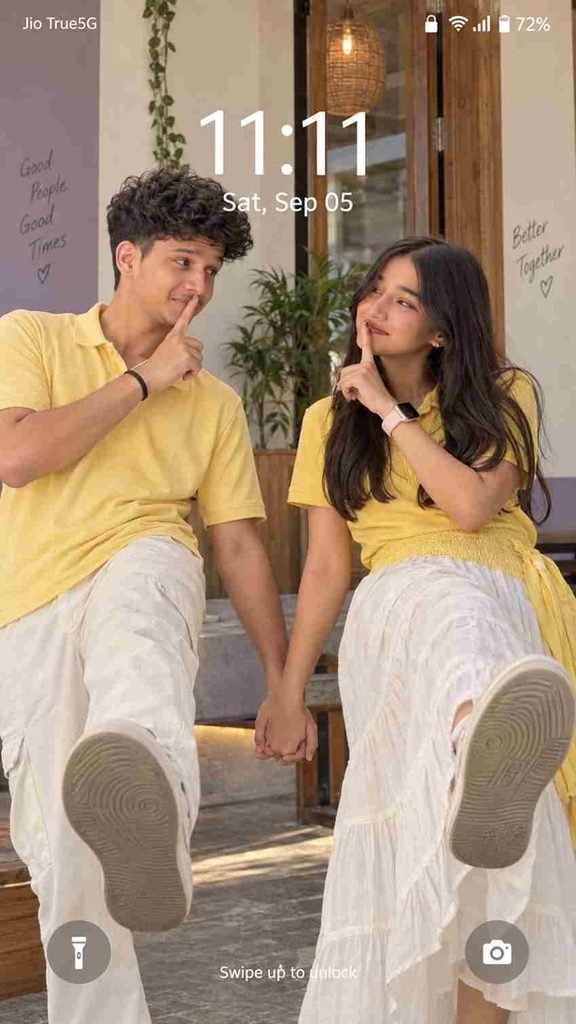
Ultra-realistic 9:16 Android lock-screen photo matching reference. South Indian couple FACING EACH OTHER, man LEFT, woman RIGHT, bodies leaning AWAY, inner hands clasped CENTER, free index fingers on OWN lips, warm “shhh” smiles. NOT sideways: each kicks ONE LEG STRAIGHT FORWARD toward CAMERA, mirrored pose, exact balance. Man: messy black wavy hair, yellow polo, cream trousers, black wristband/bracelet, shoes. Woman: loose dark wavy hair RIGHT, yellow polo, voluminous white/off-white skirt with yellow waist/right section, pale-strap smartwatch, shoes. Natural faces/pores, perfect anatomy. Warm cream/lavender/wood background, daylight.[Lock screen: “11:11”, “Sat, Sep 05”], flashlight, camera, Android icons. Real photo, NOT wallpaper. Negative: sideways kick, side-by-side, distortion, wrong hands, extra fingers/limbs, twisted anatomy, artificial skin, smoothing, CGI/3D/cartoon🤖 Best AI Tools Comparison
| AI Tool | Face Matching Accuracy | Best For | Free/Paid |
|---|---|---|---|
| ChatGPT (GPT Image) | High | Reference photo matching, realistic faces | Free + Paid |
| Google Gemini | Medium-High | Quick edits, natural lighting | Free |
| Google Flow | High | Photo se video banane ke liye | Free + Paid |
| Midjourney | Medium | Aesthetic/artistic style | Paid |
| Leonardo AI | Medium | Creative backgrounds | Free + Paid |
| CapCut / VN | — | Final color grading, text overlay | Free |
💡 Pro Tips
- Reference photo jitni high-resolution hogi, matching utni accurate aayegi.
- Dono faces clear aur front-facing honi chahiye — angle wali photo se accuracy kam ho jaati hai.
- Prompt mein hamesha “preserve original facial features, do not beautify” likho, warna AI face change kar deta hai.
- Ek hi session mein 2-3 variations generate karo aur best wala select karo.
- Overly smooth/plastic skin lage to “natural skin texture, visible pores” instruction add karo.
❓ FAQs
Q1. Photo matching prompt mein face change ho jata hai, kaise roku?
Prompt mein clearly likho “do not alter facial identity, keep exact same face” — yeh most tools mein kaam karta hai.
Q2. Kya bina reference photo ke bhi matching kar sakte hain?
Nahi, matching ke liye reference photo zaroori hai kyunki AI usी se pose aur background copy karta hai.
Q3. Sabse achha result kis app se milta hai?
ChatGPT (GPT Image) currently sabse accurate face-matching results deta hai reference photo ke saath.
Q4. Kya yeh technique group photos ke liye bhi use ho sakti hai?
Haan, lekin jitne zyada faces honge, accuracy utni challenging ho jaati hai — 2-3 logo tak best result milta hai.
📲 Aise hi trending AI photo prompts aur CapCut/VN templates ke liye humara Telegram channel join karo — [MeraPrompt Telegram] — daily naye prompts free milte hain!