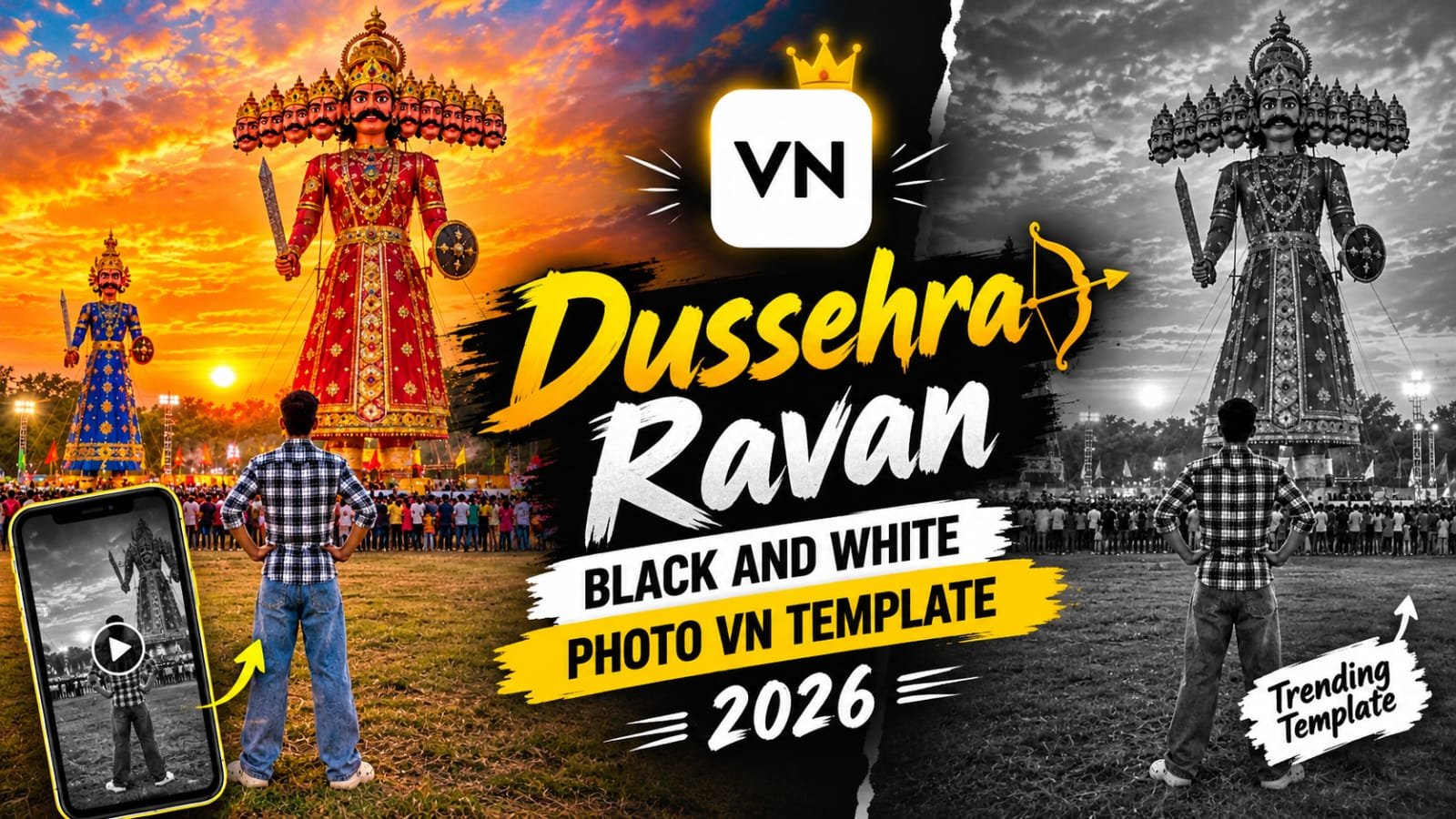
Dussehra is here, and one reel is going crazy on Instagram right now.
A boy stands with his back to the camera, hands on his waist, and in front of him two giant Ravan effigies rise over a huge crowd.
The whole scene is in moody black and white, with a bold title, a small trident icon and slow lines of text that appear one by one.
In this post, I will show you how to create this exact photo with AI, and then how to turn it into the viral reel with the VN template.
Ye Trend Kya Hai?
Ye ek cinematic Dussehra reel hai jo 20 second ka hai.
Photo black and white hoti hai, isliye poora scene serious aur powerful lagta hai.
Ladka peeche se khada hai, to face dikhane ki zarurat hi nahi.
Samne Ravan ke bade bade putle hain aur unke peeche dhundhla shaam ka aasmaan.
Photo ke upar trident wala icon, ek red line aur bold title aata hai.
Uske neeche text line by line aata hai, jaise koi dialogue chal raha ho.
End me ek smooth blur transition aata hai aur photo ka naya angle dikhta hai.
Isi wajah se reel dekhne wale ko end tak rukna padta hai.
Is Reel Me Kya Kya Hai
- Black and white Dussehra ground photo
- Boy standing from behind with hands on waist
- Do giant Ravan effigies in the background
- Bheed (crowd) line me door tak
- Bold title text with trident icon and red line
- Line by line subtitle animation
- Vertical blur streak transition near the end
- Photo ka slight zoom and reposition in the last scene
Step 1: AI Se Ye Photo Kaise Banayein
Sabse pehle hume photo chahiye.
Neeche diye gaye prompt ko ChatGPT me paste karo aur apni photo upload karo.
Agar tum chahte ho ki photo me tum khud dikho, to apni full body photo (peeche se ya side se) upload karna best rahega.
Photo Prompt:
Photo kaisi honi chahiye, ye samajh lo:
- Vertical 9:16 ratio, taki reel me full screen aaye
- Black and white, thoda contrast high
- Ladka beech me, peeche se, hands on waist
- Samne Ravan ke bade putle, aur unke saamne crowd
- Neeche ghaas ka maidan, upar badalon wala aasmaan
- Shaam ki halki roshni, thodi si lights door crowd me
Photo pasand na aaye to prompt me “wider shot” ya “more cloudy sky” likh ke dobara generate karo.
Step 2: VN Template Se Reel Banayein
Photo ready hai, ab iska reel banate hain.
VN Video Editor me ye template already set hai, bas tumhe apni photo daalni hai.
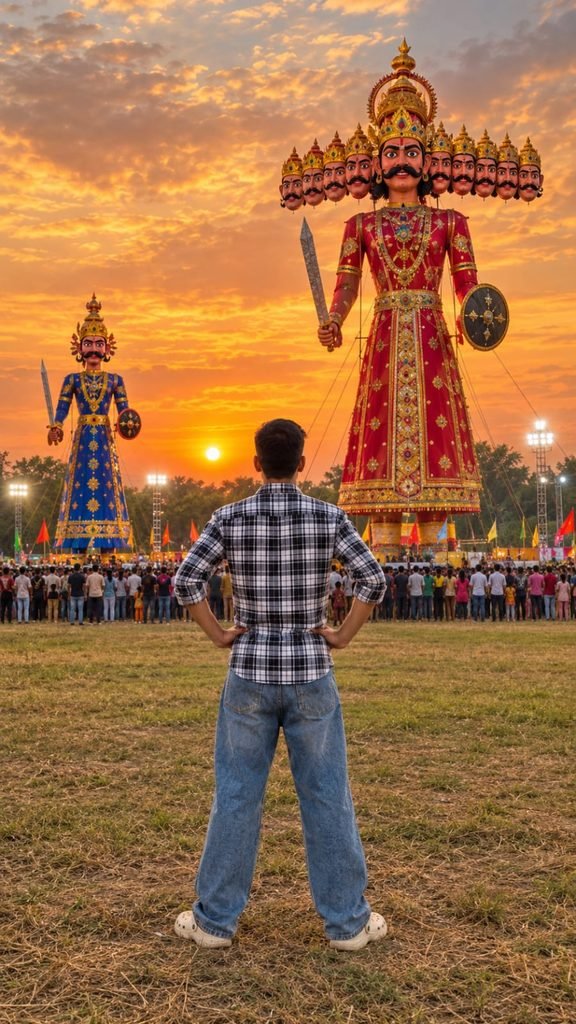
Create an ultra-realistic, cinematic photograph of a young Indian boy standing in a large open field during a traditional Indian Dussehra Ravan Dahan festival at sunset.

STRICT POSE AND OUTFIT REFERENCE:
Use the uploaded boy's photograph as the exact reference for his appearance, hairstyle, clothing, and body proportions. Preserve his original black hairstyle, black-and-white checkered shirt with rolled-up sleeves, loose faded blue baggy jeans, and off-white Crocs-style shoes.

POSE AND CAMERA ANGLE:
Show the boy standing in the center foreground with his back facing the camera, looking directly toward the giant Ravana effigy. His feet are slightly apart, both hands resting naturally on his hips, and his elbows pointing outward. His head is facing forward toward the effigy. Reproduce the same relaxed, confident standing posture as the reference image. The boy's face should not be visible because he is facing away from the camera.

BACKGROUND AND ENVIRONMENT:
A huge, incredibly detailed Ravana effigy stands in the center-right background. It has multiple heads arranged horizontally, a golden crown, a thick black moustache, a richly decorated red-and-gold traditional royal costume, and traditional props including a sword and shield.

A smaller blue-and-gold decorated Ravana-style effigy stands on the left side of the scene. Both effigies are towering above the crowd.

A large crowd of Indian people gathers across the field, watching the festival. Include realistic trees in the distance, bright stadium floodlights, small colorful festival flags, and a natural grassy and slightly dry ground.

LIGHTING AND SKY:
Create a breathtaking golden-orange sunset with a dramatic sky filled with beautiful textured clouds. Use warm golden sunlight near the horizon, orange and yellow tones, soft natural shadows, and realistic festival lighting.

COLOR GRADING:
Full natural color photography. Rich orange-gold sunset, realistic red-and-gold decorations, deep blue clothing on the smaller effigy, natural green trees, realistic skin tones, and detailed blue denim. Do not make the image black and white.

CAMERA AND COMPOSITION:
Vertical 9:16 aspect ratio, full-body rear view of the boy, wide-angle composition, eye-level camera positioned behind the boy, realistic perspective, detailed foreground grass, a large crowd in the middle ground, and towering effigies in the background.

Photorealistic DSLR photography, realistic textures, natural lighting, high dynamic range, sharp details, authentic Indian Dussehra festival atmosphere, professional photography, 4K-quality details.

STRICT REQUIREMENTS:
- Show only ONE boy in the foreground.
- Remove the original boy from the previous reference composition and replace him with the boy from the uploaded photograph.
- The boy must face away from the camera toward the Ravana effigies.
- Maintain the exact checkered shirt, baggy blue jeans, hairstyle, and off-white shoes from the boy's reference photo.
- No text, captions, logos, watermarks, or typography anywhere in the image.
- No black-and-white filter.
- No additional foreground people.
- Do not change the boy's clothing or hairstyle.
- Do not create distorted hands, extra fingers, extra limbs, or unnatural body proportions.
- Keep the composition realistic and visually consistent with the reference image.

FINAL RESULT:
A colorful, ultra-realistic vertical photograph of the same boy standing with his hands on his hips, watching two enormous Ravana effigies at a spectacular Indian Dussehra festival during a golden-orange sunset.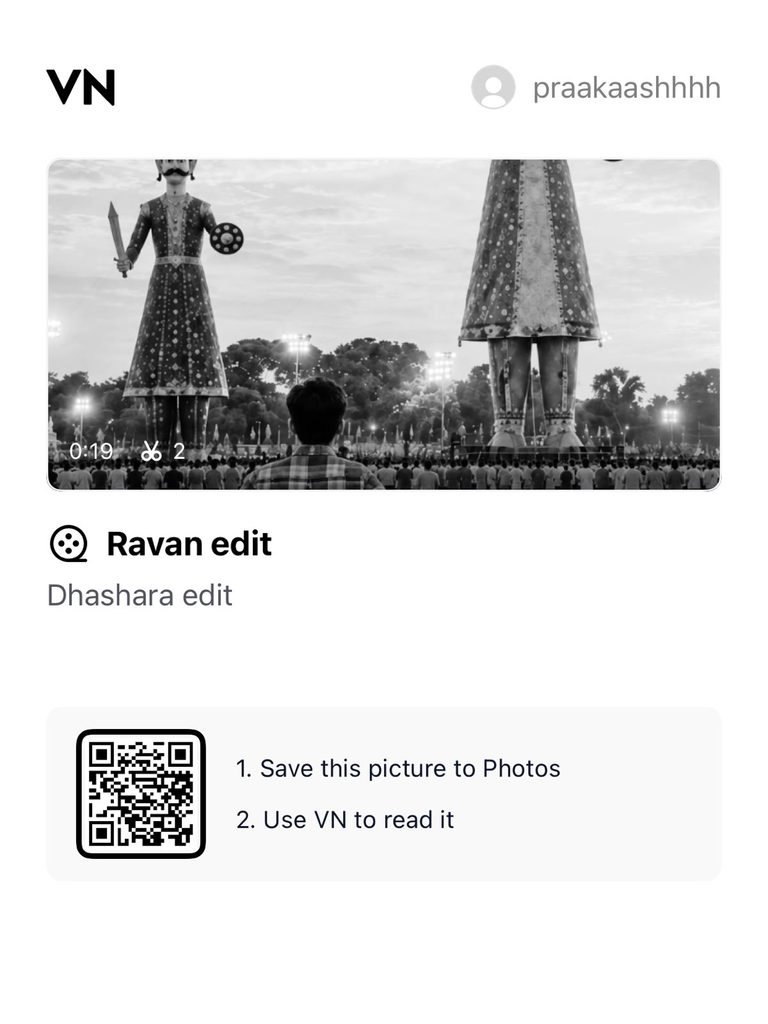
VN Template Code / Link:
Follow these steps:
- Play Store ya App Store se VN Video Editor install karo
- Upar diya hua VN code copy karo ya link pe click karo
- VN app me “Use Template” ya “Import” ka option select karo
- Apni AI se banayi hui photo select karo
- Title aur subtitle text ko apne hisaab se edit karo
- Preview dekho, aur sab sahi lage to export karo
- Export ke baad Instagram pe reel upload kar do
Text Kaise Edit Karein
Template me jo subtitle lines hain, wo tum badal sakte ho.
Apni language me likho, ya apna dialogue daalo.
Ek line chhoti rakho, taki screen pe easily padhi jaye.
Text ko respectful aur positive rakho, taaki reel Instagram pe aasani se reach kare.
Title wahi rakh sakte ho ya festival ke hisaab se naya likh sakte ho.
Best AI Tools For This Photo
| Tool | Best For | Free Plan |
|---|---|---|
| ChatGPT | Photo banane ke liye, apni photo ke saath | Limited |
| Google Gemini | Quick realistic photo generation | Yes |
| Google Flow | Photo ko animate karne ke liye | Limited |
| CapCut | Photo ko edit aur effects dene ke liye | Yes |
| VN | Is trend ka final reel template | Yes |
| Midjourney | Highly cinematic crowd scenes | Paid |
| Leonardo AI | Stylised black and white looks | Limited |
Is trend ke liye ChatGPT plus VN ka combo sabse easy hai.
Pro Tips For Better Results
- Photo me hamesha vertical 9:16 ratio rakho
- Black and white me contrast thoda high rakho, tabhi Ravan ke putle clear dikhenge
- Ladke ki pose seedhi rakho, hands on waist wali pose best lagti hai
- Subtitle ko 5 se 8 words tak hi rakho
- Reel ko Dussehra ke aas paas post karo, tab reach sabse zyada milti hai
- Caption me “Dussehra”, “Ravan Dahan”, “VN Template” jaise hashtags use karo
- Background me ek halka devotional ya cinematic music lagao
FAQs
Q1. Is Dussehra Ravan reel me face dikhana zaruri hai?
Nahi, is trend me ladka peeche se khada hota hai.
To tumhe face dikhane ki zarurat nahi hai.
Q2. Kya ye photo black and white hi banani hai?
Haan, black and white se hi is reel ka serious aur cinematic look aata hai.
Agar color me banaoge to feel alag aayega.
Q3. Kya Ravan ke putle ek ke jagah teen ya chaar rakh sakte hain?
Haan, tum prompt me number badal sakte ho.
Par do putle rakhoge to scene clean aur balanced lagta hai.
Q4. VN template me subtitle text change kar sakte hain?
Haan, har text line editable hai.
Bas ek line chhoti rakho taaki animation sahi chale.
Q5. Is reel me blur transition kaha aata hai?
Reel ke end me, lagbhag 16th second ke aas paas.
Wahi se photo ka naya angle dikhta hai.
Q6. Ye reel Dussehra ke baad bhi chalegi?
Haan, Ravan Dahan wali photo festival ke kuch din baad tak trend me rehti hai.
Par best reach Dussehra ke time hi milti hai.
Final Words
To ye tha Dussehra Ravan black and white photo aur VN template ka poora process.
Pehle AI se photo banao, phir VN me template lagao, aur apna reel ready karo.
Agar kisi step me problem aaye to comment me batao.
Aise hi latest viral prompts aur templates ke liye hamare Telegram channel se jud jao.
Roz naye trending prompts wahi pe milte hain.
Rank Math SEO (optional)
- Focus Keyword: Dussehra Ravan VN Template
- SEO Title: Dussehra Ravan Black and White Photo VN Template 2026
- Meta Description: Dussehra Ravan black and white photo kaise banayein aur VN template se viral reel kaise banayein. Step by step guide, AI prompt aur FAQs.