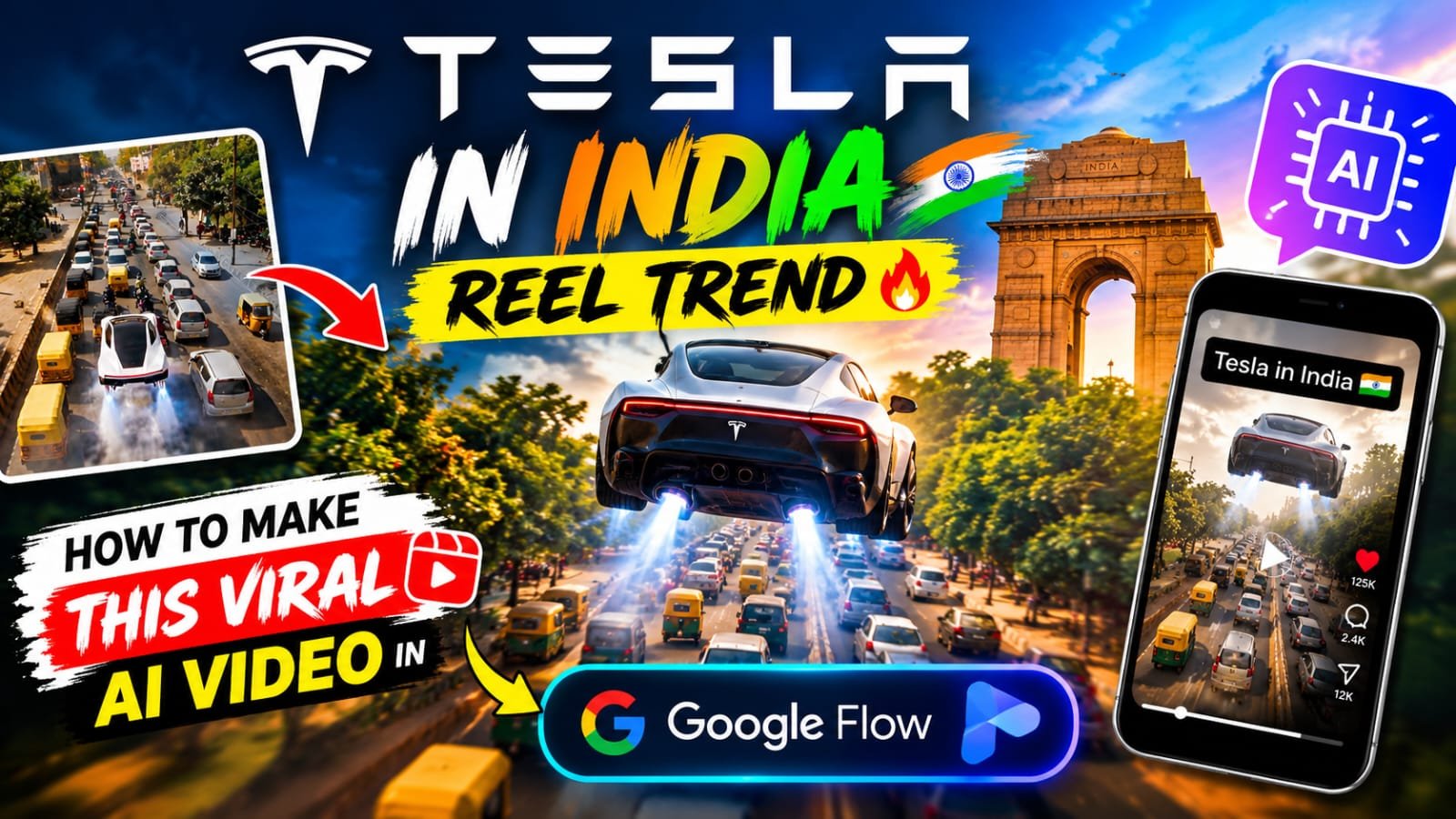
If you have been scrolling Instagram lately, you must have seen the “Tesla In India” reel.
A futuristic white Tesla drives through a crowded Indian road, then fires up its thrusters and floats above the traffic.
The video is funny, cinematic and very relatable, and that is exactly why it is going viral right now.
In this article, I will show you how to create the same Tesla In India AI video in Google Flow, and how to put your own face in it using a reference photo.
Tesla In India Reel Trend Kya Hai?
Ye trend ek simple idea pe based hai.
Ek super modern Tesla car India ki real roads pe aati hai.
Aur phir wo wahi karti hai jo har Indian driver ka sapna hota hai, traffic ke upar se nikal jaana.
Reel mein black bars pe “TESLA IN INDIA” likha aata hai, jo video ko ek movie trailer jaisa look deta hai.
Log isko isliye pasand kar rahe hain kyunki isme Indian traffic, auto-rickshaw, bikes aur bijli ke taaron ka real mazaa hai.
Recreate @video1 as closely as possible, replacing the original person with the person from @image1.

DURATION: 10 seconds.
ASPECT RATIO: Vertical 9:16.

IDENTITY:
Use @image1 as the ONLY identity reference for the main person. Preserve the uploaded person's recognizable facial features, skin tone, hairstyle, and identity. Do not copy the original person's face from @video1. Keep the same person's identity consistent throughout every shot.

REFERENCE VIDEO:
Use @video1 as the master reference for the complete video. Recreate the same white Tesla Cybertruck, driving scenes, drifting actions, Indian roads, surrounding traffic, buildings, environment, lighting, camera angles, framing, shot sequence, transitions, and movement as closely as possible.

ACTION AND TIMING:
Follow the original sequence of events in @video1. Match the timing, vehicle movements, driving direction, drifting motion, camera movement, and transitions. Do not invent additional scenes or change the original sequence.

VEHICLE:
Keep the white Tesla Cybertruck consistent with the reference video. Preserve its recognizable design, shape, proportions, and color throughout all shots.

REALISM:
Create realistic vehicle motion, natural road contact, believable drifting physics, consistent shadows, and cinematic lighting. Keep the main person's face recognizable and consistent. Avoid facial distortion, identity changes, flickering, and unnatural movements.

AUDIO:
Preserve the original background music and its timing from @video1 if supported. Do not add dialogue, voice-over, or unrelated sound effects.

STRICT RULES:
- No text anywhere in the video.
- No titles, captions, subtitles, labels, or added lettering.
- No added logos, watermarks, or graphic overlays.
- Do not change the car, environment, or original scene sequence.
- Do not add extra people or unrelated objects.
- Do not alter the uploaded person's identity.
- Do not create new scenes that are absent from @video1.

FINAL RESULT:
A realistic 10-second vertical recreation of @video1 featuring the person from @image1, with the original scene sequence, white Tesla Cybertruck, driving and drifting actions, camera movements, and music preserved as closely as the tool allows.Video Mein Kya Kya Dikhta Hai (Scene By Scene)
Is reel ko recreate karne se pehle scenes samajhna zaroori hai.
- Opening shot: ek white futuristic Tesla road pe aati hui, upar aur neeche black bars ke saath “TESLA” aur “IN” text.
- Second shot: car ke peeche se tracking shot, road pe halka sa dhuan aur “IN INDIA” text.
- Third shot: side angle mein car speed pakadti hui, bright daylight aur cinematic look.
- Traffic scene: bheed wali Indian road, yellow-green auto, bikes, bus aur red signal.
- Driver shot: car ke andar ek bearded driver, black sunglasses aur white t-shirt mein, shant face ke saath.
- Thruster moment: car ke neeche se blue jet flames niklti hain aur car zameen se upar uthne lagti hai.
- Flying shot: car traffic ke upar float karti hai, neeche auto aur cars ruki hui hain.
- Funny ending: car bijli ke taaron (overhead wires) ke jaal mein phas jaati hai aur driver bas shant hoke dekhta rehta hai.
- Closing frame: car taaron ke beech hawa mein latki hui aur “TESLA IN INDIA” text.
Ye last wala wire scene hi is reel ka asli punch hai.
Is Video Mein Aap Apna Face Kaise Laga Sakte Ho
Google Flow mein reference image feature hota hai.
Aap apni khud ki clear photo upload karte ho, aur video ka main driver aapki shakal ka ban jaata hai.
Iske liye aapko sirf ek achhi reference photo chahiye.
Photo kaisi honi chahiye:
- Front ya halka side angle, face clearly dikhna chahiye.
- Achhi lighting, bina blur ke.
- Sunglasses, beard ya hairstyle jo aap video mein chahte ho, wo photo mein bhi ho.
- Sirf aapki apni photo use karein ya us insaan ki jiski permission aapke paas ho.
Isi tarah aap car ka color, city aur scene bhi change kar sakte ho.
Jaise white ki jagah red Tesla, ya Mumbai, Delhi, Jaipur ki road.
Tools Jo Aapko Chahiye
| Tool | Kis Kaam Ke Liye | Is Trend Ke Liye Kitna Useful |
|---|---|---|
| Google Flow | Main video generation, reference photo ke saath | Best, isi mein pura video banega |
| Google Gemini | Prompt likhne aur improve karne ke liye | Bahut useful |
| ChatGPT | Starting image ya character image banane ke liye | Useful |
| CapCut | Text, black bars, trim aur final edit | Bahut useful |
| VN | Mobile pe simple editing | Useful |
| Midjourney | High quality car concept image | Optional |
| Leonardo AI | Futuristic car design image | Optional |
Step By Step: Tesla In India Video Kaise Banayein
Step 1: Reference Photo Ready Karein
Apni ek clear photo select karein.
Sunglasses wali photo best rehti hai, kyunki original reel mein driver ne sunglasses pehne hain.
Step 2: Google Flow Open Karein
Google Flow mein jaake new project start karein.
Video generation mode select karein.
Step 3: Reference Image Upload Karein
Apni photo ko reference ya ingredient ke roop mein add karein.
Isse driver ka face aapke jaisa aayega.
Step 4: Prompt Paste Karein
Neeche diye gaye prompt box mein apna prompt paste karein.
Step 5: Video Generate Karein
Generate pe click karein aur result ka wait karein.
Agar ek baar mein perfect na aaye to chhota sa change karke dobara try karein.
Step 6: Scenes Ko Jodein
Flow mein har clip chhota hota hai.
To traffic scene, thruster scene aur wire wala scene alag alag generate karke baad mein join karein.
Step 7: CapCut Mein Final Touch Do
CapCut mein upar neeche black bars lagayein.
“TESLA”, “IN”, “INDIA” text ko bold white font mein timing ke saath add karein.
Halka sa engine ya whoosh sound effect daalein, aur reel ready.
Prompt Ko Better Banane Ke Pro Tips
- Prompt mein hamesha batayein ki camera kahan hai, jaise tracking shot, drone view ya car ke andar ka close-up.
- Indian road ke details likhein, jaise auto-rickshaw, bikes, bus, signal aur bijli ke taar.
- Wire wala funny ending alag clip mein banayein, taaki wo clear aaye.
- Daylight likhein, kyunki bright light mein video zyada real lagta hai.
- Ek hi clip mein bahut saari cheezein na daalein, 8 second ke chhote clips best rehte hain.
- Final video 9:16 vertical format mein hi banayein taaki Instagram Reels pe perfect fit ho.
- Reel ke caption mein “Tesla in India” aur trending hashtags zaroor lagayein.
Common Galtiyan Jo Avoid Karni Hain
- Blurry ya dark reference photo use karna.
- Ek hi prompt mein poori kahani daal dena.
- Real company ka logo ya brand name ko misleading tarike se use karna.
- Bina sound ke video post karna.
Ye video sirf entertainment aur creativity ke liye hai.
Isko real Tesla ka official content bata ke post na karein.
Tesla In India Reel Mein Views Kaise Badhayein
Pehle 2 second mein hi car ka shot dikhayein, taaki log ruk jaayein.
Wire wala scene end mein rakhein, kyunki log last tak dekhte hain aur share karte hain.
Apna face daalne se reel personal lagti hai, aur personal reels pe zyada comments aate hain.
Trending audio ya halka cinematic sound use karein.
Post karne ka best time shaam 6 se 9 baje ke beech hota hai.
FAQs
Tesla In India reel trend kya hai?
Ye ek AI video trend hai jisme ek futuristic Tesla car Indian traffic mein chalti hai, thrusters se upar uthti hai, aur end mein bijli ke taaron mein phas jaati hai.
Kya main is Tesla In India video mein apna face laga sakta hoon?
Haan, Google Flow mein apni clear reference photo upload karke aap driver ka face apna bana sakte ho.
Is video ko banane ke liye kaunsa tool best hai?
Google Flow main video ke liye best hai, aur final text aur black bars ke liye CapCut ya VN use kar sakte ho.
Car ka color ya city change kar sakte hain?
Bilkul, prompt mein white ki jagah red, black ya blue car likh sakte ho, aur Mumbai, Delhi ya kisi bhi city ki road choose kar sakte ho.
Wire wala ending scene kaise banayein?
Is scene ko alag clip mein generate karein jisme car overhead bijli ke taaron ke beech hawa mein ruki ho aur driver shant baitha ho, phir CapCut mein baaki clips ke saath jodein.
Kya ye video Instagram Reels ke liye sahi size mein banta hai?
Haan, 9:16 vertical format select karke banayein, ye Instagram Reels aur YouTube Shorts dono ke liye perfect hai.
Kya is video mein kisi aur ki photo use kar sakte hain?
Sirf apni photo ya us insaan ki photo use karein jiski permission aapke paas ho.
Final Words
Tesla In India reel ek simple but bahut funny idea hai, aur Google Flow ke saath ise banana kaafi aasan hai.
Bas apni reference photo lagayein, prompt paste karein, aur apna version bana ke post karein.
Aise hi latest viral prompts aur trending templates ke liye meraprompt.com ko follow karte rahein.
Hamara Telegram channel join karein taaki har naya prompt sabse pehle aapko mile.