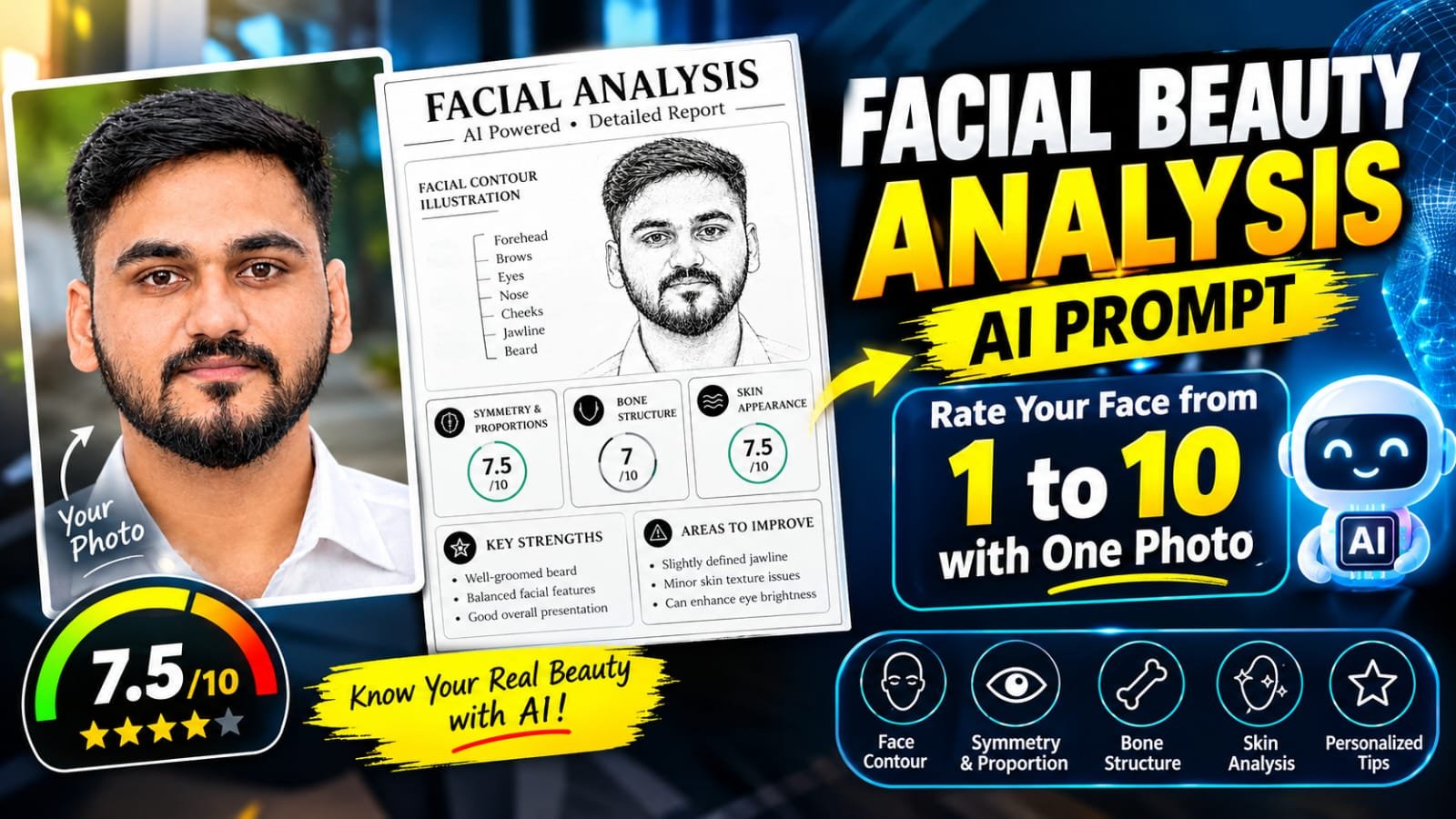
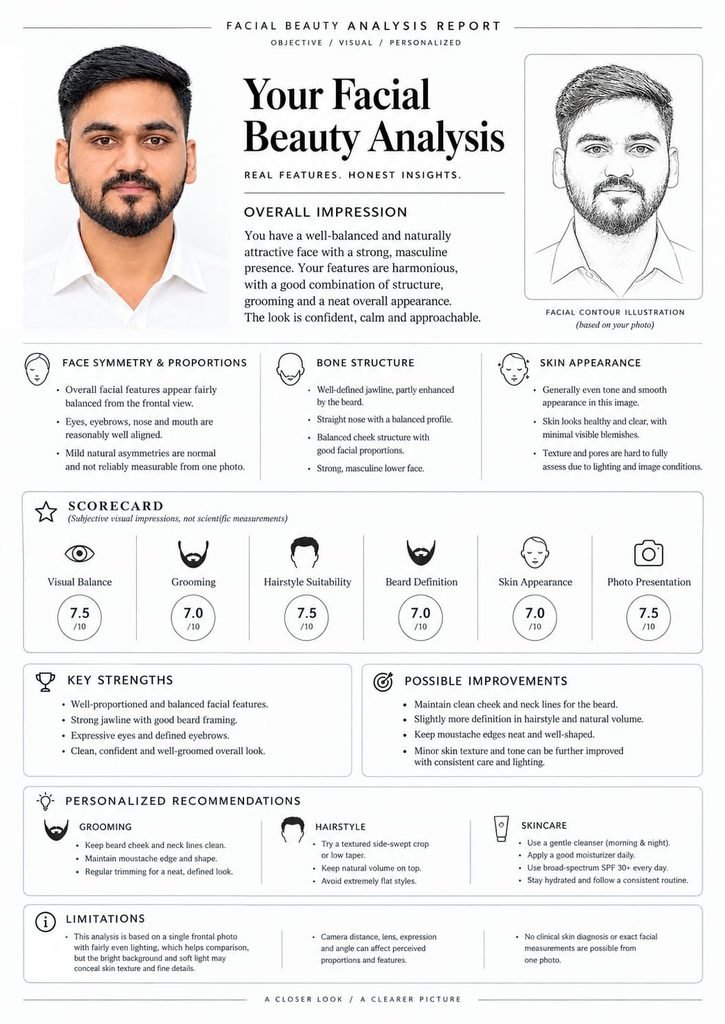
If you’ve scrolled Instagram lately, you’ve probably seen it: a clean, magazine-style poster with a portrait, a pencil-sketch version of the same face, a scorecard out of 10, and a neat list of grooming and skincare tips.
That’s the Facial Beauty Analysis trend, and it’s everywhere. You upload one photo, paste one prompt, and AI builds a complete infographic report about your face.
In this tutorial on MeraPrompt, you’ll learn exactly how to make one, what to prepare, and how to get a result good enough to post.
What Is the Facial Beauty Analysis Trend?
It’s an AI-generated report poster built from a single front-facing photo. Instead of a plain selfie, you get a designed layout that feels like a professional consultation.
A typical poster includes:
- Your original photo
- A Facial Contour Illustration, a pencil-style sketch based on your photo
- Overall Impression, a short, friendly summary of your look
- Face Symmetry & Proportions, on how balanced your features appear
- Bone Structure, covering jawline, nose profile, and cheek structure
- Skin Appearance, on how your skin looks in the photo
- Scorecard, with 1 to 10 scores for Visual Balance, Grooming, Hairstyle Suitability, Beard Definition, Skin Appearance, and Photo Presentation
- Key Strengths and Possible Improvements
- Personalized Recommendations for grooming, hairstyle, and skincare
- Limitations, a short note that it’s a visual opinion, not a clinical assessment
Minimal icons, circular score badges, and clean typography make the whole thing look premium, which is why people love sharing it.
Create a premium, minimalist facial beauty analysis report based on the provided photo. Maintain a clean black-and-white design, thin elegant lines, refined rounded cards, and a luxurious editorial aesthetic.

Include a fine-line illustration of the subject’s facial contours, facial symmetry and proportion analysis, bone structure evaluation, skin appearance assessment, individual scores out of 10, key facial strengths, areas for improvement, and personalized grooming, hairstyle, and skincare recommendations.

Keep the assessment honest, objective, and data-driven without excessive flattery. Preserve the subject’s actual facial features, natural appearance, and identity without altering or idealizing the face. Do not invent measurements or make unsupported claims. Clearly acknowledge any limitations in the analysis caused by lighting, image quality, facial expression, or camera angle.

Ensure the final report remains visually sophisticated, well-organized, informative, and consistent with a high-end black-and-white beauty analysis editorial design.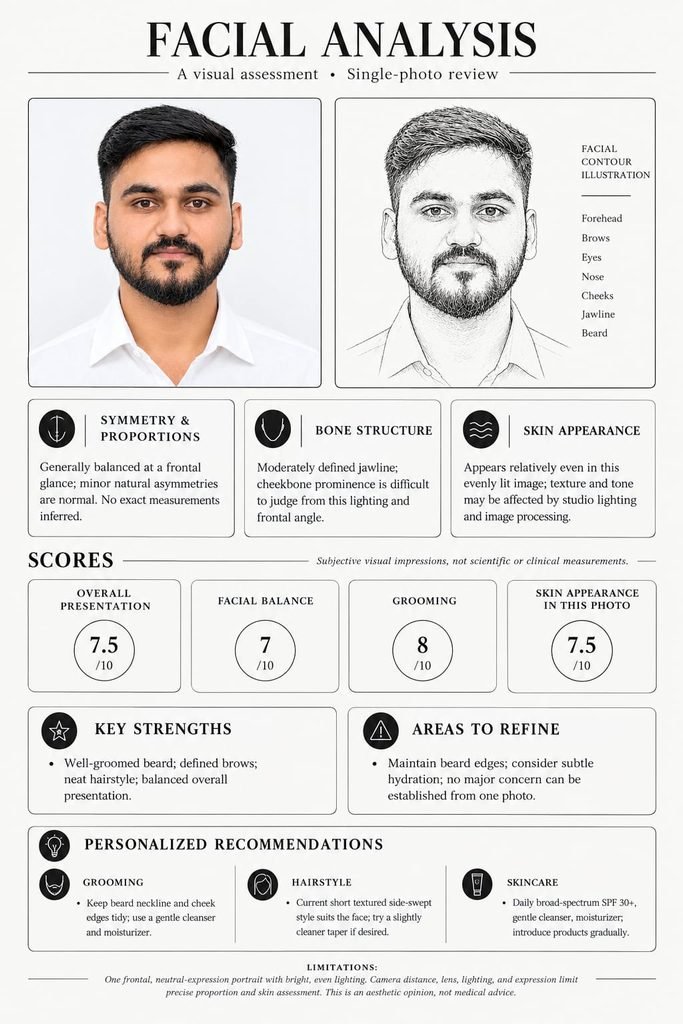
Create a premium, minimalist facial beauty analysis report based on the provided photo. Use a clean black-and-white design with thin lines, elegant rounded cards, and a luxury editorial aesthetic. Include a fine-line facial contour illustration, symmetry and proportion analysis, bone structure, skin appearance, individual scores out of 10, key strengths, areas for improvement, and personalized grooming, hairstyle, and skincare recommendations. Keep the assessment honest, objective, data-driven, and not overly flattering. Preserve the subject’s real facial features and identity, avoid invented measurements, and clearly acknowledge limitations caused by lighting or camera angle.A Quick Note Before You Start
This trend is just for fun. The scores are subjective impressions generated by AI. They are not scientific measurements or medical advice.
Lighting, camera angle, lens distance, and expression all change the result. A 7 doesn’t make you average, and a 9 doesn’t make you perfect. Treat it as a creative, shareable poster and enjoy it.
Which AI Tools Can You Use?
You need an AI that can read an uploaded photo and generate an image with lots of clean text. Good options:
- Google Gemini (image generation)
- ChatGPT (image generation)
- Any other AI image tool that handles photo uploads and text-heavy layouts well
💡 Pro tip: The poster has a lot of small text, so pick the tool that spells best. If the first result has typos, regenerate.
Step-by-Step Tutorial
Step 1: Choose the Right Photo
Your photo decides about 70% of the final quality. Pick one with:
- A straight, front-facing angle
- Soft, even lighting with no harsh shadows
- A plain, light background
- A clearly visible face: no sunglasses, cap, or heavy filters
- High resolution, no blur
A passport-style or studio-style portrait works best.
Step 2: Open Your AI Tool
Open Gemini, ChatGPT, or your preferred tool and start a new chat.
Step 3: Upload Your Photo
Attach your chosen portrait.
Step 4: Paste the Prompt
Copy the prompt below and send it along with your photo.
Step 5: Wait for the Result
Within seconds, your Facial Beauty Analysis poster will be ready.
Step 6: Regenerate if Needed
If the text looks off or the layout isn’t right, hit Regenerate or tweak the prompt slightly.
📝 The Facial Beauty Analysis Prompt
👇 Copy the prompt below
[PASTE YOUR PROMPT HERE]
Tap copy, upload your photo, and paste it into your AI tool.
7 Pro Tips for the Best Results
- Use a straight-on photo. Tilted or side-angle shots confuse both the analysis and the sketch.
- Choose soft natural light. Window light or open shade beats direct flash.
- Skip the filters. Beauty modes smooth out details, and the AI works best with a real, unedited face.
- Groom before you shoot. Neat hair and a tidy beard or clean shave make the report look stronger.
- Keep the background simple. A white or light wall helps the AI separate you from the layout.
- Use a neutral or soft expression. Big smiles and funny faces change how proportions appear.
- Try a few generations. Pick the version with the cleanest text and best layout.
Common Problems and Quick Fixes
The text looks messy or misspelled.
Regenerate, or switch to a tool that handles text better.
The sketch doesn’t look like me.
Upload a sharper, brighter, more front-facing photo.
The scores feel too low or too high.
That’s normal. Scores vary with every generation and with photo quality.
The layout is cropped or cut off.
Add this line to the prompt: “Keep the full poster visible in a vertical A4 layout.”
Can You Customize the Report?
Yes. Once you’re comfortable with the base prompt, try small tweaks:
- Change the scorecard categories, for example swap Beard Definition for Smile or Eye Contact
- Change the style, such as dark mode, pastel colors, or a vintage magazine look
- Change the sketch style, such as charcoal, ink line art, or watercolor outline
- Add your name or a handle as a header for easy sharing
- Change the format, like a vertical story size for Instagram or a square post
Change one thing at a time so you can see what actually made the difference.
How to Post It on Instagram
- Save the final image in the highest quality available.
- Post it as a carousel, with the poster first and your original photo second.
- Add a fun caption like “AI rated my face. Honest or not? 😅”
- Use relevant hashtags like #AIPrompt #FacialAnalysis #AITrend #PromptEngineering.
- Tag friends and ask them to try it too. Challenge-style posts get the most shares.
FAQs
Is this analysis accurate?
No. It’s a fun, subjective visual opinion. It can’t measure real facial proportions or assess skin health.
Is it free?
Most AI tools offer limited free image generations. Limits depend on the tool and your plan.
Can I use a group photo?
Not recommended. Use a single-person, front-facing portrait.
Why do I get different scores each time?
AI generates fresh opinions on every run, and small differences in the photo or prompt change the outcome.
Is it safe to upload my photo?
Check the privacy policy of the tool you use, and avoid uploading photos you wouldn’t want stored.
Final Thoughts
The Facial Beauty Analysis trend is a fun way to turn a simple portrait into a polished, shareable poster. Pick a clean photo, paste the prompt, and let AI do the design work. Just remember it’s all about creativity and entertainment, not a verdict on how you look.
Try it, share your result, and keep following MeraPrompt for more trending AI prompts, photo editing ideas, and templates. 🚀