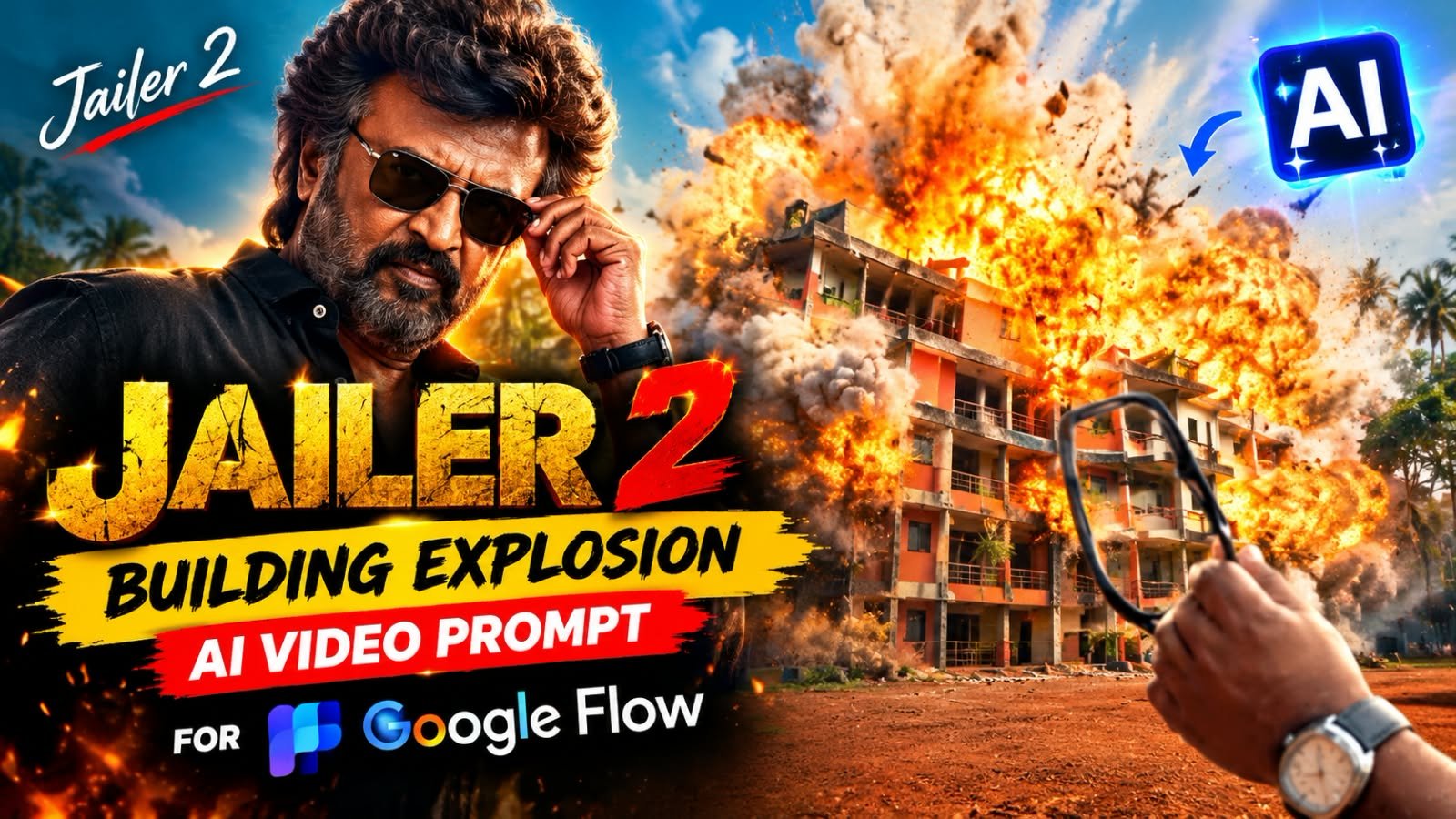
The Jailer 2 Building Explosion reel is one of the biggest AI video trends on Instagram right now.
A person stands in front of a huge building, slowly takes off their glasses, and holds them up like a lens.
Behind the glasses, a giant cinematic fireball bursts out, and in the next shot the hero puts the glasses back on and walks toward the camera.
The best part is that you only need one clear photo and Google Flow to make this whole video.
In this post, you will get the full prompt box, exact Flow settings, a shot-by-shot breakdown, music sync tips and fixes for common mistakes.
What Is the Jailer 2 Building Explosion Trend?
Ye trend Jailer 2 ke mass hero style se inspire hai.
Video ka pehla half bilkul calm hota hai.
Hero building ko dekh raha hota hai aur chashma utaar leta hai.
Phir achanak chashme ke peeche ek bada fireball VFX phatta hai.
Aur uske turant baad hero camera ki taraf slow walk karta hai, jaise kisi movie ka entry scene ho.
Ye “calm to boom” contrast hi is reel ko addictive banata hai.
Log isko baar baar dekhte hain, isliye reach bhi zyada milti hai.
Ek zaroori baat, ye fireball sirf ek fictional VFX effect hai.
Isme koi nuksaan, injury ya violence nahi dikhai jaati.
Poora scene sirf cinematic look ke liye hai.
Jailer 2 Building Explosion Prompt
Neeche prompt box me apna final prompt paste karo.
FIREBALL GLASSES ENTRY — GOOGLE FLOW PROMPT (1 image = your photo)
Upload: @image1 = your photo
DURATION: 10 seconds. 3 shots with hard cuts.
ASPECT RATIO: 16:9 landscape, full frame edge to edge, no black bars.
STYLE: Ultra-photorealistic cinematic live-action VFX video, normal real-time speed (1x).
Use @image1 as the strict identity reference. The character can be a man or a woman — always exactly the person in @image1.
IDENTITY LOCK:
THE PERSON is exactly the person in @image1 — same gender, face, skin tone, hairstyle, hair length, hair color, facial hair (only if @image1 has it) and body in every shot, including the back of the head in Shot 1. If @image1 is a woman, THE PERSON is that same woman with her own hair; if @image1 is a man, THE PERSON is that same man. Never change the gender, never swap in a different person. No face changes, no beautification.
Outfit (same in all shots, for a man or a woman): plain black button-up shirt, top two buttons open, sleeves rolled up to just below the elbows, dark trousers. A silver square metal wristwatch on their RIGHT wrist. Thick black rectangular-frame glasses with clear lenses (they takes them off in Shot 1 and wears them in Shot 3).
LOCATION (same in all shots):
Daytime, soft overcast sky. A quiet urban roadside with reddish-brown ground. In the background stands a large multi-storey residential building with orange-brown and cream walls, a light-blue central section, rectangular windows, recessed balconies with railings and grey sloping roof edges. Green trees and coconut palms around it. Natural daylight and natural shadows. No people anywhere except THE PERSON.
LOOK:
Cinematic, slightly warm color grade, high contrast, soft film grain, realistic. Real-time speed.
SHOT 1 — 0.00s to 2.50s — OVER-THE-SHOULDER (back of their head)
Camera directly behind THE PERSON at their head height, very close: the back of their head and shoulders fill the lower-right part of the frame, the building sharp in the background. Camera holds still with a very slow push-in.
0.00–1.00s: They stand still, looking at the building, wearing their black glasses.
1.00–1.80s: They raise their RIGHT hand to the right side of their face and slowly take the glasses off by the right arm (temple) of the frame.
1.80–2.50s: They lower the glasses down to chest level and stretch their right arm forward toward the building, holding the glasses by one arm.
SHOT 2 — 2.50s to 6.00s — HAND + GLASSES, FIREBALL (hard cut)
Low camera near ground level, 16:9. Their RIGHT forearm comes in from the RIGHT edge of the frame, the silver watch on the wrist clearly visible. They hold the black glasses by the right arm (temple) so the glasses hang in the center of the frame, lenses facing the camera, with the building seen behind and through the lenses. The building is slightly soft in focus, the hand and glasses sharp. Camera very slowly pushes in. The glasses swing a little, then become still.
2.50–4.80s: Calm. The hand holds the glasses steady in front of the building.
4.80–6.00s: A sudden bright orange-white cinematic VFX burst appears in the background behind the glasses. A bright flash expands into a large orange fireball with yellow-white highlights, followed by thick grey-black smoke and white dust rolling outward along the ground. The effect expands across the whole background, covering the building. A brief subtle camera shake only at the first flash, then the close-up is steady again. The hand, fingers, watch and glasses stay sharp, intact and perfectly still in front of the effect; the glasses never break, bend, fall or change shape. The VFX stays behind the foreground and causes no harm to anyone.
SHOT 3 — 6.00s to 10.00s — FRONT FACE ENTRY (hard cut, right after the fireball)
Camera now in FRONT of THE PERSON at chest height, medium shot (head to waist), they are slightly right of center. Behind them the background VFX still fills the frame: a huge glowing orange fireball, rolling grey-black smoke and white dust clouds low on the ground. The smoke and flames never cover their face.
6.00–7.00s: They are facing the camera and put the black glasses on with their RIGHT hand.
7.00–10.00s: They walk slowly and confidently toward the camera, their RIGHT hand stays at the right side of the glasses (two fingers on the frame near their temple, watch visible), adjusting them. Serious, cool expression, a very small smirk at the end. The camera moves slowly backward with them, keeping them in a medium shot. Warm orange light glows on their face and shirt.
End on THE PERSON walking toward the camera with the orange fireball behind them.
AUDIO:
Deep cinematic bass hit and a big boom sound at 4.80s, then heavy dramatic music. No speech, no singing, no lip-sync.
STRICT RULES:
– Only ONE person: the person from @image1. No other people in any shot.
– Same face, black shirt, silver watch and black glasses in all 3 shots.
– The fireball starts at 4.80s and the front shot starts at 6.00s — exactly right after the fireball.
– In Shot 2 the hand and glasses never move when the fireball appears.
– NON-VIOLENT VFX ONLY: the fireball is a fictional background visual effect. No injuries, no blood, no weapons, no attacks, no harmed people, no graphic violence. Nothing hits the person or their glasses.
– No other cuts, transitions, slow motion, speed ramps or freeze frames.
– No text, no captions, no subtitles, no logos, no watermarks, no black bars.
FINAL RESULT:
A 10-second 16:9 cinematic video: the person from @image1 takes off the glasses while looking at a big building, holds them up in front of it, a giant movie-style fireball bursts up behind the still glasses, and right after it they face the camera, put the glasses on and walk forward with the orange glow behind them.Prompt ko bilkul waise hi paste karna hai, bina kuch change kiye.
Isme fireball aur hero entry ka timing second-by-second set hota hai.
Agar tum beech me kuch edit karoge to timing bigad sakti hai.
Google Flow Settings
Generate dabane se pehle ye settings ek baar check kar lo.
| Setting | Kya select karna hai |
|---|---|
| Mode | Ingredients |
| Model | Omni |
| Aspect Ratio | 16:9 (landscape) |
| Duration | 10 seconds |
Landscape 16:9 isliye zaroori hai kyunki poora scene wide cinematic frame ke liye bana hai.
Baad me tum isko CapCut me vertical reel ke liye crop ya re-frame kar sakte ho.
Photo Kaisi Honi Chahiye
Result ka 80% quality tumhari photo par depend karta hai.
Isliye photo upload karne se pehle ye checklist dekh lo.
- Sirf ek photo upload karo, group photo nahi.
- Face poora clear dikhna chahiye, blur ya dark nahi.
- Front-facing ya halka sa angle wali photo best rehti hai.
- Sunglasses ya mask wali photo mat lagao.
- Photo me achhi lighting ho, harsh shadow na ho.
- Ladka ho ya ladki, dono ke liye ye trend kaam karta hai.
- Video me wahi insaan dikhega jo tumhari photo me hai.
How to Make the Jailer 2 Building Explosion Video
Step 1: Open Google Flow
Google Flow open karo aur apne Google account se login karo.
Naya project start karo.
Step 2: Set Mode, Model and Ratio
Mode me Ingredients select karo.
Model me Omni choose karo.
Aspect ratio 16:9 aur duration 10 seconds set karo.
Step 3: Upload Your Photo
Apni ek clear photo upload karo.
Wo photo hi tumhari video ka main character banegi.
Step 4: Paste the Prompt and Generate
Upar wale box ka prompt copy karke Flow me paste karo.
Generate button dabao aur kuch minute wait karo.
Step 5: Download and Add Music
Video ready hone par download kar lo.
Phir CapCut ya VN me khol kar original track lagao.
Neeche music wale section me iska poora tareeka diya hai.
Video Ka Shot-by-Shot Breakdown
Pehle se pata ho ki video me kya hone wala hai, to tum result ko better judge kar paoge.
Shot 1: Back View (0 to 2.5 sec)
Camera hero ke peeche hota hai aur building saamne dikhti hai.
Hero apna chashma utaarta hai aur haath building ki taraf aage badhata hai.
Shot 2: Glasses Close-Up and Fireball (2.5 to 6 sec)
Camera neeche se close-up leta hai.
Haath me chashma shaant hokar hang karta hai aur uske peeche building dikhti hai.
Phir fireball VFX ubharta hai aur poore background ko cover kar leta hai.
Chashma aur haath is dauraan bilkul stable rehte hain.
Shot 3: Hero Entry (6 to 10 sec)
Camera ab hero ke saamne aa jaata hai.
Hero chashma pehenta hai aur slow, confident chaal me camera ki taraf aata hai.
Peeche orange glow aur dhuan hota hai, par chehra hamesha clear rehta hai.
Music Kaise Add Karein
Flow ka video sirf basic sound ke saath aata hai.
Reel ko asli movie wala feel dene ke liye original Jailer 2 track lagana zaroori hai.
CapCut ya VN me:
- Generated video import karo.
- Original track ko video ke neeche lagao.
- Music ka bada beat fireball wale moment (lagbhag 4.8 second) par match karo.
- Export karke reel post karo.
Instagram par directly:
- Video ko reel ke roop me upload karo.
- Trending reel ka original audio “Use audio” se select karo.
Best Tool for This Trend
| Tool | Is Trend ke liye kaisa hai |
|---|---|
| Google Flow | Best choice. Photo se full video banata hai |
| Google Gemini | Prompt tweak karne aur idea check karne ke liye achha |
| ChatGPT | Pehle image ready karne ke liye kaam aata hai |
| CapCut | Music sync aur final edit ke liye best |
| VN | Free aur simple editing option |
| Midjourney | Sirf images ke liye, video ke liye nahi |
| Leonardo AI | Image bana sakta hai, is exact video ke liye zaroorat nahi |
Is trend ke liye simple combo ye hai: Google Flow se video, CapCut ya VN se music.
Common Mistakes aur Unke Fix
Chehra match nahi kar raha:
Aur clear, front-facing photo use karo.
Photo me koi filter ya heavy edit nahi hona chahiye.
Chashma ajeeb dikh raha hai ya shape badal raha hai:
Dobara generate karo.
2 se 3 attempts me ek achha result aksar mil jaata hai.
Fireball galat time par aa raha hai:
Prompt ko poora aur original form me paste karo.
Beech ki lines delete ya short mat karo.
Video ke andar black bars aa gaye:
Aspect ratio 16:9 hi rakho aur Duration 10 seconds check karo.
Music nahi hai:
Ye normal hai, kyunki Flow basic sound deta hai.
CapCut ya VN me original track add karo.
Pro Tips
- Generate 2 se 3 baar karo aur sabse achha version rakho.
- Post karne se pehle pehle 2 second ka hook strong rakho, kyunki wahi decide karta hai log rukenge ya nahi.
- Reel ki caption me trend ka naam likho, jaise “Jailer 2 Building Explosion”, taaki search me aaye.
- Peak fireball moment par screen ko halka sa zoom ya beat-flash dene se reel aur powerful lagti hai.
- Same photo ke saath alag outfit ya alag city background wali prompts bhi try kar sakte ho, par fireball timing wahi rehne do.
- Post karne ka best time shaam 6 se 9 baje ke beech rehta hai.
Frequently Asked Questions
Kya Jailer 2 Building Explosion prompt free hai?
Haan, prompt free hai.
Google Flow bhi free credits deta hai, jinse tum video generate kar sakte ho.
Kya ladki bhi ye video bana sakti hai?
Bilkul.
Ladki ki photo upload karoge to video me wahi ladki dikhegi.
Kya is video ke liye reference video chahiye?
Nahi.
Sirf ek photo aur prompt kaafi hai.
Fireball real hai ya sirf VFX?
Ye sirf ek fictional cinematic VFX effect hai.
Isme kisi ko koi nuksaan nahi hota aur koi violence nahi dikhai jaati.
Video me original Jailer 2 music kyun nahi aata?
Flow sirf basic sound deta hai.
Original track CapCut, VN ya Instagram ke trending audio se add karna padta hai.
Kya ye video mobile se ban sakta hai?
Haan.
Mobile browser me Google Flow chalta hai, aur editing ke liye CapCut ya VN app use kar sakte ho.
Final Words
Jailer 2 Building Explosion trend me bas ek photo, ek prompt aur sahi music ka combination chahiye.
Settings ek baar sahi set kar lo, to result kaafi cinematic aata hai.
Apna version banao, reel post karo aur dekho kitne log puchte hain “ye kaise banaya?”.
Aise hi aur viral AI prompts aur CapCut templates ke liye hamara Telegram channel join karo.
Roz naye trending prompts wahin sabse pehle milte hain.
Join MeraPrompt on Telegram: [add your Telegram link here]