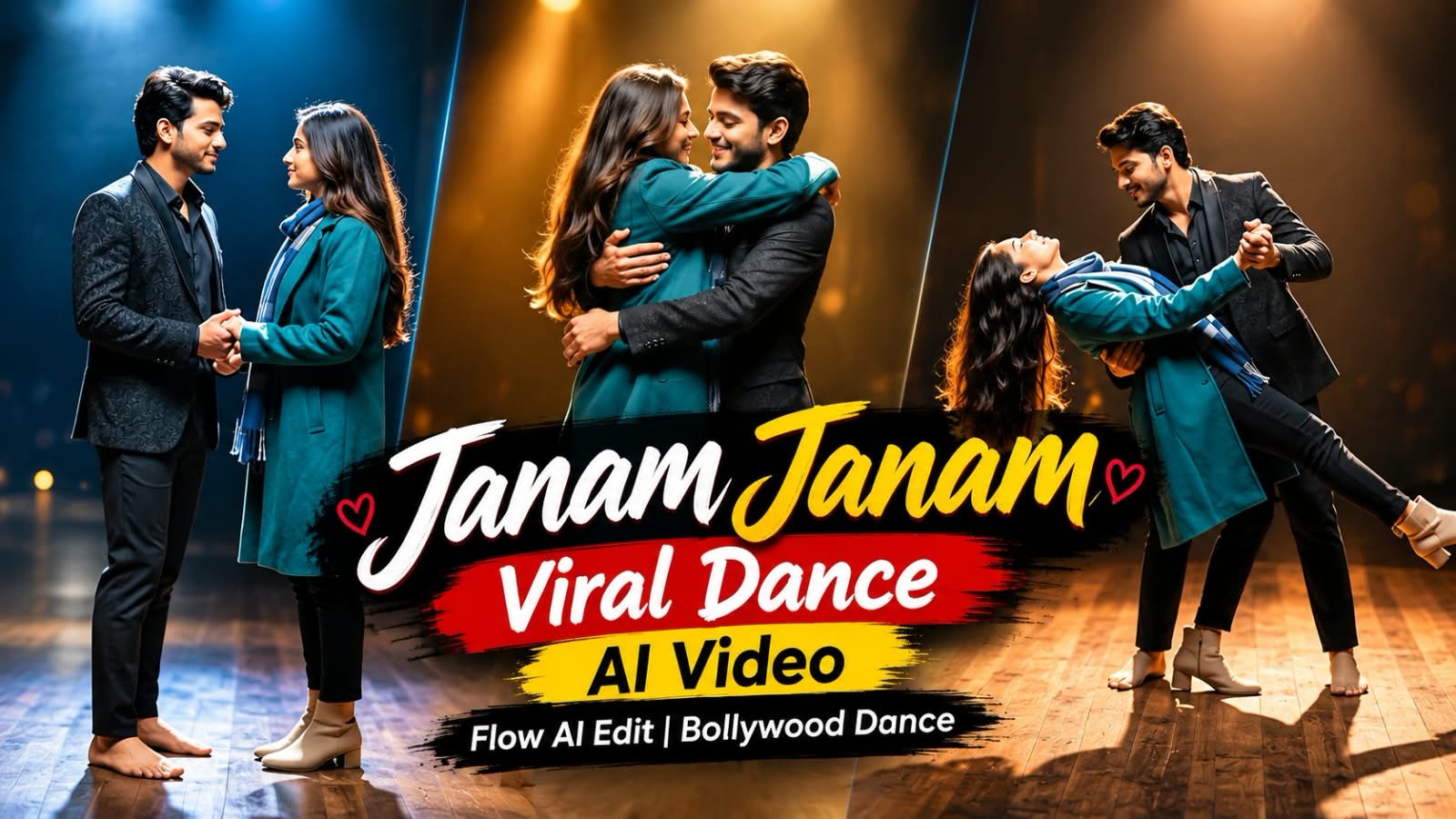
Dilwale ka evergreen romantic gaana “Janam Janam” ab ek naye AI dance trend ke saath viral ho raha hai, jahan log apni ek single photo ko Google Flow ki madad se full dance video mein badal rahe hain. Ye trend Instagram Reels aur YouTube Shorts par tezi se fail raha hai, aur agar aap bhi apna “Janam Janam” AI dance video banana chahte hain, toh ye guide aapke liye hai.
Is article mein hum step-by-step process, working prompt, aur best AI tools cover karenge taaki aap bhi is Bollywood dance trend mein easily join kar sakein.
🕺 Janam Janam Dance Trend Kya Hai
Ye trend basically ek photo-to-video AI dance transformation hai.
Aap apni ya kisi bhi photo (couple, solo, ya even pets) upload karte ho, aur AI us photo ko “Janam Janam” song par smooth Bollywood-style dance moves ke saath animate kar deta hai.
Shah Rukh Khan aur Kajol ki on-screen chemistry wale is gaane ka romantic aur graceful feel is trend ko couples ke beech especially popular bana raha hai.
Log isse Reels, Shorts, aur WhatsApp status ke liye use kar rahe hain — bina kisi dance skill ya studio setup ke.
A cinematic ultra-realistic 4K/8K video (9:16) of a young man wearing a black textured blazer over a black button-down shirt and black trousers, barefoot, and a young woman with long open flowing hair wearing a teal-green long coat, a blue-and-grey striped scarf, black trousers, and beige ankle boots, performing an emotional expressive dance together on a dimly lit circular wooden stage, dramatic single spotlight illuminating them from above against a deep black background, theatrical premium cinematic look with rich full color grading — warm skin tones, deep blacks, and glowing blue-white stage light, not desaturated or dull, smooth fluid slow-motion quality throughout every movement. A small, subtle watermark reading 'NoorEditing07' stays fixed in the bottom corner throughout the entire video, minimal white or light-colored font, low opacity, appearing only once at all times.

CRITICAL: use the two uploaded reference photos as the exact identity source for each person — any person and any woman can upload their own individual reference photos to generate this video with their own likeness. Same faces, same exact facial features, same exact bone structure, same natural smooth clear skin with no blemishes or texture flaws, and the exact same body types and builds as shown in the uploaded photos, maintained precisely and identically in every single scene with absolutely zero facial drift, zero identity change, and zero morphing between scenes for either person. The face of each person must remain exactly the same from Scene 1 through Scene 7, never shifting, blending, or turning into a different-looking face at any point, even during fast movement, spins, or lifts. This must work accurately for any two people of any age or body type who upload their own reference photos — the generated faces, skin, and bodies must always match the uploaded photos exactly, never generic or different faces.

Scene 1: Wide shot — they hold hands and walk together smoothly onto the center of the dimly lit stage, her long hair flowing naturally over her shoulders, a single spotlight glowing above them, warm intimate connection, deep black backdrop, gentle unhurried pacing.

Scene 2: Medium shot — they stand facing each other, hands clasped together, gazing warmly into each other's eyes, her hair softly framing her face, soft spotlight illuminating their faces against the dark stage, calm smooth stillness.

Scene 3: Wide shot — they raise their joined hands together in a smooth joyful gesture, both smiling, spotlight glowing warmly above them, her hair catching the light, fluid graceful motion.

Scene 4: Dynamic full-body wide shot — he holds her close and smoothly lifts her as he spins her in one continuous fluid full 360-degree rotation around himself, her long open hair flying outward and swirling gracefully with the full turn, her teal coat and scarf flaring outward at the same time, her feet lifting off the ground as she completes the entire seamless circular rotation around him, both moving in perfect fluid sync on the wooden stage, camera smoothly circling to capture the complete 360-degree spin without any jarring motion.

Scene 5: Wide shot — they stand with arms spread wide apart while holding hands, leaning back smoothly in a joyful, free-spirited pose, her hair gently flowing with the motion, warm spotlight glowing above them.

Scene 6: Dramatic wide shot — he smoothly dips her gently backward in a graceful classic dance dip, her long hair cascading downward toward the floor as she leans back, one of her legs lifting gracefully off the ground with her boot pointed, her coat draping elegantly as he supports her fully with both arms in one fluid controlled motion, intimate romantic moment under the spotlight, then he smoothly and gently lifts her back upright.

Scene 7: Final emotional shot — he smoothly lifts her fully off the ground into his arms, cradling her securely, and rotates in one continuous fluid full 360-degree turn while carrying her, her hair and coat both flying outward gracefully throughout the entire seamless rotation, her legs lifting gracefully with the spin, both smiling warmly at each other, then as the rotation completes he gently and smoothly lowers her into a warm close embrace, her hair settling softly around her shoulders as they hug, one foot lifted off the ground, spotlight glowing softly around them, cinematic slow zoom-out to finish.

Overall style: same faces, same identities, same natural smooth skin, same exact body types for both people as shown in their uploaded reference photos, same black blazer-and-trousers outfit for him and teal-green coat with scarf and long open flowing hair for her consistent in every single scene, no outfit change, no identity, body, or facial change for either person in any scene, same real dimly lit circular stage location with dramatic spotlight throughout, smooth fluid graceful full-body dance movement including full seamless 360-degree spins, twirls, dips, and lifts exactly matching an expressive live dance performance, with her hair and coat both dynamically flying and flowing gracefully during every turn and spin, no jerky or abrupt motion anywhere, realistic skin and fabric texture, rich full premium cinematic color grading with warm tones, deep blacks, and glowing spotlight highlights — full natural color, not faded or desaturated — filmic depth and contrast, smooth cinematic transitions between poses, ultra-realistic premium 4K/8K quality, vertical 9:16 format, continuous emotional story flow from start to end, no scene skipped, only 7 scenes total exactly as described.

Watermark (final instruction): keep a single small, subtle, clean text watermark reading 'NoorEditing07' fixed in the same bottom corner position throughout the entire video, minimal white or light-colored font, low opacity, non-intrusive, appearing only once on screen at any given time.⚙️ Konsa AI Tool Use Karein
Google Flow (Gemini) is trend ke liye best suited hai kyunki ye photo-to-video motion ko naturally handle karta hai, especially expressive facial movement aur camera pans ke saath.
Photo ko pehle clear aur front-facing rakhein — better result ke liye achhi lighting wali photo choose karein.
📝 Step-by-Step Guide: Apna Janam Janam AI Dance Video Kaise Banayein
- Ek clear, high-resolution photo select karein (solo ya couple).
- Google Flow ya Gemini app open karein aur photo upload karein.
- Upar diya gaya prompt paste karein aur apni photo ke hisaab se customize karein.
- Video generate hone ka wait karein — usually kuch seconds se ek minute tak lagta hai.
- Generated clip ko CapCut ya VN mein import karein.
- “Janam Janam” audio ko clip ke beats se sync karein.
- Transitions, text overlay, aur filters add karke video ko polish karein.
- Reels ya Shorts format (9:16) mein export karein aur upload karein.
📊 Best AI Tools Comparison
| Tool | Best For | Strength |
|---|---|---|
| Google Flow | Photo-to-dance video generation | Natural motion, facial expression |
| Google Gemini | Prompt refinement & image prep | Fast iteration, easy access |
| CapCut | Editing & beat sync | Templates, auto-sync with music |
| VN | Fine editing & transitions | Clean UI, precise cuts |
| ChatGPT | Prompt writing help | Good for prompt variations |
💡 Pro Tips
Camera-facing, well-lit photo se motion sabse natural aata hai.
Agar couple video bana rahe hain, dono chehre clearly visible honi chahiye.
Video ko CapCut mein export karne se pehle beat drop exactly dance move ke saath match karein — yahi cheez video ko viral banati hai.
Zyada filters mat lagayen, original Bollywood romantic vibe maintain karein.
❓ FAQs
Q1: Janam Janam AI dance video banane ke liye kaunsa app sabse accha hai?
Google Flow currently is trend ke liye sabse smooth aur natural result deta hai.
Q2: Kya couple photo se bhi ye trend try kar sakte hain?
Haan, ye trend especially couple photos ke saath hi zyada popular ho raha hai.
Q3: Video banane mein kitna time lagta hai?
Photo upload karne ke baad AI generation usually ek minute ke andar complete ho jata hai.
Q4: Kya ye free mein try kar sakte hain?
Google Flow aur Gemini ke free tier mein limited generations milte hain, jo trial ke liye kaafi hain.
Q5: CapCut ya VN, editing ke liye kaunsa better hai?
Dono acche hain — CapCut templates ke liye fast hai, VN fine-tuned precision editing ke liye better hai.
Aise hi trending AI prompts aur viral templates ke liye humara Telegram channel join karein — daily updates seedha aapke phone par! 📲