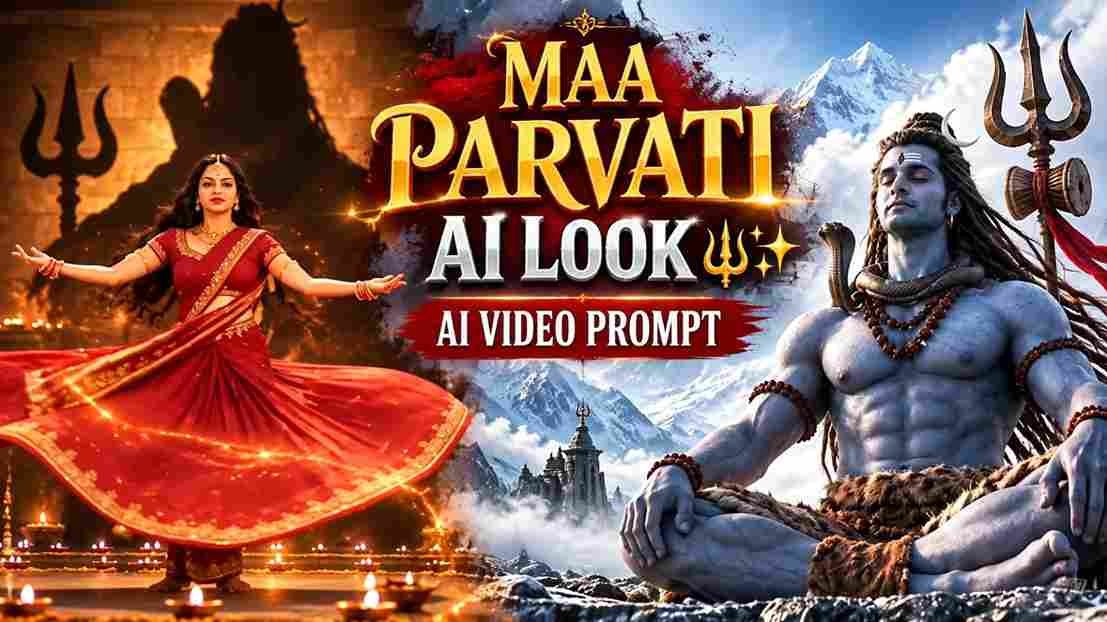
AI photo and video editing tools have made it possible to turn any simple selfie into a cinematic, devotional masterpiece. Right now, one trend is completely dominating Instagram Reels — a Maa Parvati-inspired AI transformation set to the emotional song “Jab Zid Pe Aa Gayi Parvati” from the movie Hanuman Ansh. This guide gives you the exact ChatGPT prompt, Google Flow video prompts, and step-by-step process to create your own viral Parvati Reel.
🔥 Yeh Parvati AI Trend Instagram Pe Itna Viral Kyun Ho Raha Hai?
Yeh trend sirf ek AI photo transformation nahi hai.
Log apni photo ko Maa Parvati jaisa divine look de rahe hain — golden jewelry, deep-red saree, Himalayan background ke saath.
Aur jo cheez isse aur zyada emotional bana rahi hai, wo hai background song.
“Parvati” (Jab Zid Pe Aa Gayi Parvati) song Hanuman Ansh movie se hai, jise Sadhu Tiwari ne khud gaaya, likha aur compose kiya hai.
Yeh song Shiv-Parvati ke rishte ki bhakti aur tyag ko dikhata hai, isliye jab iska use ek divine AI transformation reel ke saath hota hai, toh viewers turant emotionally connect kar jaate hain.
Instagram par is trend ke hazaaron reels already viral ho chuke hain, aur competition abhi shuru hi hua hai.
Agar aap bhi apni ek devotional, aesthetic Parvati Reel banana chahte ho, toh neeche di gayi prompt aur process follow karo.
Maa Parvati AI Photo Prompt (ChatGPT)
Apni clear front-facing photo upload karo aur neeche diya gaya prompt copy-paste karo.
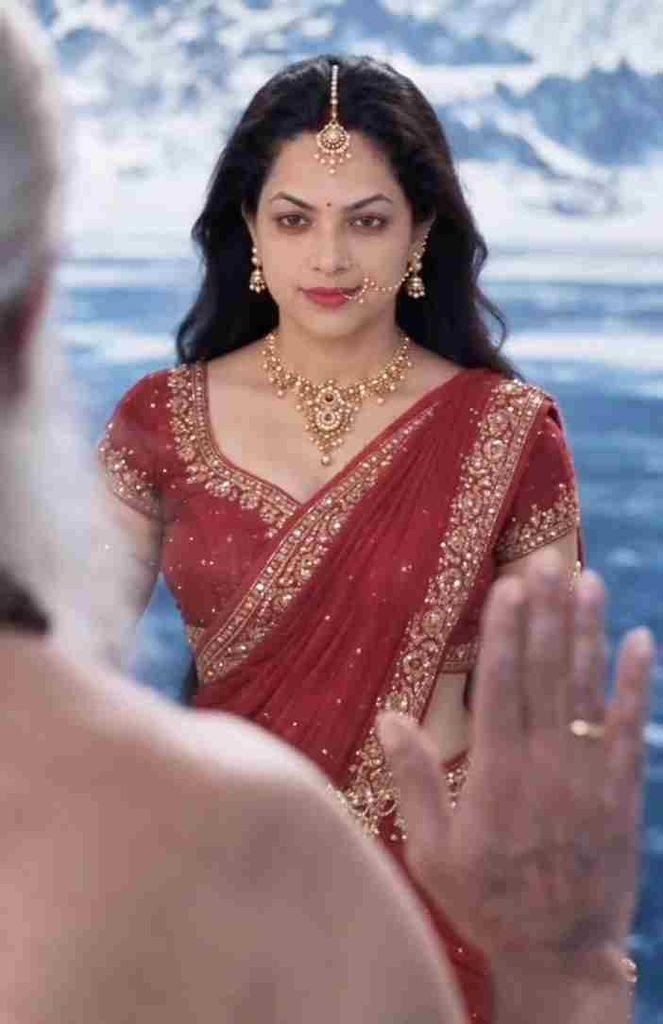
Transform my uploaded photo into a divine Maa Parvati-inspired portrait. Keep my face, identity, facial features and skin tone unchanged and realistic. Give me long flowing black hair, traditional golden maang tikka, nath with chain, elegant gold jewelry, and a rich deep-red saree with intricate golden borders. Add a majestic Himalayan background with soft blue mountains, mist and heavenly cinematic lighting. Calm, powerful divine expression, photorealistic, ultra-detailed, natural skin and realistic textures, cinematic 4:5 portrait.📝 Step-by-Step: ChatGPT Se Parvati AI Photo Kaise Banayein
- ChatGPT app ya website open karo aur naya chat start karo.
- Apni ek clear photo upload karo jisme face saaf dikhe.
- Upar diya gaya Maa Parvati prompt copy karo.
- Prompt ko chat mein paste karke send karo.
- ChatGPT ke image generate hone ka wait karo.
- Generated image check karo — face, saree, jewelry, background sab sahi lag rahe hain ya nahi.
- Agar kuch change chahiye, toh ChatGPT ko wahi bata do.
- Satisfied hone tak dobara generate karo.
- Final image save karke rakh lo, video ke liye reference banega.
🎬 Parvati AI Video Prompt (Google Flow)
Ab is photo ko ek cinematic video mein badalne ke liye, neeche diye gaye 3 alag Google Flow prompts use karo — har clip 10 second ka.
Video 1 — 0 se 10 Second
Create a 10-second photorealistic cinematic high-fantasy Indian mythology video in 9:16 vertical format, 1080x1920, 24fps. Use OmniFlash. Use the provided female reference image as the exact facial identity reference and maintain strict facial consistency whenever she appears. Begin with a macro close-up of an ancient, weathered metallic trishul deeply embedded in cracked clear-blue Himalayan ice, with frost and snow particles around it. Slowly tilt upward as a richly embroidered deep-red sari enters the frame, with snowy Himalayan peaks softly blurred behind. Reveal the woman using the exact reference face, looking upward with long dark wavy hair blowing naturally in the cold wind. She wears intricate gold jewelry, a large gold nath and maang tikka, with an expression of awe and sorrow. Cut to a wide shot of ascetics in simple flowing white robes walking across a vast frozen Himalayan glacier. Show the elderly lead sage with long white hair and beard approaching purposefully. Over-the-shoulder shot from behind the woman as the sage approaches. He stops and raises his right hand toward her in a divine blessing or command, surrounded by subtle ethereal light. End with a close-up of the woman as her sorrow changes into fierce determination, her hair blowing strongly in the wind. Photorealistic skin and fabric, dramatic cinematic lighting, realistic snow and wind, epic Himalayan atmosphere, smooth natural motion, cinematic depth of field. Keep the camera controlled and cinematic. No BGM, no text, no captions, no subtitles, no watermark.Video 2 — 10 se 20 Second
Create a 10-second photorealistic cinematic high-fantasy Indian mythology video in 9:16 vertical format, 1080x1920, 24fps. Use OmniFlash. Continue with the same female protagonist and maintain absolute facial identity consistency using the provided reference image. Begin with a powerful close-up of the woman wearing an elaborate golden crown decorated with crescent moons, her expression fierce, intense and warrior-like. Transition to a dark ancient cavernous Shiva temple illuminated by flickering orange firelight. She wears the deep-red sari and begins an intense, dynamic classical dance. Show her spinning rapidly as her red sari, flowing veil and long dark hair move dramatically with realistic motion blur. Reveal a colossal dark stone statue of Lord Shiva holding a trident behind her while smoke and glowing embers fill the temple. Show an emotional close-up of her face during the dance, with realistic skin texture, intense eyes and warm firelight. In slow motion, show her swirling a long red silk veil around her body as it catches the firelight. Transition to the snowy Himalayan exterior where she looks toward the sky as bright cold sunlight breaks through the clouds and illuminates her face. Move into an extreme close-up of her eyes with intricate white tilak markings around her eyes and forehead, highly detailed deep-brown irises, and reflections of snowy mountains in her pupil. Her eyes slowly blink and open as a subtle divine golden glow emerges from her face. Photorealistic textures, dramatic lighting, cinematic depth of field, epic mythology atmosphere, smooth transitions, natural movement. No BGM, no text, no captions, no subtitles, no watermark.Video 3 — 20 se 30 Second
Create a 10-second photorealistic cinematic high-fantasy Indian mythology video in 9:16 vertical format, 1080x1920, 24fps. Use OmniFlash. Begin with a macro close-up of a highly realistic large cobra with detailed scales and a subtly flickering tongue under cold blue-white divine lighting. Slowly reveal the cobra coiled around the muscular blue-skinned neck of Lord Shiva. Move downward to reveal his powerful blue torso adorned with multiple strands of rudraksha beads, realistic skin texture and a subtle divine aura. Cut to a close-up of his powerful blue hand gripping an ancient weathered metallic trishul. Slowly tilt upward to reveal Lord Shiva's face with striking blue skin, long matted dreadlocks (jata), a crescent moon in his hair, and a serene yet immensely powerful expression. Show a majestic close-up of his forehead with three horizontal white Tripundra ash lines and a central red mark. Move into an extreme close-up of his divine eyes showing tranquility, ancient wisdom and immense power, with subtle ash particles and light sparks floating around him. Finish with a wide low-angle epic shot of Lord Shiva standing majestically against bright clouds and snowy Himalayan peaks, holding the trident. The cobra subtly raises its hood while Shiva remains perfectly calm and still. End with Shiva raising the trident as brilliant divine light breaks through the clouds, forming a powerful halo around him, then slowly fade to black. Photorealistic 8K-quality detail, realistic skin, hair, rudraksha, metal, snow and atmospheric effects, dramatic cinematic lighting, epic scale, smooth natural motion. No BGM, no text, no captions, no subtitles, no watermark.⚙️ Google Flow Mein Video Generate Kaise Karein
Google Flow browser mein open karo aur apne Google account se sign in karo.
Naya project create karo aur Frames to Video option select karo.
Model mein Omni Flash choose karo aur aspect ratio 9:16 rakho (Reels ke liye).
Apni AI-generated Parvati image ko starting frame ke roop mein upload karo.
Upar diya gaya video prompt paste karo.
Generate button dabao aur result ka wait karo.
Video ready hone ke baad usko download karke apne editing app mein le jao — background mein “Jab Zid Pe Aa Gayi Parvati” song add karke final Reel taiyaar karo.
📊 Kaunsa AI Tool Best Rahega?
| Tool | Best For | Free Option |
|---|---|---|
| ChatGPT | Photo transformation, face consistency | Limited free use |
| Google Flow | Cinematic 9:16 video generation | Free with Google account |
| Google Gemini (Veo) | Alternate video generation option | Limited free use |
| CapCut | Music sync, transitions, final Reel edit | Free |
| VN Editor | Text-free clean cinematic edits | Free |
💡 Pro Tips For a Viral Parvati Reel
Camera movement slow rakho — sudden jerks se AI video unrealistic lagta hai.
Reference photo clear aur well-lit honi chahiye, isse face consistency better aati hai.
Video ko caption ya text ke bina rakho, sirf song ke emotions pe focus karo.
Posting se pehle trending hashtags jaise #MaaParvati #HanumanAnsh #BholenathParvati use karo.
Reel ko peak engagement time (evening 7–9 PM) mein post karo for maximum reach.
❓ FAQs: Parvati Song (Hanuman Ansh) AI Video Trend
Q1. “Jab Zid Pe Aa Gayi Parvati” song kis movie se hai?
Yeh song “Hanuman Ansh” movie se hai, jise Sadhu Tiwari ne likha, compose kiya aur khud gaaya hai.
Q2. Hanuman Ansh movie kis baare mein hai?
Yeh movie Neem Karoli Baba (Maharaj-ji) ki jeevan yatra par based hai, aur ismein Chandan K. Anand, Rajiv Mishra, Rishikesh Dubey jaise actors hain.
Q3. Yeh AI trend Instagram par itna popular kyun hai?
Kyunki isme realistic divine AI visuals ko ek emotional, bhakti-bhare song ke saath combine kiya gaya hai, jo viewers ko turant connect kar deta hai.
Q4. Kya main apni khud ki photo se Parvati look bana sakta hoon?
Haan, upar diya gaya ChatGPT prompt use karke apni photo ko Maa Parvati-inspired look diya ja sakta hai.
Q5. Video banane ke liye kaunsa AI tool sabse accha hai?
Photo ke liye ChatGPT aur video animation ke liye Google Flow (ya Gemini Veo) sabse better results dete hain.
Q6. Kya yeh AI Reels religiously sensitive maani jaati hain?
Haan, isliye respectful aur devotional tone maintain karna zaroori hai — koi mazak ya galat context avoid karein.
📲 Aur Aise Hi Viral AI Prompts Ke Liye
Aise hi trending AI photo aur video prompts, CapCut/VN templates, aur viral Reel ideas ke liye MeraPrompt ka Telegram channel join karo — sabse pehle prompt yahin milega!
SEO Note for Vishal: Insert your working ChatGPT and Google Flow prompts into the empty code blocks above before publishing. FAQs are kept specific to the Hanuman Ansh Parvati song trend as requested — swap in Rank Math metadata whenever you’re ready.