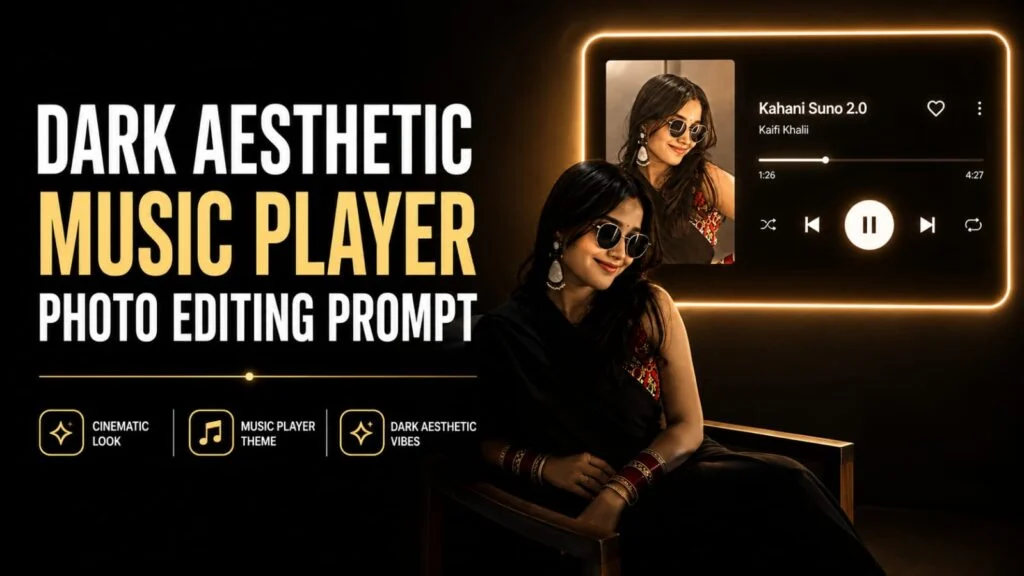
Ever seen those moody Instagram photos where someone’s sitting in a pitch-dark room with a glowing music player lighting up the wall behind them, like they just stepped out of a music video? That’s the Neon Music Room look, and yes — you can create it from your own photo using AI.
Ye prompt bilkul next-level hai agar aapko dark, premium aur “main hero hoon” wala vibe chahiye. Iss AI photo editing prompt se aap apni normal photo ko ek cinematic music-listening scene mein convert kar sakte ho, jahan background mein ek futuristic music player glow karta hai aur aap silhouette mein baithe dikhte ho. Ye look Instagram reels, WhatsApp DP, aur story ke liye perfect hai.
Chaliye dekhte hain poora prompt aur isko use karne ka tareeka.
🎧 Neon Music Room Prompt
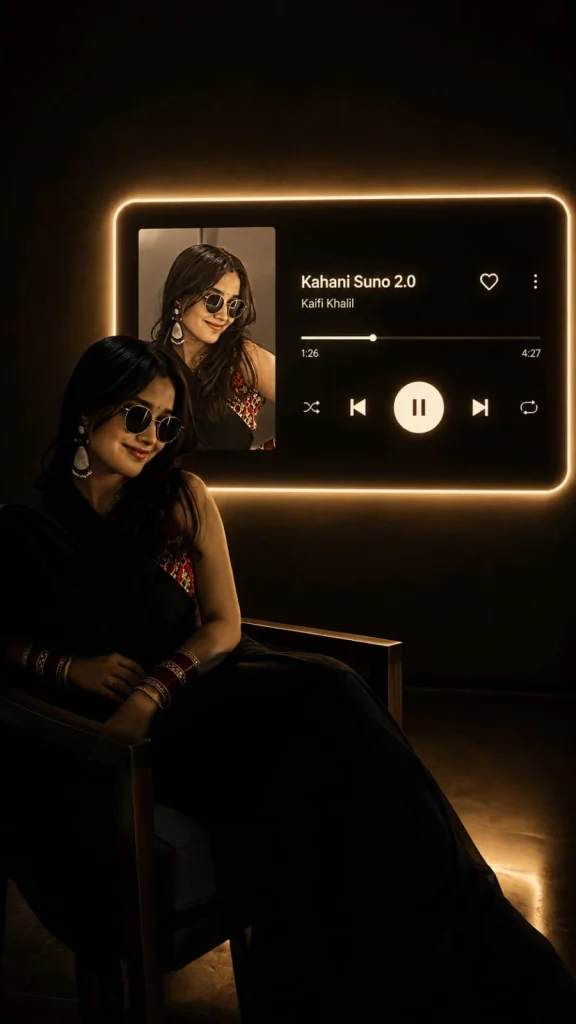
Transform my uploaded photo into a cinematic 9:16 vertical portrait inspired by a dark, aesthetic music-listening scene.

Keep the exact same person from my uploaded photo — preserve their identity, face, facial features, hairstyle, skin tone, body proportions, clothing, and natural appearance. Do not replace, redesign, beautify, gender-swap, or alter the person.

Place the person sitting naturally on a simple chair in a dark, minimal room, shown mostly as a dramatic silhouette from a side/three-quarter angle. Keep the pose realistic and elegant, with subtle rim lighting outlining the body and hair.

On the wall behind the person, create a large futuristic music-player panel with a soft warm white/golden neon glow around its edges. Inside the panel, display the album artwork for “Hawayein” on the left and a realistic modern music-player interface on the right.

Song: “Hawayein”
Artist: “Arijit Singh”

The interface should include a progress bar, heart icon, menu icon, shuffle, previous, large pause/play button, next, and repeat icons. Make the typography clean, premium, modern, and highly realistic.

Make the music-player panel appear physically mounted on the wall, with realistic neon glow and subtle warm light spill illuminating the surrounding darkness. Keep the background almost completely dark, with subtle shadows and faint reflections on the floor.

Use realistic photography, cinematic low-key lighting, warm ambient glow, deep blacks, soft shadows, realistic skin texture, natural proportions, subtle film grain, premium editorial aesthetic, high detail, photorealistic rendering, dramatic composition, sophisticated dark atmosphere.

Do not change the person's identity or clothing. The final image should look like a professionally photographed cinematic music-listening scene.

Aspect ratio: 9:16 vertical.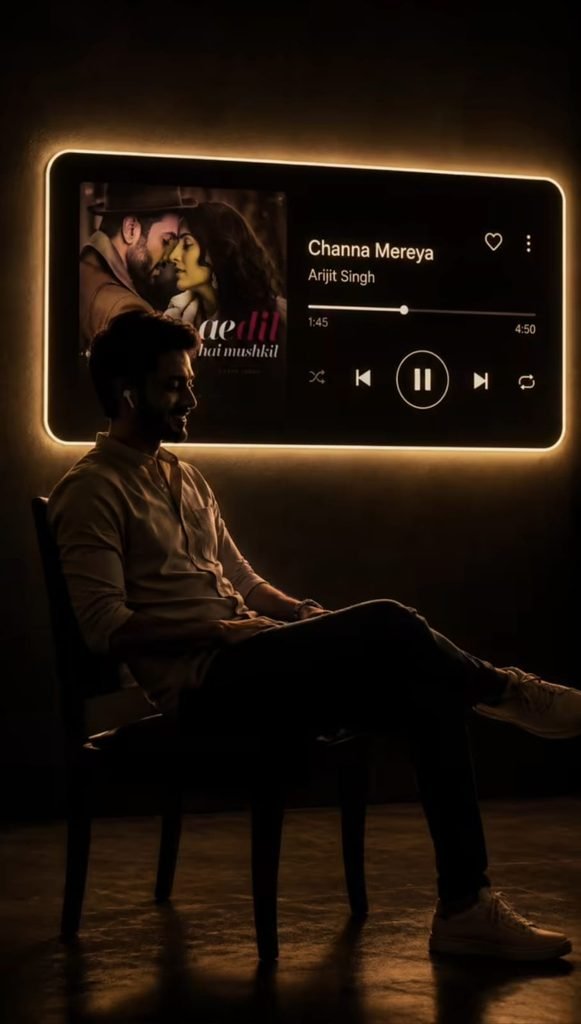
Transform my uploaded photo into a cinematic 9:16 vertical portrait inspired by a dark, aesthetic music-listening scene.

Keep the exact same person from my uploaded photo — preserve their identity, face, facial features, hairstyle, skin tone, body proportions, clothing, and natural appearance. Do not replace, redesign, beautify, gender-swap, or alter the person.

Place the person sitting naturally on a simple chair in a dark, minimal room, shown mostly as a dramatic silhouette from a side/three-quarter angle. Keep the pose realistic and elegant, with subtle rim lighting outlining the body and hair.

On the wall behind the person, create a large futuristic music-player panel with a soft warm white/golden neon glow around its edges. Inside the panel, display the album artwork for “Hawayein” on the left and a realistic modern music-player interface on the right.

Song: “Hawayein”
Artist: “Arijit Singh”

The interface should include a progress bar, heart icon, menu icon, shuffle, previous, large pause/play button, next, and repeat icons. Make the typography clean, premium, modern, and highly realistic.

Make the music-player panel appear physically mounted on the wall, with realistic neon glow and subtle warm light spill illuminating the surrounding darkness. Keep the background almost completely dark, with subtle shadows and faint reflections on the floor.

Use realistic photography, cinematic low-key lighting, warm ambient glow, deep blacks, soft shadows, realistic skin texture, natural proportions, subtle film grain, premium editorial aesthetic, high detail, photorealistic rendering, dramatic composition, sophisticated dark atmosphere.

Do not change the person's identity or clothing. The final image should look like a professionally photographed cinematic music-listening scene.

Aspect ratio: 9:16 vertical.
Is prompt mein aap apni pasand ka song, singer ka naam aur album artwork change kar sakte ho, taaki edit bilkul personal lage.
Iss Prompt Ko Kaise Use Karein
- Apni ek clear front ya side-angle photo choose karein, achi lighting wali.
- ChatGPT ya Google Gemini kholein aur uss photo ko upload karein.
- Upar diya gaya prompt copy-paste karein.
- Apne favourite song aur singer ka naam prompt mein daal dein.
- Generate button dabayein aur apna cinematic music-room look ready ho jayega.
🛠️ Kaunsa AI Tool Best Rahega?
| AI Tool | Realism | Face Match | Best For |
|---|---|---|---|
| ChatGPT (GPT Image) | High | Strong | Portraits with exact face match |
| Google Gemini | High | Good | Fast edits, mobile users |
| Google Flow | Medium | Good | Video/animated version |
| Leonardo AI | Medium-High | Moderate | Extra artistic/cinematic touch |
| Midjourney | High (artistic) | Weak | Stylised, less face-accurate results |
💡 Pro Tips
- Neon glow ka color warm (golden/amber) rakhein — ye zyada premium aur cinematic lagta hai cool blue ke comparison mein.
- Apni photo mein face clearly visible honi chahiye, background clutter na ho.
- Vertical 9:16 photo hi upload karein, kyunki ye prompt reels aur story format ke liye banaya gaya hai.
- Agar result mein face match sahi na aaye, to prompt mein “preserve exact facial features” line ko repeat karke dobara try karein.
❓ FAQs
Q1. Kya main koi bhi song aur singer ka naam use kar sakta hoon?
Haan, prompt mein song aur artist ka naam aap apni pasand se change kar sakte ho.
Q2. Kya ye prompt sirf portrait photos ke liye hai?
Haan, ye prompt ek single person ki photo ke liye best result deta hai.
Q3. Kaunsa AI tool sabse realistic result dega?
ChatGPT aur Google Gemini face match aur realism ke liye sabse reliable options hain.
Q4. Kya ye edit free mein ho sakta hai?
Haan, ChatGPT aur Gemini ke free version se bhi ye edit try kiya ja sakta hai, though results limited ho sakte hain.
Aise hi trending AI photo aur video editing prompts sabse pehle paane ke liye humara Telegram channel join karein!