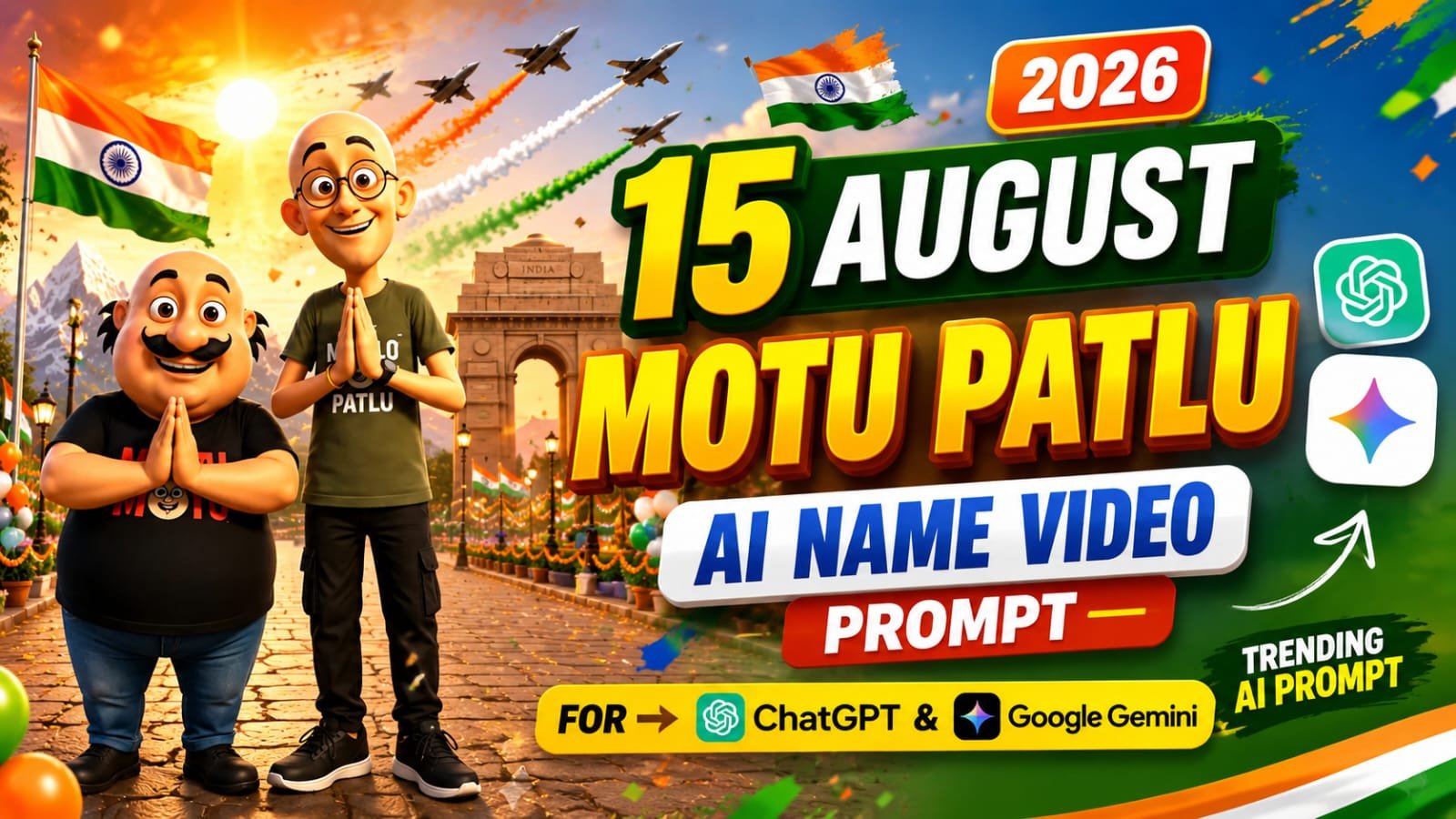
Independence Day is almost here, and this year the trend on Instagram Reels is a patriotic twist on the viral Motu Patlu name video.
In this trend, Motu and Patlu stand next to a tricolor “Happy Independence Day” signboard with your name or your village/city name written on it, and then that same photo comes alive in a talking video where they wish you Happy 15 August in Hindi.
Is article mein main aapko poora process step-by-step batane wala hoon — pehle ChatGPT se photo kaise banayen, aur uske baad Google Gemini (Flow) se us photo ko talking video mein kaise convert karen.
🇮🇳 Yeh Trend Kya Hai
Yeh trend do parts mein kaam karta hai.
Pehla part hai photo — jisme Motu aur Patlu aapke saath tiranga background ke saath khade dikhte hain, aur ek signboard par aapka naam ya aapke gaon/shehar ka naam likha hota hai.
Doosra part hai video — jisme wahi photo animate ho jaati hai, aur Motu Patlu Hindi mein bolte hain, apne desh ke liye Independence Day ki wishes dete hain.
Yeh combination bahut zyada engagement laata hai kyunki log apna naam ya apna sheher dekhna pasand karte hain, aur Independence Day ka patriotic touch isse aur bhi shareable bana deta hai.
📸 Step 1: ChatGPT Se Independence Day Photo Banayein
Sabse pehle apni ek clear selfie ChatGPT mein upload karein — face saaf dikhna chahiye, achi lighting honi chahiye.
Uske baad neeche diya gaya prompt copy karke paste karein.
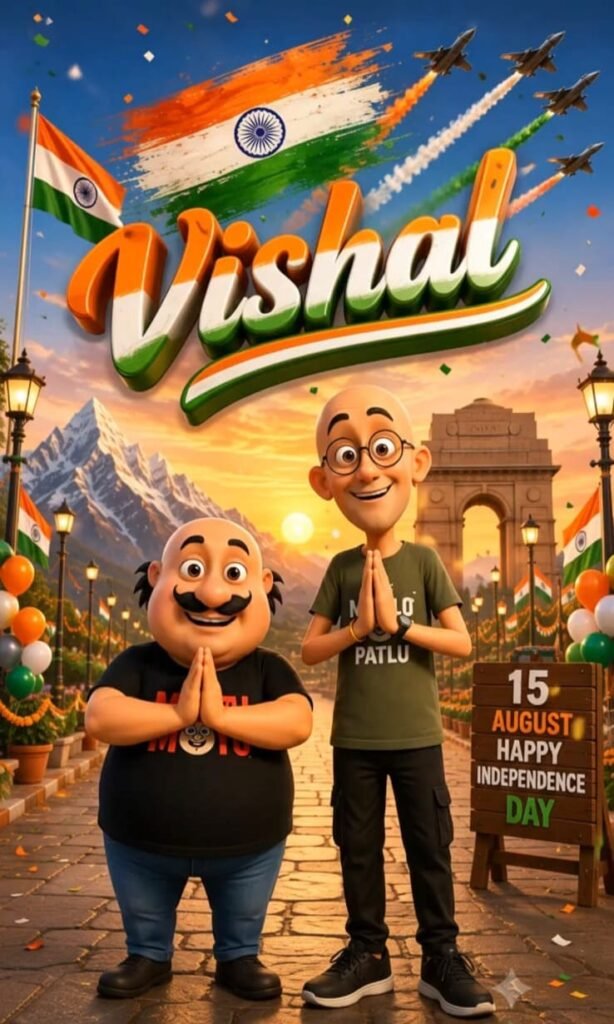
Create a vertical 9:16 ultra-detailed 3D cartoon-style Independence Day poster featuring Motu and Patlu as the main characters.

CHARACTERS & POSES

Motu stands on the lower-left side, shorter and stockier, bald, with his iconic thick curled black moustache, round face, large expressive eyes, cheerful smile, and recognizable cartoon appearance. He wears a black T-shirt with bold red “MOTU” lettering and blue jeans.

Patlu stands on the lower-right side, noticeably taller and slimmer, bald, wearing round black spectacles, with large expressive eyes and a friendly smiling face. He wears an olive/army-green T-shirt with white “PATLU” lettering, black pants, a wristwatch and bracelet.

Both characters face directly toward the camera and hold their hands together in a Namaste gesture at chest level. Preserve their recognizable proportions, facial characteristics, height difference, body positions and cheerful expressions.

BACKGROUND

Create a grand patriotic Indian Independence Day environment:

* Bright blue sky transitioning into warm golden sunset tones.
* A large Indian Tricolor brush-stroke flag across the upper center.
* Saffron, white and green paint strokes with a blue Ashoka Chakra.
* Multiple fighter jets flying through the sky with saffron, white and green smoke trails.
* Snow-covered Himalayan mountains on the left.
* India Gate in the middle-right background.
* Indian flags throughout the street.
* Orange, white and green balloons and patriotic decorations.
* Traditional Indian stone-paved promenade.
* Decorative vintage street lamps on both sides.
* Colorful confetti floating through the scene.
* Warm glowing sunset behind the characters.

TOP TITLE

At the top, place the large stylized word:

“Vishal”

Use oversized handwritten brush-script typography with glossy 3D extrusion. The lettering should have saffron/orange upper portions, white middle portions and green lower portions, with realistic depth, highlights, shadows and a large sweeping tricolor underline.

RIGHT-SIDE SIGNBOARD

Place a rustic wooden signboard in the lower-right background containing:

15
AUGUST
HAPPY
INDEPENDENCE
DAY

Use bold, clean, readable typography with patriotic colors.

VISUAL STYLE

Premium polished 3D animated-movie illustration, expressive Indian cartoon characters, smooth detailed 3D surfaces, realistic clothing textures, glossy highlights, cinematic lighting, soft shadows, vibrant patriotic colors, atmospheric depth, detailed environment, volumetric sunset light, subtle depth of field and sharp foreground characters.

CAMERA & COMPOSITION

Vertical 9:16 portrait composition, eye-level camera, full-body framing, wide-angle cinematic perspective. Keep Motu on the left and Patlu on the right, with Motu shorter and Patlu taller. Maintain clear separation between the characters and background landmarks.

IMPORTANT

Do not add extra characters. Do not change the Namaste pose. Do not change the character positions or height difference. Keep the Indian Independence Day theme dominant. Keep the Himalayan mountains, India Gate, fighter jets, tricolor smoke trails, flags, balloons, street lamps and wooden signboard visible. Make the final image highly detailed, colorful, cinematic, polished and suitable for a premium Independence Day poster.
Pro Tip: [YOUR NAME] ki jagah apna naam, ya apne gaon/shehar ka naam likhein — jaise “HAPPY INDEPENDENCE DAY MEERUT” ya “HAPPY INDEPENDENCE DAY RAHUL”. Yeh personalization hi is trend ko viral banata hai.
Photo generate hone ke baad usse achi tarah check karein. Agar face original jaisa nahi lag raha, to pehle photo dobara generate karein, tabhi video step par jaayen.
🎬 Step 2: Google Gemini (Flow) Se Video Banayein
Ab jo photo aapne ChatGPT se banayi hai, usse Google Flow (Gemini) mein upload karein aur video generate karne ke liye niche diya gaya prompt use karein.
Video Prompt


 * Character 1 (Left side - Stout/Mustache character in black t-shirt):
> "आप सभी को विशाल की तरफ से 15 अगस्त की हार्दिक शुभकामनाएं।"
>
 * Character 2 (Right side - Muscular character with glasses in green t-shirt):
> "अगर आप भी अपने नाम का ऐसा वीडियो बनवाना चाहते हैं, तो हमें फॉलो करके अपना नाम कमेंट करो।"
Flow mein generate hone ke baad video download karein — yeh seedha Reels ya Status ke liye ready hoga.
🛠️ AI Tools Comparison
| Tool | Kaam | Kyun Use Karen |
|---|---|---|
| ChatGPT (Image) | Photo generation | Face consistency sabse accha, easy prompt follow |
| Google Gemini / Flow | Photo se video | Natural lip-sync aur smooth animation |
| Google Gemini (chat) | Prompt refine karna | Agar photo mein detail missing lage to prompt tweak karne ke liye |
💡 Pro Tips
- Signboard par naam ke sath sath apne gaon ya shehar ka naam bhi try karein — “HAPPY INDEPENDENCE DAY + city name” wala version zyada relatable lagta hai local audience ke liye.
- Agar face match sahi nahi aa raha, prompt mein “preserve exact facial structure” line ko bold ya repeat karke dobara try karein.
- Video banate waqt background patriotic music add karna na bhoolein — Reels par yeh extra reach deta hai.
- Ek hi photo se 2-3 alag caption variations wale videos bana sakte hain — “Jai Hind”, “Happy 15 August”, “Azaadi ka Amrit Mahotsav” jaise alag-alag dialogues try karke.
❓ FAQs
Q1. Kya yeh prompt free mein use kar sakte hain?
Haan, ChatGPT aur Google Gemini/Flow dono par yeh prompts free tier mein bhi kaam karte hain, bas generation limits daily reset hoti hain.
Q2. Agar Motu Patlu ka face design sahi nahi aa raha to kya karein?
Prompt mein “designed exactly like their animated appearance” line ko emphasize karein, ya reference image upload karke try karein.
Q3. Video kitne second ka banega?
Zyadatar Flow generations 8 second ke aate hain, jo Reels aur Status ke liye perfect length hai.
📲 Aise hi trending AI prompts sabse pehle paane ke liye humara Telegram channel join karein: MeraPrompt