Navratri is here, and Instagram feeds are full of glowing Garba portraits, traditional chaniya choli looks and dandiya night edits made with AI.
If you have been wondering how people turn one simple selfie into a festive, cinematic Navratri photo, the answer is a well-written ChatGPT prompt.
In this article, you will get the complete Navratri photo editing prompt for ChatGPT, a step-by-step guide, pro tips and topic-specific FAQs, so you can create your own trending Navratri photo in a few minutes.
Navratri Photo Editing Prompt Trend Kya Hai?
Is trend mein tum apni ek normal photo ChatGPT mein upload karte ho.
Phir ek prompt paste karte ho.
ChatGPT tumhari photo ko Navratri look mein badal deta hai.
Isme festive outfit, Garba ya dandiya vibe, warm lighting aur Maa Durga ki decoration ka background sab kuch milta hai.
Face wahi rehta hai, bas poora look festival wala ban jata hai.
Instagram par yeh trend bohot tezi se failne ka reason yeh hai ki result real photoshoot jaisa lagta hai.
Is Trend Ke Liye Kya Chahiye?
- Ek clear front-facing photo (good light mein)
- ChatGPT account (image generation wala option on hona chahiye)
- Navratri photo editing prompt (neeche diya hai)
- 2 se 3 minute ka time
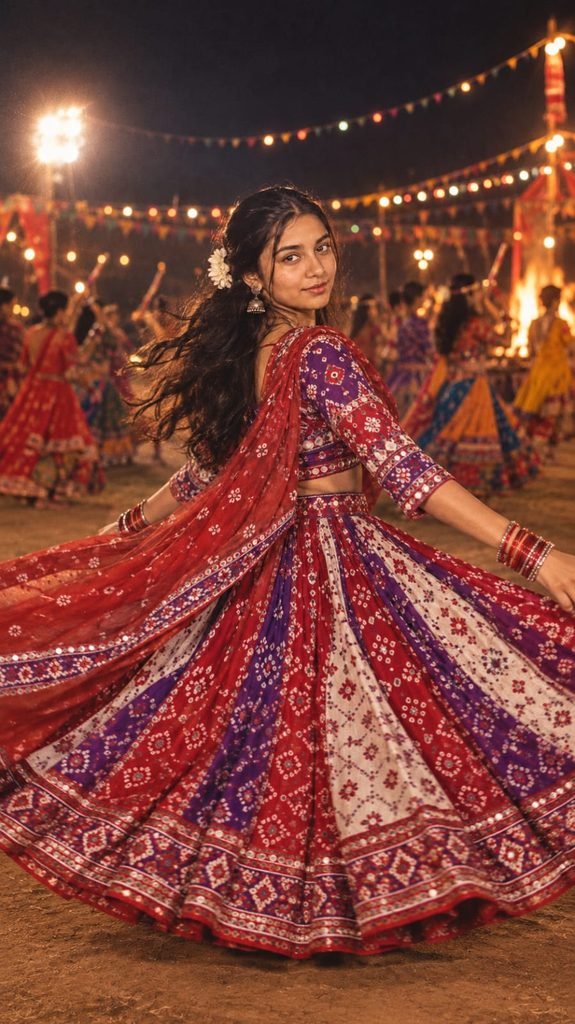
Design a retro yet vibrant image inspired by the reference picture, featuring a girl dressed in a red, purple, and white Gujarati-style lehenga with sleeves and a dupatta. She is joyfully twirling in her flared lehenga, wearing bangles and a soft smile. Her long flowing hair carries a tucked white flower in the curls, adding a touch of romance. The scene feels like a dreamy 90's movie, set in an open ground at night where people are playing garba in the background, lit with dramatic contrasts, festive

lights, and a gentle breeze in the air." For variations:

Experiment with different lehenga color palettes.

• Change the action (twirling, playing dandiya with hands raised, etc.).

• Alter her gaze or direction (looking sideways, glancing down, etc.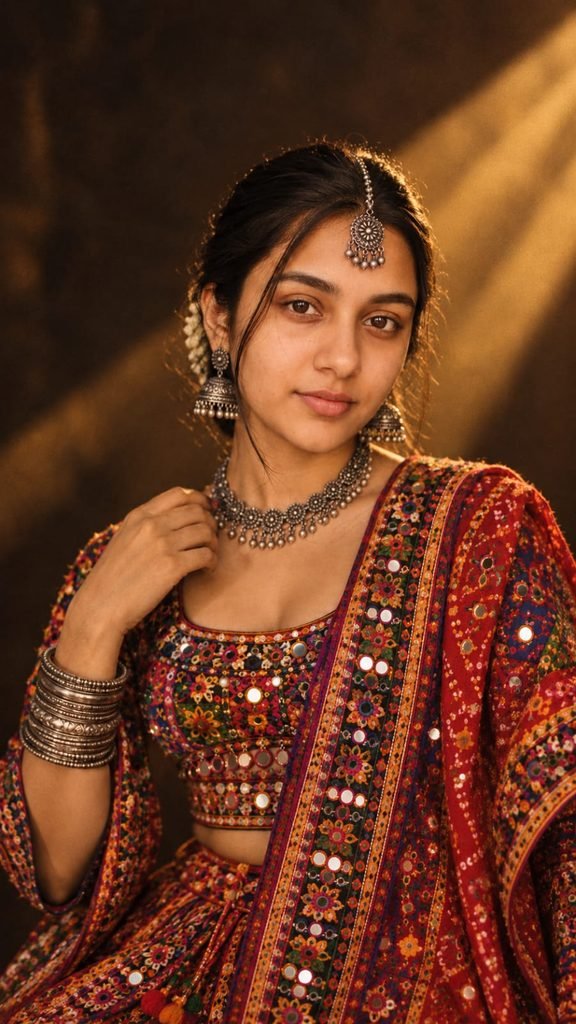
A highly realistic cinematic portrait ot a young Gujarati woman in a traditional Garba outfit. She is wearing a vibrant chaniya choli with mirror

work, colorful embroidery, and a gracetully dupatta in authentic Gujarati style. She Is adorned with oxidized silver jewelry - bangles, jhumka earrings, necklace, and maang tikka -

completing the festive look. Inspired by the uploaded reference image, her pose is elegant and her expression warm and graceful. The background has a dramatic cinematic effect similar to the reference photo: a dark moody backdrop with a diagonal beam of golden light falling on her, creating depth and highlighting her features. The overall grading is warm with subtle film grain, giving a professional retro- cinematic Gujarati festive atmosphere.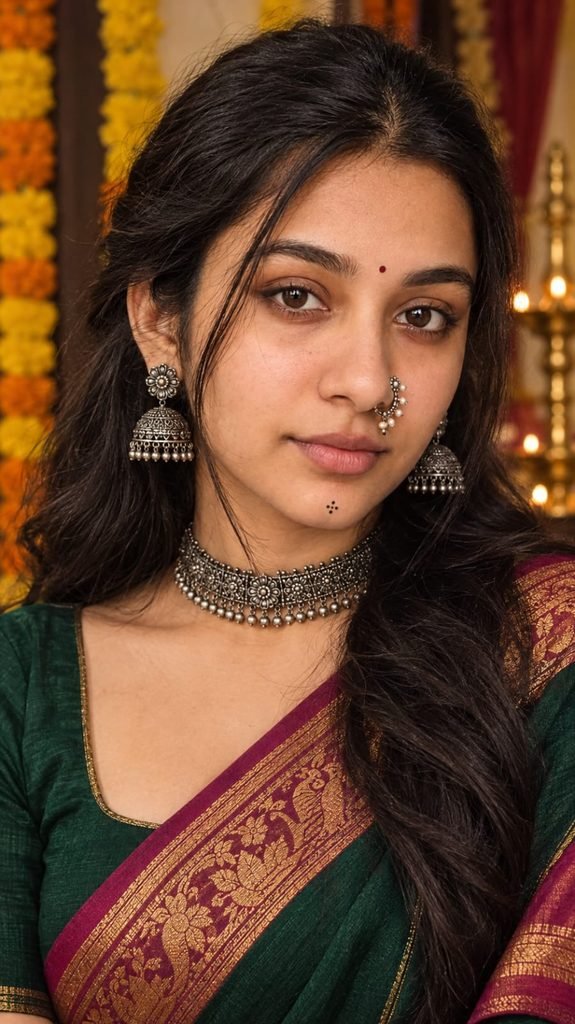
Ultra-realistic 9:16 close-up vertical portrait preserving the uploader’s exact facial identity and natural features, styled for Navratri with traditional Maharashtrian oxidized-silver jewellery (nath, jhumkas, choker), subtle Indian makeup, tiny bindi and chin motif, naturally voluminous dark hair and soft three-quarter pose.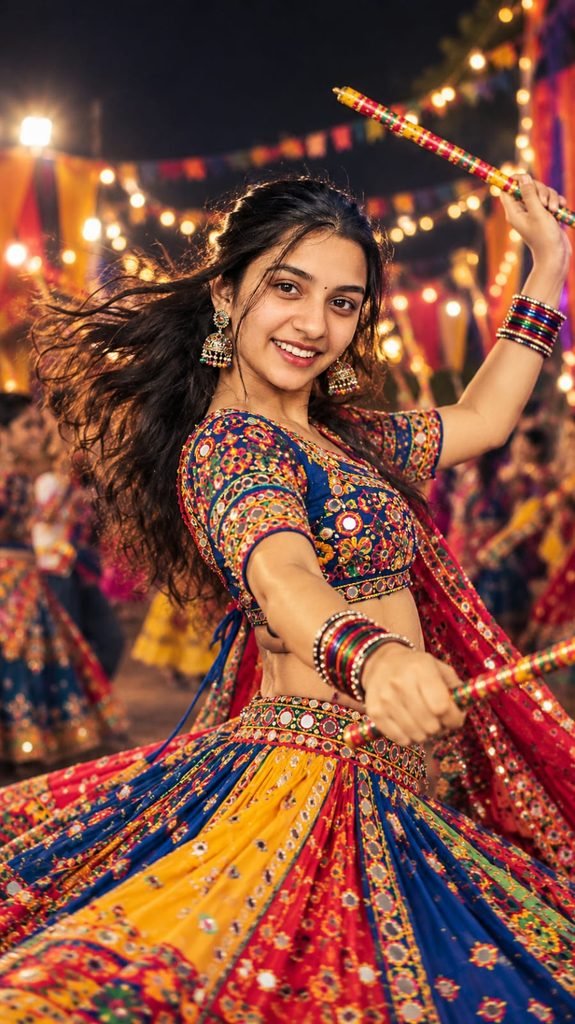
Beautiful woman extract face from image playing dandiya with joyful abandon. She has a bright smile, her hair flying as she twirls, holding decorated dandiya sticks, dressed in a colorful, traditional ghagra choli

with intricate embroidery and mirror

work. The background is a lively blurred scene of a nighttime Navratri festival with other dancers, twinkling

lights, and festive decorations. The image is captured from a slightly low angle, emphasizing her dynamic movement.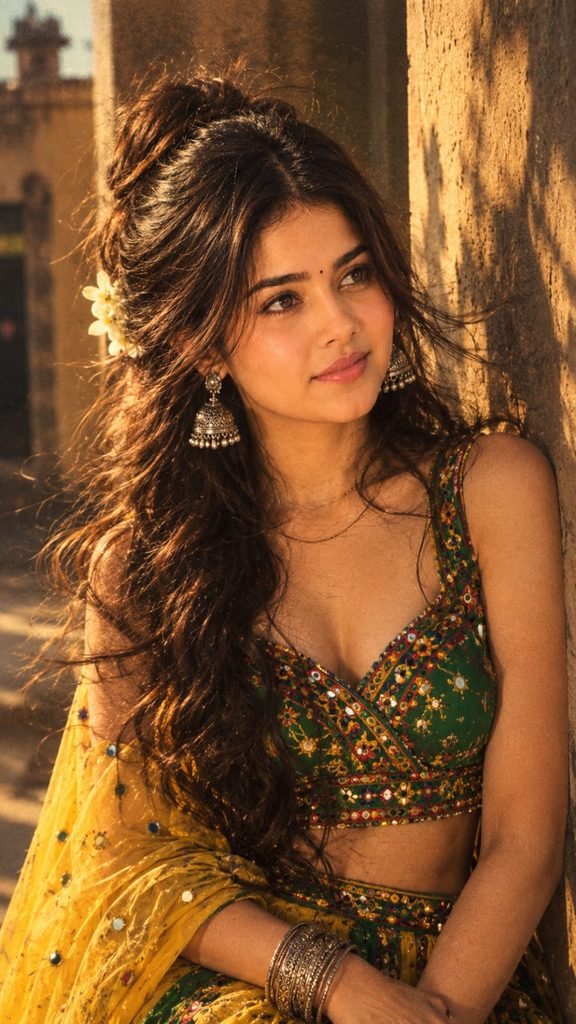
Retro pinterest-inspired aesthetic portrait of the same girl (face exactly same, wearing a bright green and yellow garba dress with embroidery and traditional silver jewellery. Her wavy curly long hair with a flower tucked in moves slightly in the wind. She stands leaning gently against a wall, looking slightly to her right with an introspective happy mood. The lighting is golden hour, high contrast shadows, 90s Bollywood retro grain,

cinematic mysterious vibe.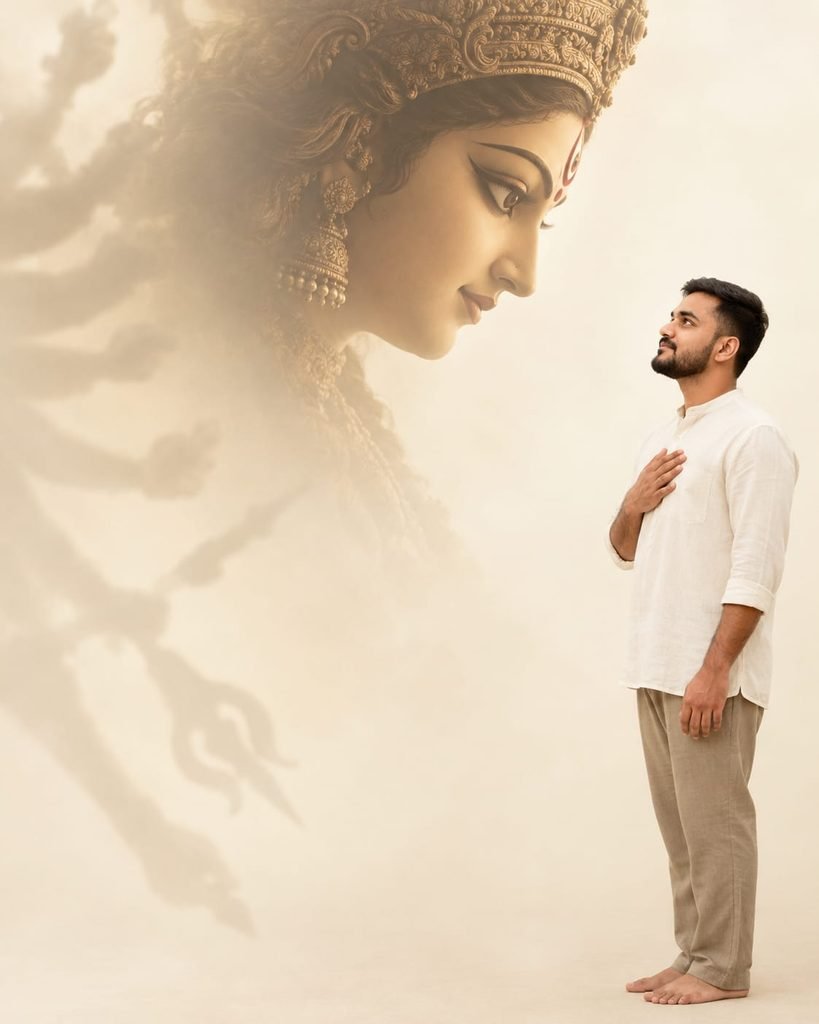
RIGHT EDGE - Durga Profile

Create an ultra-realistic 4:5 cinematic devotional studio portrait using my uploaded image only for facial identity.

Place me close to the right edge, facing inward. Keep the left two-thirds mostly empty.

Behind me, create an enormous side-profile Durga Matha silhouette facing toward me, with her crown and face dominating the upper-left and massive shadow arms fading into the ivory background.

Pose: sideways, one hand lightly touching my chest. Gaze: toward Durga. Expression: emotionally moved.

Off-white collarless shirt, taupe trousers,

barefoot. Minimal studio, soft ivory lighting,

no temple or props.

Face same as reference image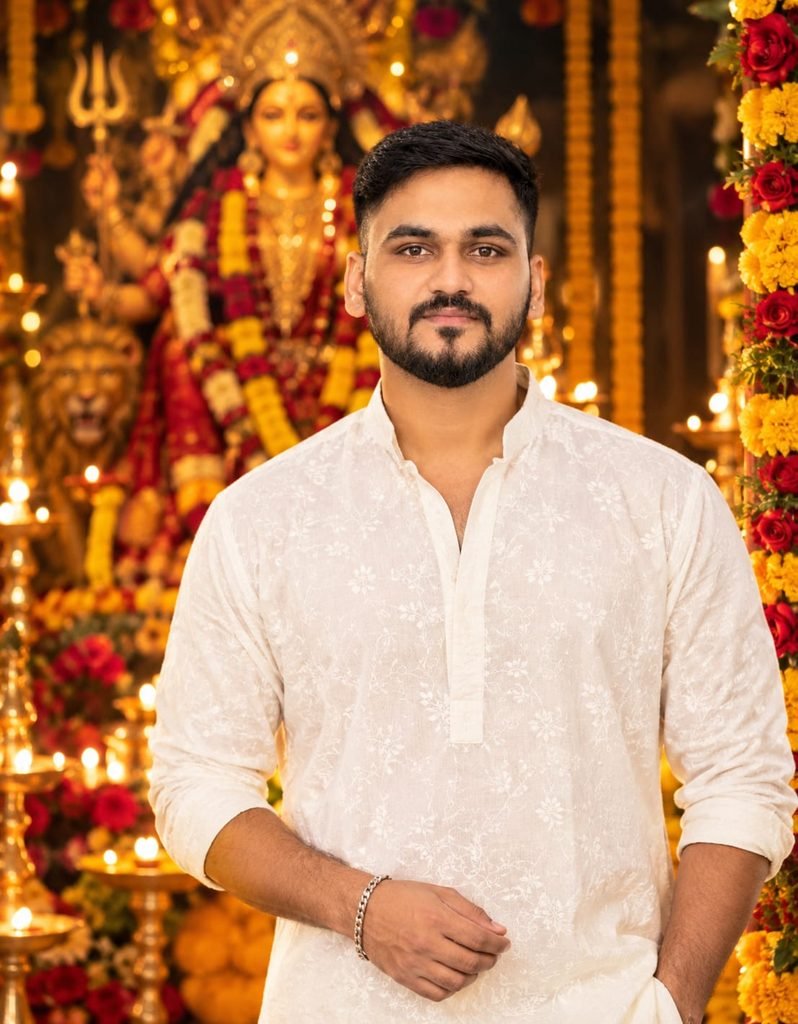
Creat a-realistic, 4k image with soft blur background and vibrant festive decorations like marigold and roses. Night scene with warm lighting highlighting textures and creating a glowing atmosphere. In the center, a stylish young Indian man with He wears a white kurta

with floral, with minimal

accessories like a silver bracelet

and subtle earrings. He has a soft smile and elegant pose. The background features a grand

Goddess Durga idol decorated with flowers, lamps, and soft glowing lights, enhancing the festive and spiritual feel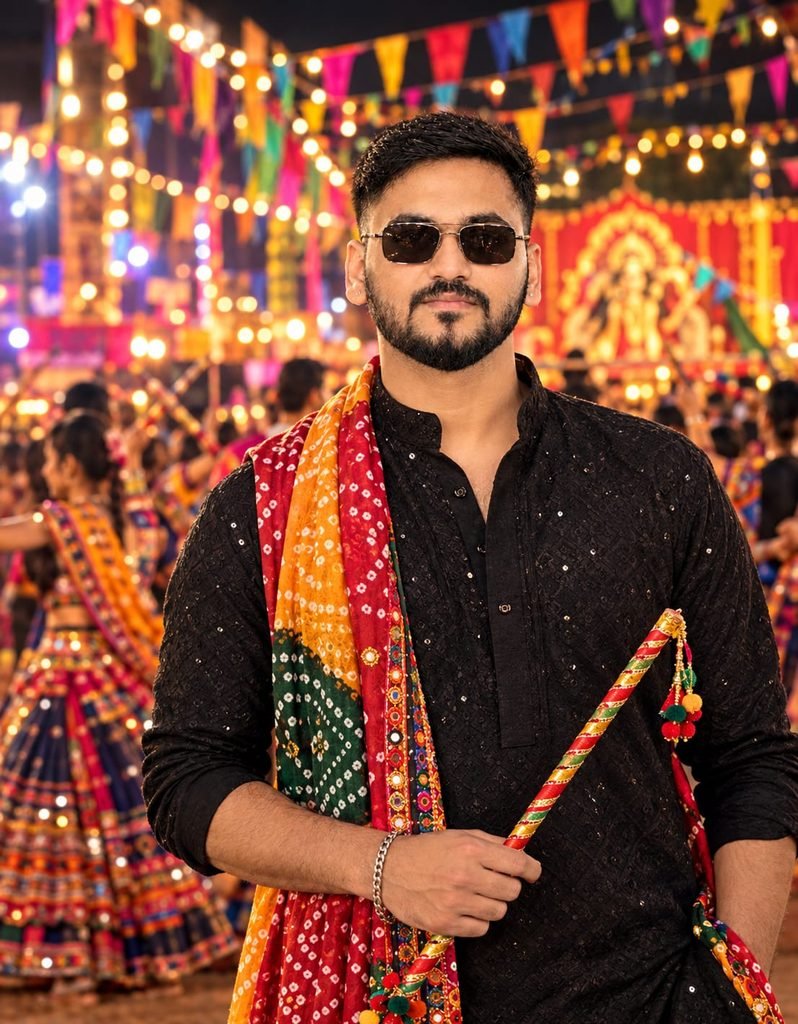
Ultra realistic 8K vibrant festive night scene, young man (same as uploaded photo and don't change hairstyle and facial expressions) standing in traditional navratri special black kurta with colorful Gujarati bandhani dupatto, stylish sunglasses, holding a dandiya stick, confident pose. Background filled with bright multicolor flags,

fairy lights, festive crowd, dramatic depth of field cinematic lighting, hyper detailed textures, sharp tocus.
Navratri Couple Photo Editing Prompt For ChatGPT
Agar tum apne partner ke saath Navratri couple photo banana chahte ho, toh yeh prompt use karo.
Dono ki photo ek saath upload karna zaroori hai.
Maa Durga Aarti Theme Photo Prompt
Yeh look thoda devotional aur calm hota hai.
Diya, phool, laal chunri aur mandir ka background iska main part hai.
Aarti wali photo ke liye yeh best option hai.
Step By Step: ChatGPT Se Navratri Photo Kaise Banaye
Step 1: ChatGPT open karo aur new chat start karo.
Step 2: Apni clear photo upload karo.
Photo mein face saaf dikhna chahiye.
Step 3: Upar diye gaye prompts mein se apna pasandida prompt copy karo.
Step 4: Prompt ko chat box mein paste karo aur send karo.
Step 5: Image generate hone ka wait karo.
Step 6: Result pasand na aaye toh ek line add karo, jaise “make the lighting warmer” ya “keep my face exactly the same”.
Step 7: Final image download karo aur Instagram par post karo.
Best AI Tools For Navratri Photo Editing (Comparison)
| Tool | Best For | Free Option | Result Quality |
|---|---|---|---|
| ChatGPT | Face match + outfit change from one prompt | Limited | Very High |
| Google Gemini | Quick festive edits | Yes | High |
| Google Flow | Turning Navratri photo into a video | Limited | High |
| CapCut | Adding music and transitions to the photo | Yes | Good |
| VN | Simple reel editing | Yes | Good |
| Midjourney | Artistic Garba illustrations | No | Very High |
| Leonardo AI | Stylized festive portraits | Limited | High |
Agar tum sirf photo banana chahte ho, toh ChatGPT sabse easy hai.
Agar usi photo ko reel mein convert karna hai, toh pehle ChatGPT se image banao, phir Google Flow ya CapCut mein animate karo.
Pro Tips For A Perfect Navratri Photo
- Photo hamesha natural light mein lo, result bohot better aata hai.
- Prompt mein “keep my face exactly the same” zaroor likho.
- Outfit ka color specify karo, jaise red, yellow, green ya royal blue, kyunki Navratri ke nau din ke alag colors hote hain.
- Background mein Garba ground, diyas ya fairy lights likhoge toh mood aur strong banega.
- Ek hi prompt se 2 se 3 variations generate karo aur best wala choose karo.
- Hands aur jewellery ko dhyan se check karo, kabhi kabhi AI yahan galti kar deta hai.
- Post karte waqt trending Navratri audio use karo, reach zyada milti hai.
Common Mistakes Jo Log Karte Hain
- Blur ya dark photo upload karna.
- Bahut lamba aur confusing prompt likhna.
- Face match ka instruction na dena.
- Ek hi try mein result final maan lena.
- Navratri ke din ke hisaab se color choose na karna.
Navratri Photo Editing Prompt FAQs
Navratri photo editing prompt ChatGPT mein kaise use karte hain?
Apni clear photo upload karo, phir Navratri prompt paste karo aur send karo.
ChatGPT tumhari photo ko festive Garba ya dandiya look mein badal dega.
Kya Navratri photo mein mera face same rahega?
Haan, agar prompt mein “keep my face exactly the same” likha ho toh face almost same rehta hai.
Result perfect na ho toh dobara generate karo.
Navratri ke nau dino ke liye kaun se colors use karne chahiye?
Har din ka alag color hota hai, jaise red, royal blue, yellow, green, grey, orange, white, pink aur sky blue.
Tum prompt mein din ke hisaab se outfit ka color likh sakte ho.
Kya yeh prompt boys aur girls dono ke liye kaam karta hai?
Haan, girls ke liye chaniya choli wala prompt aur boys ke liye kurta jacket wala prompt use karo.
Couples ke liye alag couple prompt bhi available hai.
Garba photo ka best background kaun sa hota hai?
Decorated Garba ground, diyas, rangoli aur fairy lights wala background sabse zyada pasand kiya jata hai.
Warm golden lighting is look ko aur real bana deti hai.
Kya main is Navratri photo ko video reel mein convert kar sakta hoon?
Haan, ChatGPT se photo banao aur phir Google Flow ya CapCut mein upload karke animate karo.
Trending Navratri song lagaoge toh reel aur achhi chalegi.
Kya yeh Navratri photo prompt free hai?
Prompt free hai, lekin ChatGPT mein image generation ki daily limit ho sakti hai.
Limit khatam ho jaye toh Google Gemini try kar sakte ho.
Final Words
Navratri ka season hai aur yeh AI photo trend abhi peak par hai.
Upar diye gaye prompts copy karo, apni photo ke saath try karo aur apna festive look create karo.
Result pasand aaye toh Instagram par post karna aur humein tag karna.
Aise hi latest trending AI photo editing prompts, CapCut templates aur viral video prompts ke liye humara Telegram channel join karo.
Roz naye prompts wahan sabse pehle milte hain.