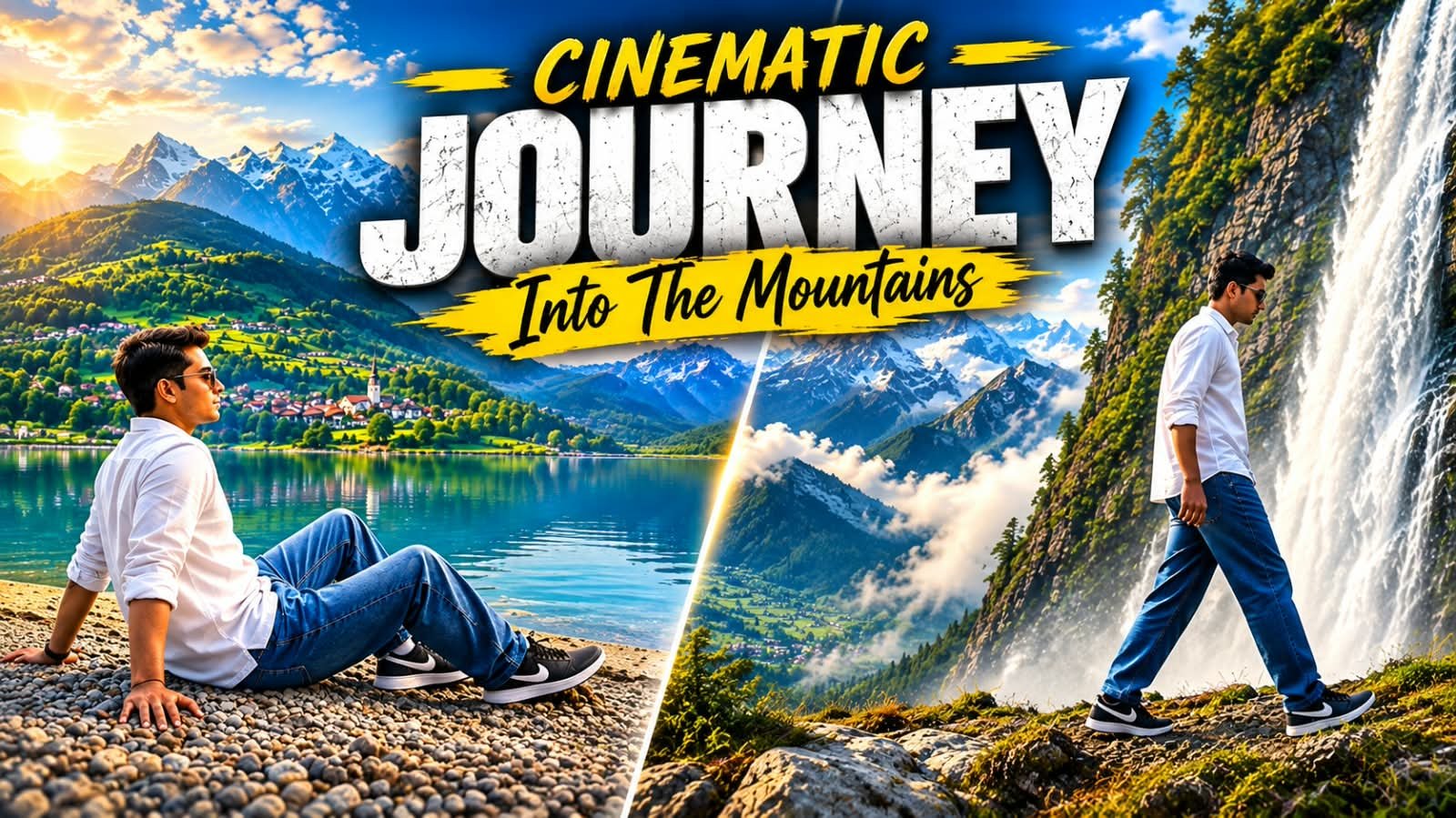
Mountain travel videos are everywhere on Instagram right now, and the ones that go viral all share the same look: slow drone shots, floating mist, golden sunlight and a lone traveler walking toward the peaks.
The good news is that you no longer need a drone, a camera or a big editing setup to make this kind of video.
With Google Flow, you can generate a full cinematic mountain journey from a single prompt, and in this article I will show you exactly how to do it step by step.
What Is the Cinematic Mountain Journey Video Trend?
Ye trend Instagram Reels aur YouTube Shorts pe bahut tezi se failta ja raha hai.
Isme ek traveler ya trekker mountains ke andar jaata hua dikhta hai.
Background me fog hota hai, barf wale pahad hote hain aur light ekdum movie jaisi lagti hai.
Pura video AI se bana hota hai, koi real shooting nahi hoti.
Isiliye log isse “one click cinematic video” bol rahe hain.
Why Google Flow Is Best for This Video
Google Flow ek AI filmmaking tool hai jo Google ke Veo video model pe chalta hai.
Isme camera movement ko samajhne ki ability bahut achhi hai.
Drone shot, slow push-in, tracking shot, ye sab prompt me likhne se kaam kar jata hai.
Mountain, fog aur sunlight jaise natural scenes isme bahut realistic aate hain.
Aur sabse badi baat, aapko bas ek prompt paste karna hai aur Generate dabana hai.
Main Prompt for Cinematic Mountain Journey Video
Neeche wale box me apna working prompt paste karein.
A cinematic ultra-realistic 8K video (16:9) of a young man wearing a premium white full-sleeve shirt, baggy relaxed-fit denim jeans, and black Nike sneakers, traveling through a series of breathtaking Kashmir-style mountain landscapes, soft natural daylight, dreamy premium cinematic look.

CRITICAL IDENTITY SOURCE:
Use the uploaded reference photo as the exact identity source — same face, same facial features, same natural smooth skin, the exact same body type and build, and the exact same hairstyle (same hair length, same hair style, same hair texture) as shown in the uploaded photo, maintained precisely and realistically in every single scene, zero identity, body, or hairstyle variation between scenes. This must work accurately for any person of any age or body type who uploads their own reference photo — the generated face, skin, body, and hairstyle must always match the uploaded photo exactly, never a generic or different look.

7 CINEMATIC SCENES (in exact order):
Scene 1 (Wide tracking shot, turquoise mountain lake): He walks slowly along the pebbled shore of a vast turquoise lake, towering misty mountains reflected in the still water, calm unhurried walking motion, natural cinematic depth.
Scene 2 (Low-angle seated shot, same turquoise lake): He sits down on the lakeshore, leaning back on his hands, gazing quietly across the water at green terraced hills and a distant village, camera positioned low near the ground for intimate framing.
Scene 3 (Wide drone-style reveal, alpine meadow): Camera rises and pulls back to reveal him standing in a vast flower-covered alpine meadow, snow-capped peaks in the far distance; he slowly and fully extends both arms straight outward to his sides at shoulder height, palms open, stretching them wide apart in a clear, deliberate, symmetrical open-arms gesture, soft breeze moving through the grass and his sleeves.
Scene 4 (Close-up push-in, same alpine meadow): Camera slowly pushes in as he kneels down and gently touches the wildflowers in the meadow, calm peaceful expression, soft golden light filtering through distant clouds.
Scene 5 (Low hero-angle, waterfall viewpoint): Camera looks up at him from a low dramatic angle as he stands confidently in front of a towering waterfall cascading down a rocky cliff, mist drifting around him, powerful heroic silhouette.
Scene 6 (Side-tracking dolly, same waterfall area): Camera glides alongside him as he walks along the rocky ledge near the waterfall, mist catching the light, dramatic natural spray creating a soft glow around him.
Scene 7 (Aerial drone shot, snow-capped mountain peak): Camera rises upward in a smooth drone-style aerial motion, revealing him standing alone at a snow-dusted mountain viewpoint, arms spreading open in a triumphant pose, panoramic snow peaks and drifting clouds unfolding below him, cinematic slow-motion aerial finish, breathtaking serene closing frame.

OVERALL STYLE & SETTINGS:
Same face, same identity, same natural skin, same exact body type, same exact hairstyle as the uploaded reference photo, same white shirt, baggy denim jeans and black Nike shoes outfit consistent in every single scene, no identity, body, or hairstyle change, four distinct premium real-world locations exactly as described — turquoise mountain lake, alpine flower meadow, waterfall cliffside, and snow-capped mountain peak — natural continuous movement with unique aesthetic poses and cinematic camera angles in every scene including the seated scene, realistic skin and fabric texture, dreamy blue-green premium cinematic color grading, soft atmospheric haze and gentle natural light, filmic depth and contrast, smooth cinematic transitions between locations, ultra-realistic premium 8K quality, 16:9 widescreen format, continuous aesthetic story flow from start to end, no scene skipped.Agar aap apni khud ki photo ya ChatGPT se bani hui traveler image use karna chahte ho, to ye wala prompt use karein.
How to Create the Mountain Video in Google Flow (Step by Step)
Step 1: Google Flow open karein aur apne Google account se login karein.
Step 2: New Project par click karein.
Step 3: Text to Video mode select karein.
Agar aap photo se video banana chahte ho, to Frames to Video select karein.
Step 4: Upar diya hua Main Prompt paste karein.
Step 5: Aspect ratio 9:16 select karein agar Reels ya Shorts ke liye bana rahe ho.
YouTube ke liye 16:9 rakhein.
Step 6: Generate button dabayein aur kuch der wait karein.
Step 7: Video ready hone ke baad preview dekhein aur download kar lein.
Step 8: Chahein to CapCut ya VN me music aur color grading add karke final reel bana lein.
Best Way to Use ChatGPT and Flow Together
Agar aap ekdum perfect character chahte ho, to pehle ChatGPT se traveler ki image banwa lein.
Fir wahi image Google Flow me upload karke Frames to Video se animate karein.
Isse character ka face aur dress poore video me same rehta hai.
Ye method un logon ke liye best hai jo apne Instagram page pe ek hi character ke saath series banate hain.
AI Tools Comparison for Mountain Videos
| Tool | Best For | Video Quality | Ease of Use |
|---|---|---|---|
| Google Flow | Full cinematic video from prompt | Very High | Easy |
| ChatGPT | Traveler image creation | High (image) | Very Easy |
| Google Gemini | Quick short video clips | High | Very Easy |
| CapCut | Editing, music and effects | Depends on clip | Easy |
| VN | Free mobile editing | Depends on clip | Easy |
| Midjourney | Stunning mountain concept images | Very High (image) | Medium |
| Leonardo AI | Stylized landscape images | High (image) | Medium |
Pro Tips for a Better Cinematic Result
- Camera movement zaroor likhein, jaise “slow aerial drone shot” ya “smooth tracking shot from behind”.
- Time of day mention karein, golden hour ya sunrise sabse achha aata hai.
- Mist, fog aur light rays jaise words add karne se video zyada cinematic lagta hai.
- Traveler ko peeche se dikhayein, isse face ki problem nahi aati.
- Ek baar me ek hi scene rakhein, bahut saari cheezein ek prompt me mat daalein.
- Result pasand na aaye to prompt me sirf ek cheez badal kar dobara try karein.
- Final video me soft background music aur thoda color grading daalne se reel premium lagti hai.
Best Caption and Hashtags for Your Reel
Caption ideas:
- Some journeys don’t need a destination, just the mountains.
- Lost in the clouds, found in the silence.
- When the mountains call, you just go.
Hashtags: #mountainjourney #cinematicvideo #googleflow #aivideo #travelreels #aiprompts #meraprompt
FAQs
Q1. Kya mountain journey video sach me ek click me ban jata hai?
Haan, ek achha prompt paste karke Generate dabane se hi Flow poora cinematic mountain scene bana deta hai.
Bas result ke hisaab se kabhi kabhi ek do baar regenerate karna padta hai.
Q2. Mountain video ke liye kaunsa camera angle sabse achha hai?
Slow aerial drone shot aur peeche se follow karne wala tracking shot sabse zyada cinematic lagte hain.
Q3. Kya isme barf wale pahad aur green valley dono bana sakte hain?
Bilkul, prompt me snow-capped peaks ya green valley likh dein, Flow dono style bana deta hai.
Q4. Traveler ka face har baar alag kyu aata hai?
Agar sirf text prompt use karoge to character change ho sakta hai.
Isse bachne ke liye ChatGPT se ek image banao aur use Frames to Video me upload karo.
Q5. Reels ke liye kaunsa aspect ratio rakhein?
Instagram Reels aur YouTube Shorts ke liye 9:16 best rehta hai.
Q6. Mountain video me music kaise add karein?
Video download karke CapCut ya VN me open karein aur trending ya soft cinematic music laga dein.
Final Words
To ye tha Google Flow me cinematic mountain journey video banane ka poora tarika.
Prompt paste karo, Generate dabao aur apni Reel ready karo.
Agar aapko ye article pasand aaya ho to apne dosto ke saath share zaroor karein.
Aise hi trending AI prompts aur CapCut templates ke liye hamara Telegram channel join karein.
Join our Telegram channel for daily AI prompts and viral templates.