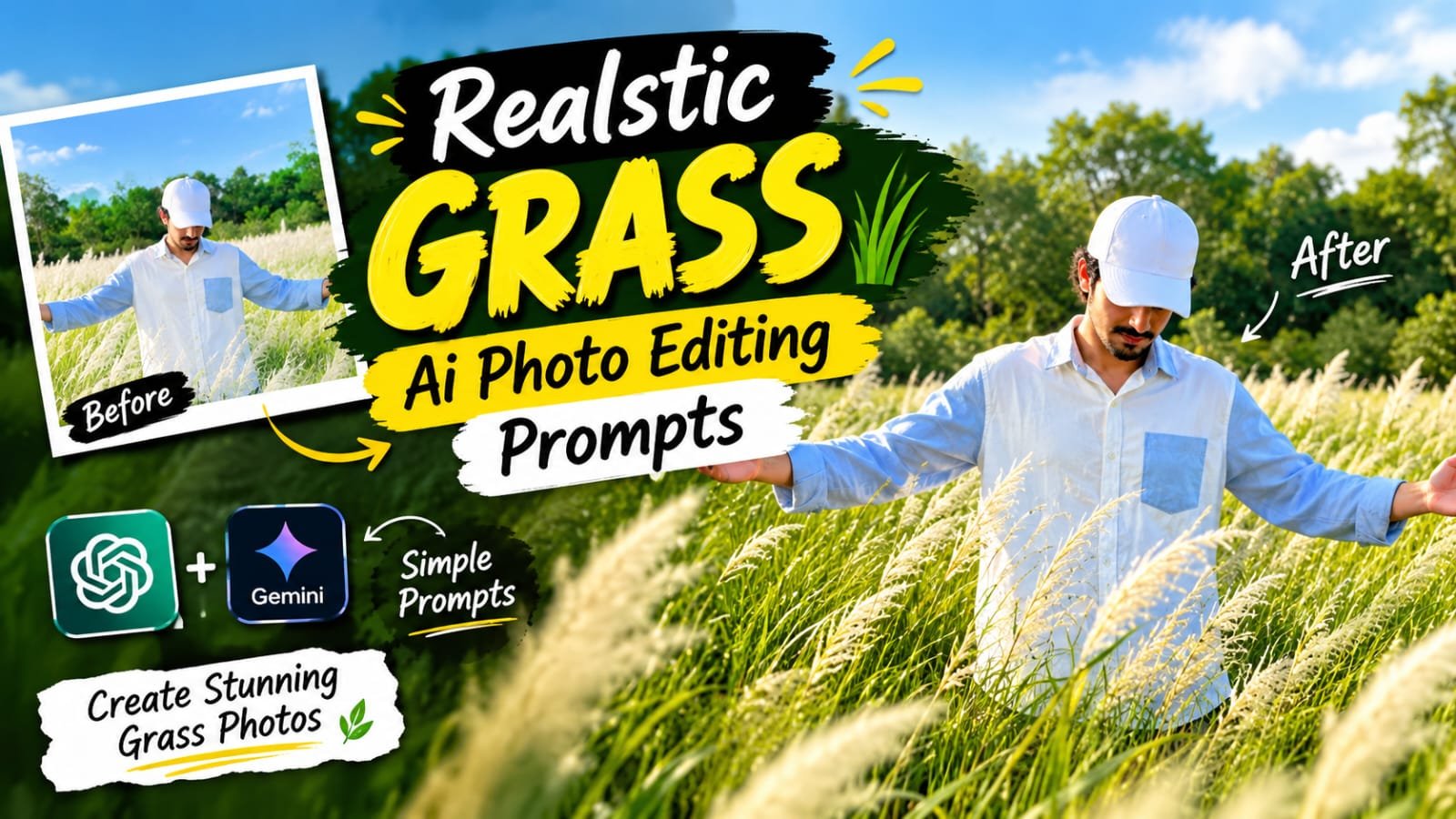
Maine recently ek outdoor photo AI se banayi thi aur final result itna natural aaya ki lagta hi nahi AI-generated hai. Photo mein ek person tall white grass field mein khada hai, dono haath open kiye hue, background mein greenery aur clear blue sky hai. Agar aap bhi apni ek aisi hi realistic grass field photo banana chahte ho, to yeh guide aapke liye hai.
Sabse achi baat — isme koi professional editing skill ya Photoshop knowledge nahi chahiye.
Bas ek achi reference photo aur sahi AI prompt hona chahiye.
📸 Grass Field Photo Banane Ke Liye Kya Chahiye
Is trend ko try karne se pehle yeh cheezein ready rakho:
- Apni ek clear reference photo (face aur appearance dono saaf dikhni chahiye)
- Koi bhi AI image generator jo reference image support karta ho
- Neeche diya gaya ready-made prompt
- Thoda patience — kabhi kabhi 2-3 tries mein perfect result aata hai
Step-by-Step Grass Field AI Photo Guide
Step 1. Ek Achi Reference Photo Choose Karo
Aisi photo select karo jisme aapka face clearly visible ho.
Blurry ya dark photo se AI aapki asli appearance sahi se capture nahi kar payega.
Step 2. AI Tool Open Karo
Koi bhi AI image generator open karo jo image-to-image ya reference-based generation support karta ho.
Neeche table mein diye gaye tools mein se koi bhi use kar sakte ho.
Step 3. Reference Photo Upload Karo
Apni photo upload karo taaki final image mein aapki identity match ho.
Yeh step sabse important hai kyunki isi se photo “aap jaisi” lagti hai.
Step 4. Prompt Paste Karo Aur Generate Karo
Niche diya gaya prompt copy karke paste karo aur generate button dabao.
AI usse aapki reference photo ke saath combine karke grass field scene bana dega.
Step 5. Result Check Karo
Kabhi kabhi pehli try mein hands, face ya grass thoda off lag sakta hai.
Agar aisa ho to bas dubara generate karo ya prompt mein thoda change karo.
✨ Ready-Made AI Prompt
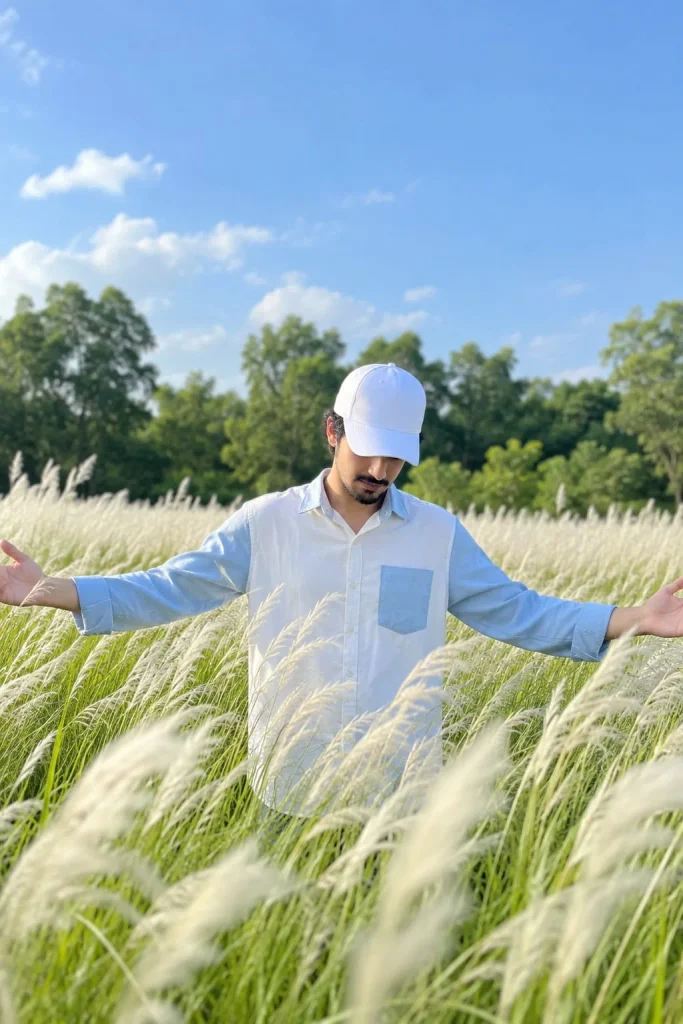
Create a highly photorealistic outdoor cinematic photograph based on the uploaded reference image. HIGHEST PRIORITY — REFERENCE IMAGE: Use the uploaded image as the definitive visual reference for the overall composition, camera angle, framing, subject placement, pose, environment, lighting, colors, depth of field, and photographic style. COMPOSITION & FRAMING: Recreate the same vertical portrait composition as the reference image. Place the main subject approximately in the center of the frame, positioned in the middle distance and partially surrounded by tall white feathery grass. Maintain the same amount of open sky above the subject and the same foreground-to-background proportions. Keep the subject's size, position, and overall silhouette visually consistent with the reference. SUBJECT & POSE: A person is standing in the middle of a large field of tall white ornamental grass. The person is facing toward the camera but their head is tilted downward, with the face mostly hidden by the brim of a white baseball cap. Both arms are extended outward and slightly upward in a relaxed, open gesture. Hands are naturally open with relaxed fingers. Reproduce the exact body posture, arm positioning, head angle, and overall silhouette seen in the reference. CLOTHING: White baseball cap. Light blue and white long-sleeve button-up shirt with a white central panel and blue sleeves/details. Natural realistic fabric texture, folds, stitching, buttons, and subtle shadows. Preserve the clothing design and proportions shown in the reference. ENVIRONMENT: A vast lush green field filled with tall white feathery grass/plumes. Dense green trees form a soft background along the horizon. Bright clear blue sky occupying a large portion of the upper frame. A few soft natural white clouds in the sky. Create a peaceful, fresh, summery outdoor atmosphere. FOREGROUND: Use abundant tall white grass in the foreground. The closest grass should be noticeably out of focus with realistic optical blur. Grass should naturally overlap parts of the lower body. Create realistic variation in grass height, direction, density, and texture. Add subtle movement/wind to the grass. BACKGROUND: Dense green vegetation and trees behind the subject. Strong natural background separation with a smooth creamy bokeh effect. Do not make the background artificially sharp. Keep the background colors vibrant but natural. LIGHTING: Bright natural daylight. Soft diffused sunlight illuminating the subject and grass. Natural highlights on the white grass and shirt. Soft realistic shadows. Balanced exposure with a bright blue sky but preserved detail. Fresh, airy, high-key photographic appearance. CAMERA & PHOTOGRAPHY: Professional full-frame camera photography. Natural 50mm–85mm portrait lens look. Moderate telephoto compression. Wide aperture around f/2.0–f/2.8. Shallow depth of field. Sharp subject with beautifully blurred foreground and background. Realistic optical bokeh, not artificial blur. Natural HDR-like dynamic range. High-resolution professional photography. Realistic skin, fabric, grass, foliage, and atmospheric details. COLOR & STYLE: Natural vibrant greens. Clean sky-blue tones. Soft white grass. Bright but realistic exposure. Fresh cinematic color grading. Subtle contrast. No excessive saturation. No artificial CGI appearance. No illustration or painting effect. No plastic-looking textures. REALISM: Extremely photorealistic. Natural camera optics. Realistic depth, perspective, shadows, reflections, textures, and atmospheric haze. Authentic outdoor photography. Fine photographic details. The final image should look like an actual photograph captured with a professional camera, not an AI-generated image. IDENTITY INSTRUCTION: If a person reference image is also provided, preserve that person's facial identity exactly as the reference, including facial structure, skin tone, hairstyle, and recognizable features. Do not beautify, reshape, age, de-age, or alter the person's identity. NEGATIVE PROMPT: cartoon, illustration, painting, anime, CGI, 3D render, artificial skin, plastic skin, oversharpening, excessive HDR, oversaturation, distorted body, incorrect anatomy, extra fingers, missing fingers, malformed hands, extra limbs, duplicate person, distorted face, altered identity, unnatural pose, floating body, unrealistic grass, fake bokeh, excessive blur, low resolution, noise, artifacts, watermark, logo, text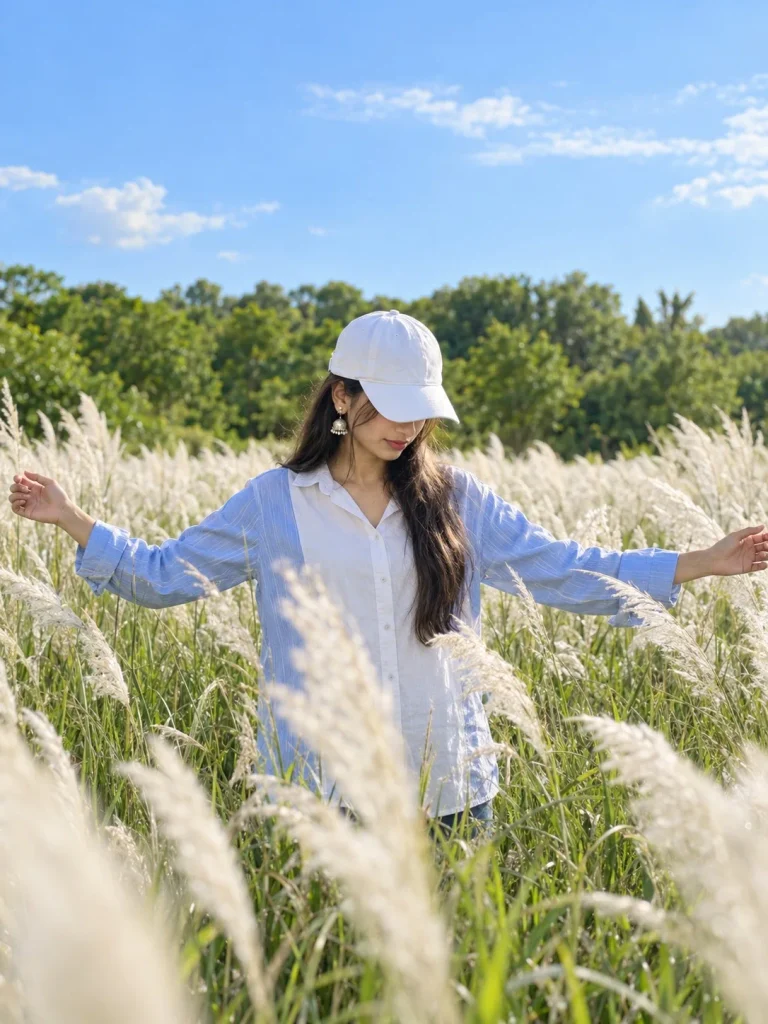
Create a highly photorealistic outdoor cinematic photograph based on the uploaded reference image. HIGHEST PRIORITY — REFERENCE IMAGE: Use the uploaded image as the definitive visual reference for the overall composition, camera angle, framing, subject placement, pose, environment, lighting, colors, depth of field, and photographic style. COMPOSITION & FRAMING: Recreate the same vertical portrait composition as the reference image. Place the main subject approximately in the center of the frame, positioned in the middle distance and partially surrounded by tall white feathery grass. Maintain the same amount of open sky above the subject and the same foreground-to-background proportions. Keep the subject's size, position, and overall silhouette visually consistent with the reference. SUBJECT & POSE: A person is standing in the middle of a large field of tall white ornamental grass. The person is facing toward the camera but their head is tilted downward, with the face mostly hidden by the brim of a white baseball cap. Both arms are extended outward and slightly upward in a relaxed, open gesture. Hands are naturally open with relaxed fingers. Reproduce the exact body posture, arm positioning, head angle, and overall silhouette seen in the reference. CLOTHING: White baseball cap. Light blue and white long-sleeve button-up shirt with a white central panel and blue sleeves/details. Natural realistic fabric texture, folds, stitching, buttons, and subtle shadows. Preserve the clothing design and proportions shown in the reference. ENVIRONMENT: A vast lush green field filled with tall white feathery grass/plumes. Dense green trees form a soft background along the horizon. Bright clear blue sky occupying a large portion of the upper frame. A few soft natural white clouds in the sky. Create a peaceful, fresh, summery outdoor atmosphere. FOREGROUND: Use abundant tall white grass in the foreground. The closest grass should be noticeably out of focus with realistic optical blur. Grass should naturally overlap parts of the lower body. Create realistic variation in grass height, direction, density, and texture. Add subtle movement/wind to the grass. BACKGROUND: Dense green vegetation and trees behind the subject. Strong natural background separation with a smooth creamy bokeh effect. Do not make the background artificially sharp. Keep the background colors vibrant but natural. LIGHTING: Bright natural daylight. Soft diffused sunlight illuminating the subject and grass. Natural highlights on the white grass and shirt. Soft realistic shadows. Balanced exposure with a bright blue sky but preserved detail. Fresh, airy, high-key photographic appearance. CAMERA & PHOTOGRAPHY: Professional full-frame camera photography. Natural 50mm–85mm portrait lens look. Moderate telephoto compression. Wide aperture around f/2.0–f/2.8. Shallow depth of field. Sharp subject with beautifully blurred foreground and background. Realistic optical bokeh, not artificial blur. Natural HDR-like dynamic range. High-resolution professional photography. Realistic skin, fabric, grass, foliage, and atmospheric details. COLOR & STYLE: Natural vibrant greens. Clean sky-blue tones. Soft white grass. Bright but realistic exposure. Fresh cinematic color grading. Subtle contrast. No excessive saturation. No artificial CGI appearance. No illustration or painting effect. No plastic-looking textures. REALISM: Extremely photorealistic. Natural camera optics. Realistic depth, perspective, shadows, reflections, textures, and atmospheric haze. Authentic outdoor photography. Fine photographic details. The final image should look like an actual photograph captured with a professional camera, not an AI-generated image. IDENTITY INSTRUCTION: If a person reference image is also provided, preserve that person's facial identity exactly as the reference, including facial structure, skin tone, hairstyle, and recognizable features. Do not beautify, reshape, age, de-age, or alter the person's identity. NEGATIVE PROMPT: cartoon, illustration, painting, anime, CGI, 3D render, artificial skin, plastic skin, oversharpening, excessive HDR, oversaturation, distorted body, incorrect anatomy, extra fingers, missing fingers, malformed hands, extra limbs, duplicate person, distorted face, altered identity, unnatural pose, floating body, unrealistic grass, fake bokeh, excessive blur, low resolution, noise, artifacts, watermark, logo, text🎨 AI Tools Comparison Table
| AI Tool | Reference Image Support | Realistic Output | Free Version |
|---|---|---|---|
| ChatGPT (GPT Image) | ✅ | ✅ | Limited |
| Google Gemini | ✅ | ✅ | ✅ |
| Google Flow | ✅ | ✅ (video) | Limited |
| Leonardo AI | ✅ | ✅ | ✅ |
| Midjourney | Limited | ✅✅ | ❌ |
💡 Pro Tips Realistic Look Ke Liye
- Foreground grass ko thoda blur rakho, isse camera-jaisa depth effect aata hai
- Bahut sharp background AI look de deta hai, thoda bokeh add karo
- Simple aur light-colored clothes use karo, zyada styled outfit avoid karo
- Lighting ko bright aur natural rakho, dramatic lighting se avoid karo
- Pose natural rakho — dono haath open, head thoda tilted
🌾 Grass Field Ke Alawa Aur Kahan Try Karein
Ek baar process samajh aane ke baad, aap same style in locations pe bhi try kar sakte ho:
- Green farms
- Flower fields
- Mountain areas
- Open parks
- Wheat fields
- Forest background
- Sunset locations
Season, outfit aur time of day change karke aap har baar naya look bana sakte ho.
❓ Grass Field AI Photo FAQs
Q1. Grass field AI photo banane ke liye kaunsa tool sabse best hai?
Google Gemini aur ChatGPT dono achhe results dete hain, Gemini free mein bhi accha kaam karta hai.
Q2. Kya yeh prompt kisi bhi outdoor field ke liye use ho sakta hai?
Haan, bas environment details (grass field ki jagah flower field ya farm) change karke reuse kar sakte ho.
Q3. Photo AI-generated lagne se kaise bachaye?
Foreground blur, natural lighting aur simple clothing rakhne se photo real camera shot jaisi lagti hai.
Q4. Kya face apna hi dikhega ya AI change kar dega?
Agar clear reference photo use karoge to AI aapki facial identity preserve karta hai, change nahi karta.
Q5. Ek photo generate karne mein kitna time lagta hai?
Zyadatar tools mein 30 second se 2 minute tak lagta hai, tool aur server load pe depend karta hai.
📲 Aise aur trending AI photo prompts ke liye humara Telegram channel join karo — daily nayi prompts aur templates milenge!