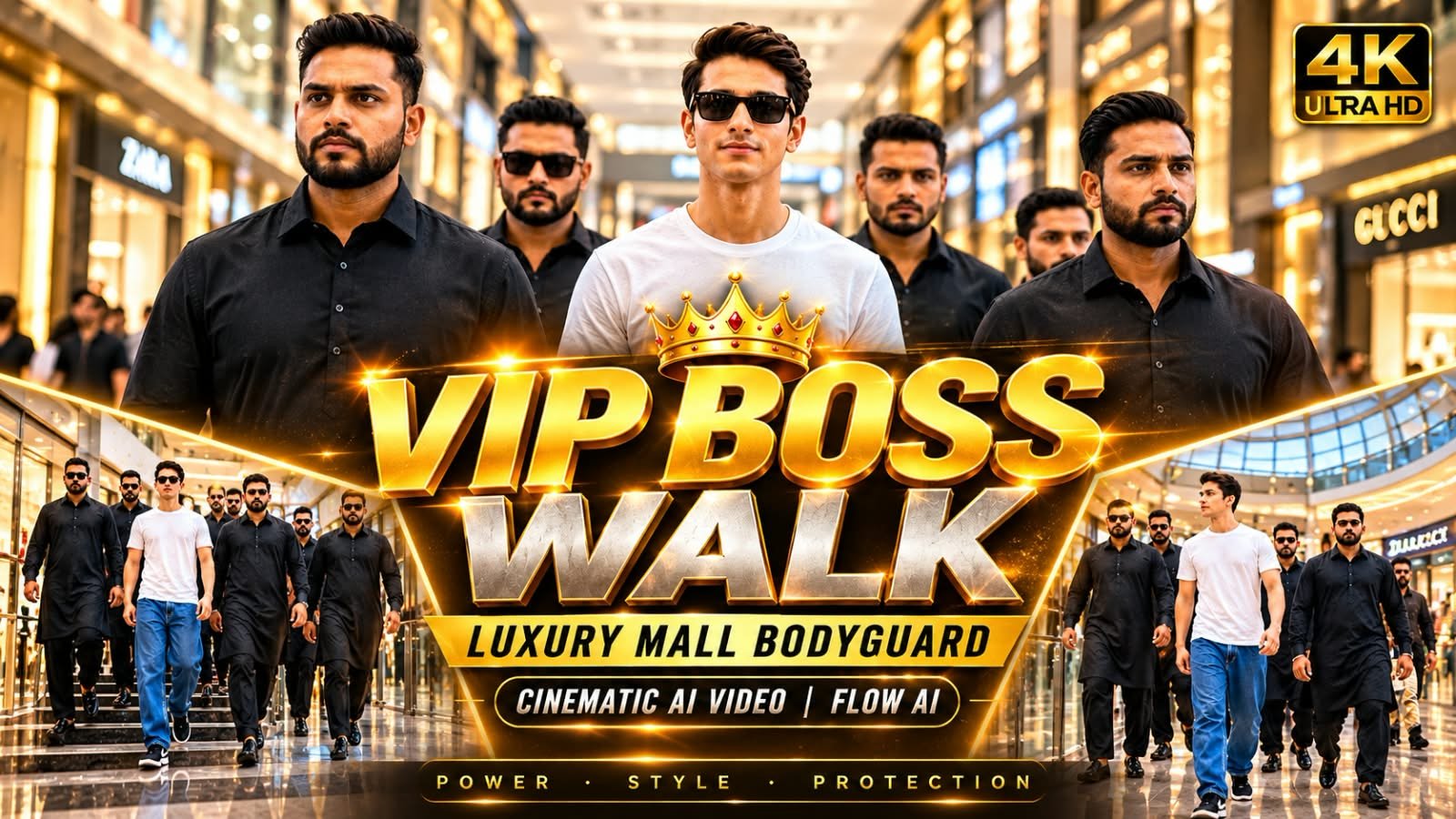
Ek single photo se aap apna khud ka “VIP Boss Entry” video bana sakte ho — jahan aap luxury mall mein confidently walk kar rahe ho aur do bodyguards aapke saath side mein chal rahe hain, bilkul Bollywood ya Hollywood boss-entry scene jaisa. Yeh trend abhi TikTok, Instagram Reels aur YouTube Shorts par viral hai, aur best part yeh hai ki iske liye na koi face swap chahiye, na koi editing skill. Is article mein hum aapko VIP Boss Walk cinematic prompt denge jo Google Flow AI (Veo) ke saath perfectly kaam karta hai.
🕴️ VIP Boss Walk Trend Kya Hai
Yeh trend “My Bodyguards” effect ka hi ek premium version hai.
Ismein aap apni ek clear photo upload karte ho.
AI us photo ko ek cinematic video mein convert kar deta hai.
Video mein aap luxury mall ke andar confidently walk karte dikhte ho.
Aapke left-right mein do professional bodyguards chalte hain.
Camera slow-motion mein aapko follow karta hai, bilkul power-entry scene jaisa.
Background mein glass railings, bright lighting aur premium mall interior hota hai.
🎬 Flow AI Prompt (Copy-Paste Ready)
Neeche diya gaya prompt Google Flow (Veo) mein daalne ke liye ready hai.
Apni photo upload karke isi prompt ko paste karo.
A cinematic ultra-realistic 8K video (9:16) of a young man wearing baggy relaxed-fit blue denim jeans, a plain white t-shirt, and black Nike sneakers, walking confidently through a large modern shopping mall surrounded by a group of six bodyguard-style entourage members, all dressed in matching black kurta-pajama traditional outfits with black formal shoes, some wearing black sunglasses, moving together as a tight protective formation around him, natural bright indoor mall lighting, rich full vibrant color grading throughout — realistic natural colors, not faded, not black and white, not desaturated. A small, subtle watermark reading 'NoorEditing07' stays fixed in the bottom corner throughout the entire video, minimal white or light-colored font, low opacity, appearing only once at all times.

CRITICAL: use the uploaded reference photo as the exact identity source for the main person — same face, same exact facial features, same natural smooth clear skin with absolutely no blemishes, marks, or texture flaws, and the exact same body type and build as shown in the uploaded photo, maintained precisely and identically in every single scene with zero facial drift or identity change. This must work accurately for any person of any age or body type who uploads their own reference photo — the generated face, skin, and body must always match the uploaded photo exactly, never a generic or different look.

Scene 1 (Low-angle wide shot, elevated curved walkway): He walks across a high curved walkway with white railings and an arched roof structure overhead, his black-clad entourage walking closely in a line ahead of and beside him, camera positioned low looking upward, dramatic architectural framing.

Scene 2 (Wide tracking shot, bright food-court corridor): He walks through a wide mall corridor with glowing neon shop signage, his entourage forming a loose protective formation around him, bustling background crowd, natural energetic mall atmosphere.

Scene 3 (Close group shot, tight formation): He walks at the center of his entourage in a tighter huddle, sunglasses on, calm confident expression, his bodyguards' shoulders and backs framing him closely on both sides, intense VIP energy.

Scene 4 (Wide shot from below, ascending atrium staircase): He and his entourage climb a curved mall staircase together, shot from a low angle looking up at the group, glowing mall signage and advertisement boards visible beside the stairs.

Scene 5 (High wide shot, multi-level atrium overlook): He and his entourage walk together across an open atrium level with glass railings, escalators and lower mall floors visible below, crowds of shoppers in the background, confident synchronized group walk.

Scene 6 (Wide shot from below, descending staircase): He and his entourage walk down a different mall staircase together, his white t-shirt standing out clearly among the black-clad group, bright storefronts and signage framing the stairs.

Scene 7 (Medium front tracking shot, final corridor): He walks directly toward the camera at the center of his entourage, calm composed expression, his group flanking him closely, mall crowd and shopfronts blurred in the background, cinematic slow zoom-out to finish.

Overall style: same face, same identity, same natural smooth skin, same exact body type as the uploaded reference photo for the main person, same baggy blue denim jeans, white t-shirt, and black Nike sneakers outfit consistent in every single scene, no outfit change, no identity or body change, same matching black kurta-pajama outfits for all entourage members present in every single scene, same real modern shopping mall location throughout with distinct architectural areas — elevated walkway, corridor, tight group formation, ascending staircase, atrium overlook, descending staircase, final corridor — natural realistic group walking movement with varied cinematic poses and genuinely distinct camera angles in every scene, realistic skin and fabric texture, rich full vibrant natural cinematic color grading with bright indoor mall lighting — full natural color throughout, not faded or desaturated — filmic depth and contrast, smooth cinematic transitions between poses, ultra-realistic premium 8K quality, vertical 9:16 format, continuous confident story flow from start to end, no scene skipped, only 7 scenes total exactly as described.

Watermark (final instruction): keep a single small, ' fixed in the same bottom corner position throughout the entire video, minimal white or light-colored font, low opacity, non-intrusive, appearing only once on screen at any given time.
📝 Step-by-Step Guide: Kaise Banayein
- Sabse pehle ek clear, front-facing photo select karo jisme aapka face aur upper body saaf dikh raha ho.
- Google Flow AI (labs.google/flow) par login karo.
- “Image to Video” option choose karo aur apni photo upload karo.
- Upar diya gaya cinematic prompt paste karo.
- Aspect ratio 9:16 select karo taaki Reels/Shorts ke liye perfect fit ho.
- Generate button dabao aur video render hone ka wait karo.
- Video download karke CapCut ya VN mein halka color grading aur trending audio add karo.
- Caption mein “VIP Boss Walk 👑” jaisa hook likh kar post kar do.
⚖️ AI Tools Comparison: Kaunsa Best Hai Is Trend Ke Liye
| AI Tool | Photo-to-Video | Bodyguard/Crowd Animation | Cinematic Camera Move | Best For |
|---|---|---|---|---|
| Google Flow (Veo) | ✅ Excellent | ✅ Strong | ✅ Smooth slow-motion | Sabse realistic boss-walk video |
| ChatGPT (Sora) | ✅ Good | ⚠️ Average | ✅ Good | Quick drafts, alternate angles |
| CapCut AI | ✅ Basic | ⚠️ Template-based | ⚠️ Limited | Fast mobile editing |
| VN Editor | ❌ No | ❌ No | ✅ Manual only | Final polish aur audio sync |
| Midjourney | ❌ No (image only) | ❌ No | ❌ No | Sirf reference poster image |
💡 Pro Tips
Photo mein aapka face clearly visible ho, sunglasses ya cap avoid karo pehle try mein.
Full-body ya waist-up photo best results deta hai bodyguard framing ke liye.
Prompt mein lighting detail (golden hour, mall spotlights) zaroor mention karo, isse video zyada premium lagta hai.
Agar first generation mein bodyguards asymmetric lagein, prompt mein “symmetrical two bodyguards, equal distance” line add karo.
Trending power-entry background music use karo, isse engagement kaafi badh jaata hai.
❓ FAQs
Q1. VIP Boss Walk video banane ke liye paid subscription chahiye?
Google Flow AI ka free tier limited generations deta hai, unlimited ke liye paid plan lena padta hai.
Q2. Kya is trend mein face swap hota hai?
Nahi, yeh effect aapki original photo se hi bodyguards aur mall background generate karta hai, face same rehta hai.
Q3. Bodyguards ka face bhi customize kar sakte hain?
Prompt mein description add karke (jaise “bodyguards in black suits, earpiece, sunglasses”) aap look control kar sakte ho, lekin exact face customize nahi hota.
Q4. Best video length kitni honi chahiye Reels ke liye?
6-8 second ka clip best perform karta hai, slow-motion boss-walk ke liye yeh ideal duration hai.
Q5. Kya yeh prompt CapCut mein bhi kaam karega?
CapCut ka AI video generation abhi utna strong nahi hai bodyguard animation ke liye, isliye Flow AI recommend kiya jaata hai.
📲 Aise hi trending AI prompts aur templates sabse pehle paane ke liye humara Telegram channel join karo!