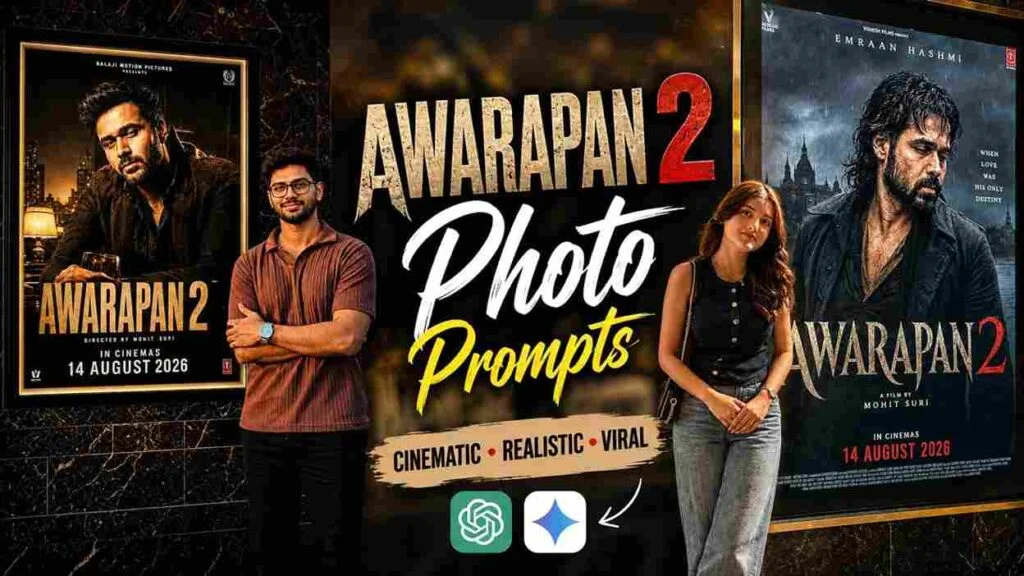
Awarapan 2 has become one of the biggest talking points on Indian social media right now, and if you have been searching for a way to click yourself beside the movie poster without actually going to the theatre, you are at the right place. This post shares a working Awarapan 2 AI photo editing prompt that you can copy-paste and use with your own photo in ChatGPT, Google Gemini, or Google Flow. Emraan Hashmi, Disha Patani aur Shabana Azmi ki ye film 14 August 2026 ko theatres me release hui hai, aur fans already apni AI photos banake Instagram par dalna shuru kar chuke hain.
🎬 Awarapan 2 Movie Kya Hai, Pehle Thoda Jaan Lete Hain
Awarapan 2 saal 2007 ki cult classic Awarapan ka sequel hai.
Original film me Emraan Hashmi ka character Shivam Pandit kaafi popular hua tha.
Ab naye chapter me wahi intensity aur emotional storyline continue hoti hai.
Isi wajah se fans is trend ko lekar kaafi excited hain.
Movie-themed AI photo banane ka craze abhi peak par hai, aur Awarapan 2 iska sabse latest example hai.
🖼️ Awarapan 2 Cinema Lobby AI Photo Prompt
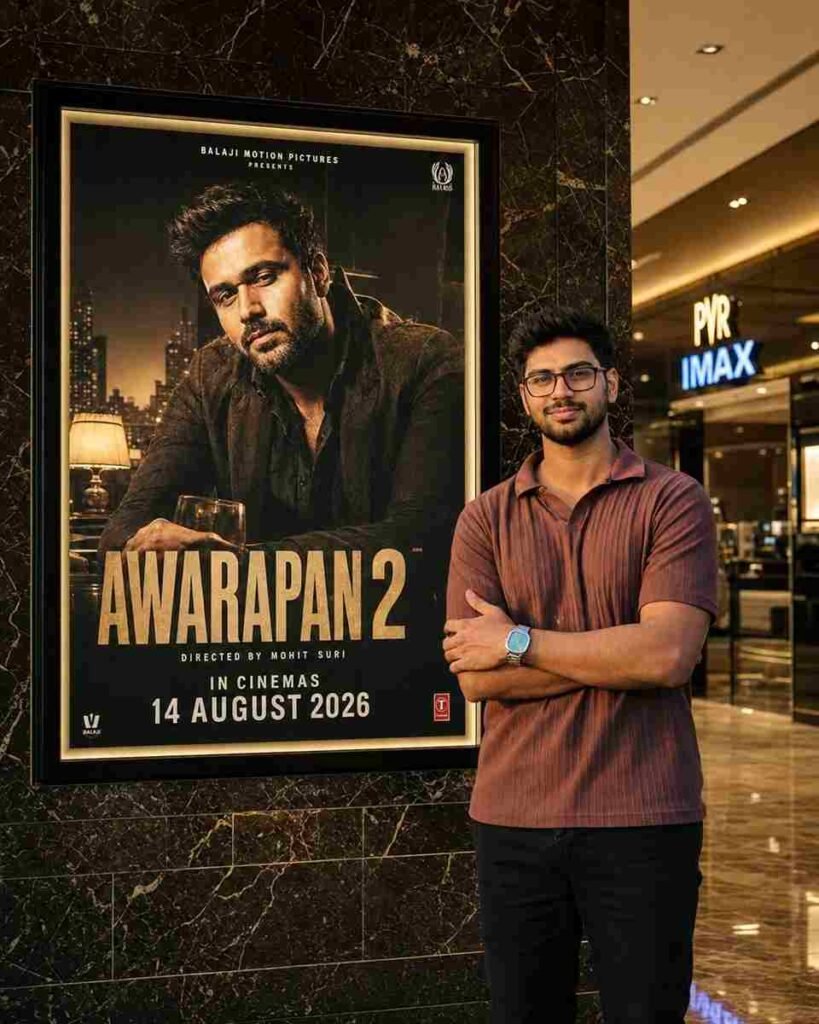
Use the uploaded photo as a STRICT IDENTITY REFERENCE. Keep the person’s face, hairstyle, expression, skin tone, outfit, body proportions, and overall appearance 100% identical. No beautification, face editing, AI face replacement, or age modification.
SCENE: Create an ultra-realistic luxury cinema lobby photograph. Place the uploaded person naturally beside a giant illuminated Awarapan 2 movie poster display mounted on a premium marble wall. The person should be looking naturally toward the camera with a realistic, elegant pose.
SUBJECT: Preserve the exact uploaded clothing, hairstyle, facial features, skin texture, body proportions, and identity. Do not alter or redesign the outfit. Maintain realistic body posture, natural hands, accurate anatomy, realistic shadows, and authentic reflections.
POSTER LOCK — VERY IMPORTANT: Keep the original Awarapan 2 movie poster completely unchanged. Do not modify Emraan Hashmi, the AWARAPAN 2 title, typography, colors, character appearance, background, poster artwork, frame size, or placement.
RELEASE DATE: The poster must clearly show the updated release date: 14 AUGUST 2026. Do not use the old 3rd April 2026 release date.
ENVIRONMENT: Premium PVR/IMAX-style cinema lobby, luxurious dark marble wall, polished reflective floor, realistic glass surfaces, warm golden ambient lighting, subtle cinema signage, authentic movie-theater atmosphere, cinematic depth of field, natural perspective, realistic indoor lighting.
COMPOSITION: Position the person beside the poster without covering the main movie artwork, title, or important poster text. Maintain natural proportions and believable distance between the subject and poster. The scene should look like an authentic DSLR photograph taken inside a premium cinema lobby.
IMPORTANT: Only add/replace the audience member standing beside the poster. Do not unnecessarily modify the poster artwork, Emraan Hashmi, movie title, release date, cinema frame, marble wall texture, camera perspective, lighting structure, or overall composition.
QUALITY: Ultra-realistic DSLR photography, 8K Ultra HD, HDR, cinematic lighting, professional movie-premiere photography, realistic skin texture, sharp facial details, natural shadows, accurate reflections, hyper-detailed, photorealistic, viral Instagram-quality image.
ASPECT RATIO: 4:5 vertical.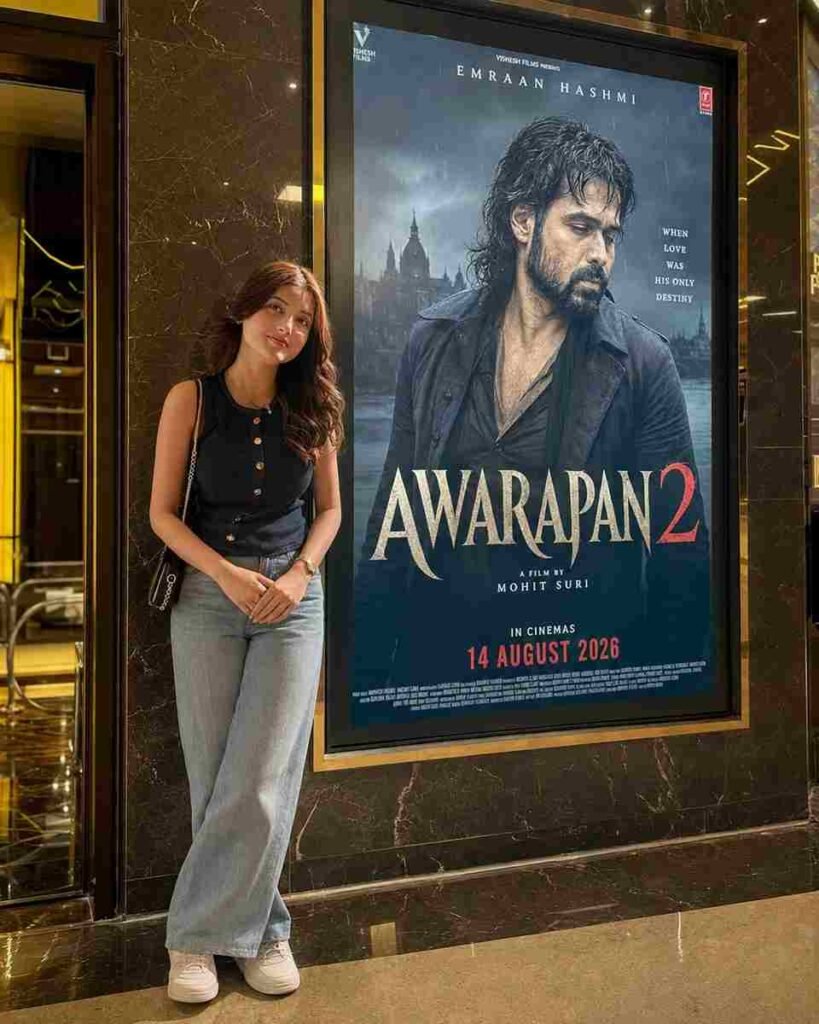
Use uploaded photo as STRICT IDENTITY REFERENCE. Keep face, hairstyle, expression, skin tone, outfit, hijab/hair, body proportions and overall appearance 100% identical. No beautification, no face editing, no AI face replacement, no age modification.
EXACT SCENE RECREATION
Ultra-realistic luxury cinema lobby photograph. Subject standing naturally beside a giant illuminated Awarapan 2 movie poster display mounted on a premium marble wall. Original Awarapan 2 poster featuring Emraan Hashmi remains completely unchanged.
Luxury PVR/IMAX cinema environment, warm golden ambient lighting, polished marble floor reflections, realistic glass surfaces, premium theater atmosphere.
SUBJECT POSITION
The uploaded person standing beside the movie poster, naturally posing for a photo.
If male: confident casual pose.
If female: elegant natural pose.
Same clothing as uploaded photo.
Same face and identity preserved exactly.
Looking toward camera.
Realistic shadows and reflections.
POSTER LOCK (DO NOT CHANGE)
Keep the original Awarapan 2 poster exactly unchanged:
Emraan Hashmi remains inside poster.
Same title: AWARAPAN 2
Same typography.
Same colors.
Same background.
Same release text.
Same poster design.
Same frame size and placement.
CINEMA ENVIRONMENT
Luxury multiplex lobby, marble wall, realistic reflections, premium movie-promotion display, DSLR photography look, cinematic depth of field, natural perspective, authentic theater lighting.
IMPORTANT
Only replace the audience standing beside the poster.
Do not modify:
Awarapan 2 poster
Emraan Hashmi
Movie title
Release date
Cinema frame
Wall texture
Camera angle
Overall composition
WATERMARK
Talib Editz bottom-right corner.
QUALITY
Ultra-realistic DSLR photograph, 8K Ultra HD, HDR, cinematic lighting, professional movie-premiere photography, hyper-detailed, viral Instagram-quality image.
ASPECT RATIO
4:5 Vertical.
Neeche diya gaya prompt copy karke apne photo ke saath use karo.
Ye prompt tumhe ek premium PVR/IMAX jaisi cinema lobby me Awarapan 2 ke bade poster ke paas khada dikhayega.
🎟️ Awarapan 2 Movie Poster Selfie Prompt
Agar tumhe lobby wala look nahi chahiye, to ye second variation try karo.
Isme thoda alag angle aur closer framing milegi, jaise koi premiere event me selfie li ho.
📱 ChatGPT Se Awarapan 2 AI Photo Kaise Banaye
Sabse pehle ChatGPT app ya website open karo.
Ek clear aur front-facing photo upload karo jisme tumhara face achhe se dikhe.
Uske baad upar diya gaya prompt copy karke paste kar do.
Ab generate button dabao aur AI ko image process karne do.
Result aane ke baad face, hands, aur poster ka text check karna mat bhoolna.
Agar result satisfy nahi karta, same prompt dusri photo ke saath ek baar aur try karo.
🌈 Google Gemini Se Awarapan 2 Photo Banane Ka Tarika
Gemini app open karo aur apni photo upload karo.
Prompt ko as-it-is paste karo, kuch words short mat karo.
Gemini kabhi kabhi lighting thodi alag deta hai, isliye 2-3 attempts try karna best rehta hai.
Jo bhi image sabse realistic lage, wahi final ke liye select karo.
🎞️ Google Flow Se Awarapan 2 Cinematic Video Banao
Agar sirf photo nahi balki short cinematic video banana hai, to Google Flow use kar sakte ho.
Apni generated Awarapan 2 photo ko upload karo aur ek simple camera-zoom ya slow-pan motion prompt do.
Isse ek short 5-6 second cinematic clip ban jaata hai jo Reels ke liye perfect hai.
🎬 CapCut Me Awarapan 2 Reel Kaise Edit Kare
Apna generated photo CapCut me import karo.
Ek trending Bollywood ya intense background track select karo jo film ke mood se match kare.
Zoom-in transition aur subtle text overlay add karo jisme movie ka naam ya koi dialogue-style caption ho.
Export high resolution me karo taaki Instagram par quality drop na ho.
✂️ VN App Se Quick Awarapan 2 Edit
Agar VN app use karte ho, to photo ko timeline par drag karo.
Ek cinematic LUT filter apply karo jo dark aur moody tone de.
Slow zoom effect aur fade transition add karke video ko 6-8 second tak rakho.
Ye format quick reels ke liye kaafi achha kaam karta hai.
⚖️ Best AI Tools Comparison for Awarapan 2 Photo Editing
| Tool | Realism | Ease of Use | Best For |
|---|---|---|---|
| ChatGPT | High | Easy | Detailed prompt-following, poster lock |
| Google Gemini | High | Easy | Multiple variations quickly |
| Google Flow | Medium-High | Medium | Short cinematic video clips |
| CapCut | N/A (editing) | Easy | Reels with music & transitions |
| VN App | N/A (editing) | Easy | Quick cinematic filters |
💡 Pro Tips Awarapan 2 AI Photo Ke Liye
Hamesha ek high-quality aur well-lit photo use karo, blurry photo se result kharab aa sakta hai.
Sunglasses ya face-covering items wali photo avoid karo.
Identity-lock wale instructions prompt se hatao mat, warna face change ho sakta hai.
Poster ka text aur release date generate hone ke baad zaroor check karo.
Simple composition rakho, zyada elements add karne se image unnatural lag sakti hai.
❓ Awarapan 2 Movie FAQs
1. Awarapan 2 kab release hui thi?
Awarapan 2 theatres me 14 August 2026 ko release hui thi.
2. Awarapan 2 me lead role kaun kar raha hai?
Emraan Hashmi is film me lead role me hain, unke saath Disha Patani aur Shabana Azmi bhi important roles me hain.
3. Kya Awarapan 2, pehli Awarapan film ka sequel hai?
Haan, Awarapan 2 saal 2007 ki Awarapan film ka sequel hai.
4. Awarapan 2 me Emraan Hashmi ka character ka naam kya hai?
Emraan Hashmi apne original character Shivam Pandit ko hi continue karte hue dikh rahe hain.
5. Awarapan 2 kis genre ki film hai?
Ye ek intense thriller-drama film hai jo original ke tone ko continue karti hai.
6. Awarapan 2 movie poster AI photo trend kya hai?
Ye ek social media trend hai jisme fans AI tools se khud ko movie poster ke paas khada hua dikhate hain.
7. Awarapan 2 AI photo banane ke liye kaunsa app sabse achha hai?
ChatGPT aur Google Gemini dono hi realistic result dene ke liye popular hain.
8. Kya Awarapan 2 AI photo trend sirf Instagram ke liye hai?
Nahi, is trend ko Instagram ke alawa Facebook aur WhatsApp status par bhi kaafi share kiya ja raha hai.
9. Awarapan 2 ka box office response kaisa raha hai?
Release ke shuruaati din se hi film ko lekar social media par kaafi buzz dekha gaya hai.
10. Awarapan 2 AI photo prompt use karne ke liye kya paid subscription chahiye?
Nahi, ye prompt ChatGPT ya Gemini ke free version me bhi kaafi had tak kaam karta hai, though paid version behtar quality de sakta hai.
🔥 Final Words
Awarapan 2 abhi Indian social media ka sabse bada trend hai, aur apni khud ki cinematic AI photo banake tum bhi is wave ka hissa ban sakte ho. Upar diye gaye dono prompts try karo aur jo bhi result sabse realistic lage, use apni Instagram story ya post par share karo.
📲 Aise hi trending AI prompts sabse pehle paane ke liye humara Telegram channel MeraPrompt join karna mat bhoolna!