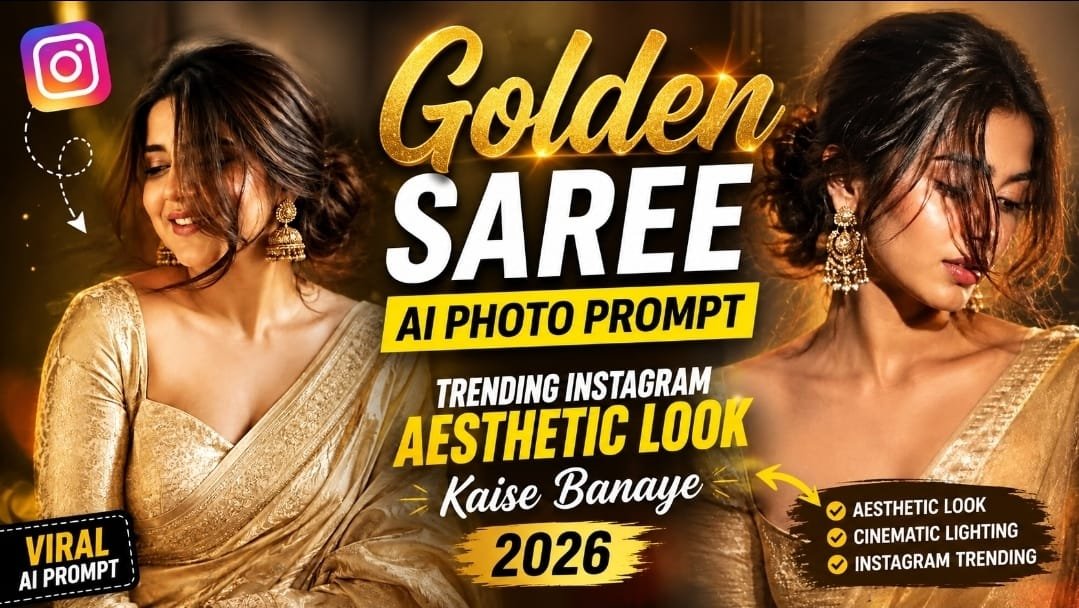
Golden saree is right now one of the most viral aesthetic looks on Instagram, and everyone want to know how to create this magical glow using AI.
Agar aap bhi apni photo ko ek royal aur cinematic golden saree look dena chahte hain, to ye article aapke liye hi hai.
Aajkal ChatGPT aur Google Gemini dono par ye golden saree trend bahut fast grow kar raha hai.
Ladkiya apni simple selfie ko ek premium, bridal-style aesthetic photo me convert kar rahi hain, bina kisi photoshoot ke.
Is post me hum aapko step by step batayenge ki golden saree prompt kaise use karna hai, kaunsa tool best hai, aur konsi mistakes avoid karni chahiye.
Chaliye shuru karte hain.
✨ Golden Saree Trend Itna Viral Kyu Ho Raha Hai
Ye trend sirf ek fashion look nahi hai, ye ek cultural aur emotional feel bhi carry karta hai.
Golden color royal, festive aur premium feel deta hai, isliye reels aur DP dono ke liye perfect hai.
Log apni face identity same rakhkar background, lighting aur jewellery change kar rahe hain AI ki madad se.
Ye trend especially Diwali, shaadi season aur festive posts ke liye bahut demand me hai.
🪄 Golden Saree AI Photo Prompt (Copy Paste Ke Liye)
Niche wala prompt aap ChatGPT ya Google Gemini me directly paste kar sakte hain.
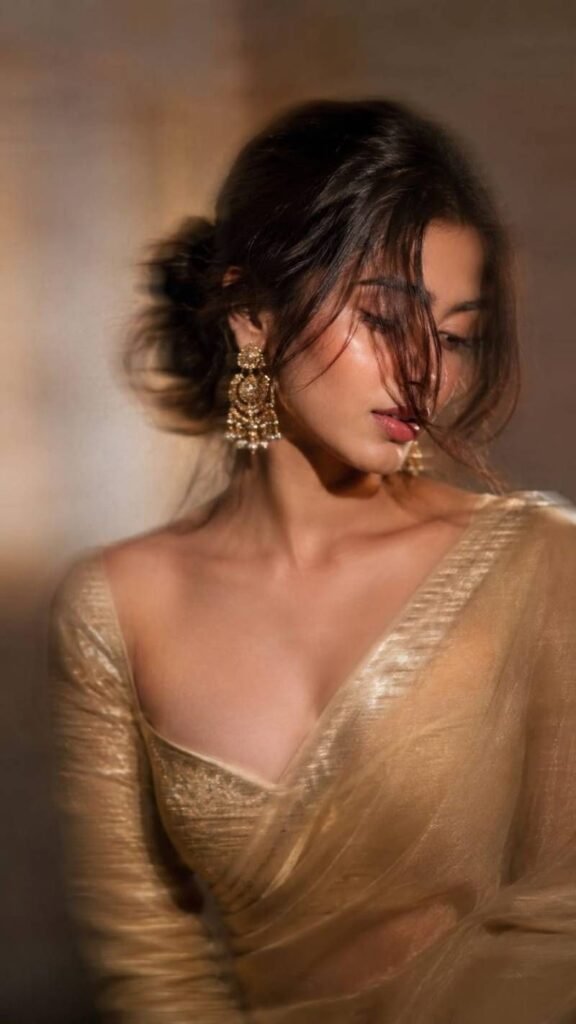
Intentional artistic motion-blur portrait, shot on a smartphone or long-exposure camera. Not so Extreme close-up of a woman with a loose braided low bun and a long face-framing strand covering half her face.she’s wearing a golden zari work saree with matching full sleeve blouse with sweetheart neck.
Looking down and to the side, one eye mostly hidden, lips slightly parted. Large statement gold earrings, bare shoulders, smooth glowing skin, soft peach blush, subtle highlighter, delicate makeup, defined lashes, matte dusty-rose lips with darker liner.Aspect ratio 9:16.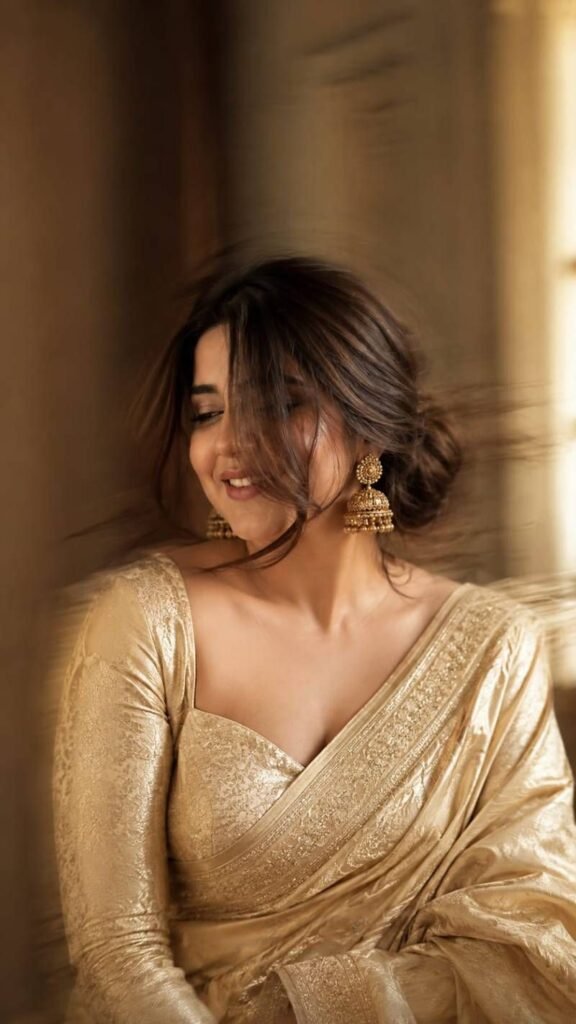
Use the uploaded image as the only facial reference. Preserve the face with 99.9% identity accuracy (facial features, skin tone, smile, hairline, expression). Create an ultra-realistic Vogue India editorial portrait with subtle cinematic motion blur affecting only the hair, saree, and background. Dress her in a champagne-gold Banarasi silk saree with a full-sleeve sweetheart blouse, antique gold jhumkas, and a loose braided low bun with one face-framing strand. Golden-hour side lighting, luxury interior bokeh, Sony A7R V, 85mm f/1.4, HDR RAW, 8K, hyper-realistic, 9:16, face perfectly sharp.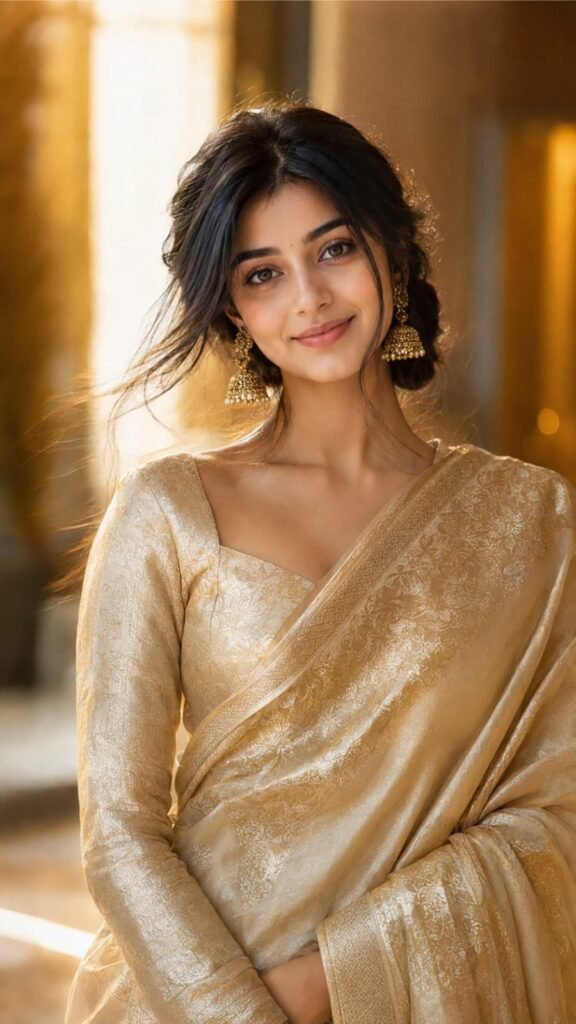
Use the uploaded image as the only facial reference. Preserve the face with 99.9% identity accuracy (facial features, skin tone, smile, hairline, expression). Create an ultra-realistic Vogue India editorial portrait with subtle cinematic motion blur affecting only the hair, saree, and background. Dress her in a champagne-gold Banarasi silk saree with a full-sleeve sweetheart blouse, antique gold jhumkas, and a loose braided low bun with one face-framing strand. Golden-hour side lighting, luxury interior bokeh, Sony A7R V, 85mm f/1.4, HDR RAW, 8K, hyper-realistic, 9:16, face perfectly sharp.Apni reference photo upload karein aur ye prompt use karein, face identity 100% same rahegi.
📱 Step by Step Guide: Google Gemini Se Golden Saree Photo Kaise Banaye
Sabse pehle Google Gemini app open karein ya gemini.google.com par jaayein.
Ek clear, well-lit solo selfie upload karein jisme face saaf dikhe.
Upar wala golden saree prompt paste karein aur enter dabaye.
Kuch seconds wait karein, AI aapki photo generate kar dega.
Agar result perfect nahi laga to prompt me lighting ya pose thoda modify karke dubara try karein.
Final image download karke Instagram par post kar sakte hain.
🎬 Google Flow Se Golden Saree Video Prompt Kaise Banaye
Google Flow ab sirf photo nahi, short cinematic video bhi bana deta hai.
Google Flow open karein aur apni photo upload karein.
Prompt me bataye ki saree ka pallu halke se wind me hilna chahiye aur camera slow zoom-in karna chahiye.
Golden hour lighting aur soft cinematic background music add karne ke liye bhi mention karein.
Video generate hone ke baad direct Instagram Reels me upload kar sakte hain.
📊 Best AI Tools Comparison for Golden Saree Prompt
| AI Tool | Best For | Face Match Accuracy | Free Access |
|---|---|---|---|
| ChatGPT (GPT Image) | Realistic portrait, quick edits | High | Limited free use |
| Google Gemini | Natural lighting, easy prompts | Very High | Free with Google account |
| Google Flow | Cinematic video prompts | High | Limited free use |
| Midjourney | Artistic, stylized looks | Medium | Paid |
| Leonardo AI | Detailed jewellery and texture | Medium-High | Free credits |
💡 Pro Tips Golden Saree Prompt Ke Liye
Hamesha ek clear front-facing photo use karein, side-angle selfie se result kharab aata hai.
Lighting ke liye “golden hour” ya “soft warm light” jaise words prompt me zaroor add karein.
Jewellery aur mehndi details specify karne se photo aur premium lagti hai.
Aspect ratio 9:16 rakhein agar Reels ya Story ke liye bana rahe hain.
❓ FAQs
Q1. Golden saree AI prompt free me use kar sakte hain kya?
Haan, Google Gemini par ye prompt free me use ho sakta hai, bas Google account chahiye.
Q2. Kya AI se banayi gayi photo me face same rehta hai?
Haan, agar prompt me face identity preserve karne ka instruction diya jaye to face kaafi accurate match hota hai.
Q3. Konsa tool sabse jyada realistic result deta hai?
Google Gemini currently sabse natural aur realistic lighting result de raha hai golden saree prompts ke liye.
📲 Aise hi latest AI prompts aur trending Instagram ideas sabse pehle paane ke liye MeraPrompt Telegram channel join karein!