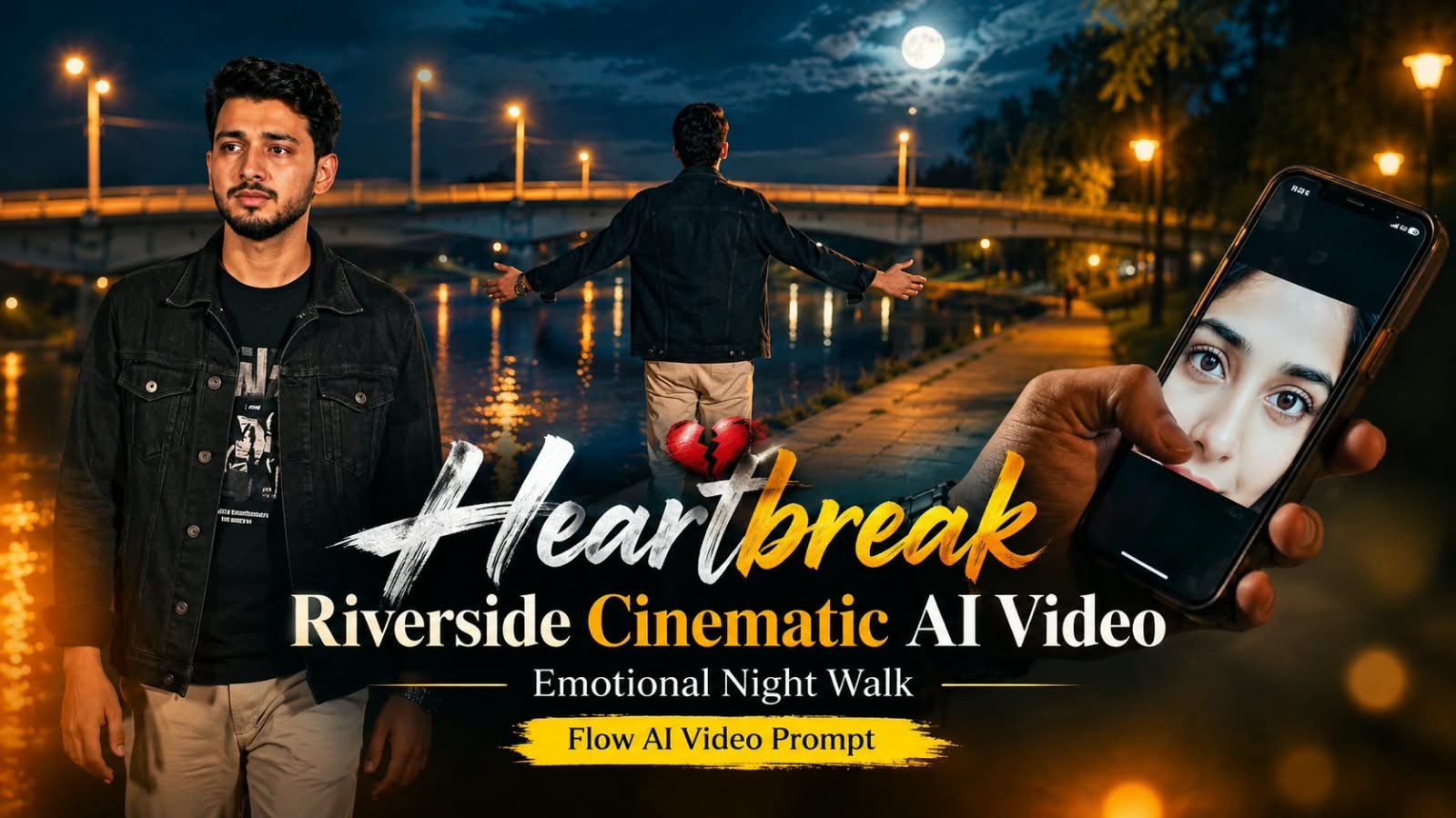
Heartbreak aesthetic videos are trending hard right now, aur agar aap bhi apna ek emotional, cinematic “sad walk” video banana chahte ho jo Instagram reels aur YouTube Shorts pe views uda de, toh yeh Google Flow AI prompt aapke liye perfect hai. Riverside night walk, moody lighting, aur heartbreak vibe — sab kuch ek hi prompt mein cover hoga. Neeche step-by-step process, ready prompt, aur tools comparison diya gaya hai.
💔 Yeh Trend Itna Viral Kyun Ho Raha Hai
Heartbreak aesthetic content ka connection seedha emotions se hota hai.
Log apne breakup, loneliness, ya “main it girl / it boy sad era” wale phase ko visually express karna chahte hain.
Riverside setting, night time, aur cinematic color grading — yeh combination instantly relatable aur aesthetic lagta hai.
Isliye yeh reels aur shorts pe engagement bahut zyada le rahe hain.
🌊 Scene Concept Samjho
Is video ka core idea hai ek akela character jo raat ke time river ke kinare slow walk kar raha hai.
Background mein city lights ka reflection paani mein dikhta hai.
Fog ya halka mist environment ko aur emotional bana deta hai.
Camera movement slow aur cinematic hona chahiye — jaise koi film ka climax scene ho.
📝 Ready Google Flow AI Video Prompt
Neeche wala prompt box khaali diya gaya hai, aap apna final tested prompt yahan insert kar sakte ho publish karne se pehle.
Video Prompt
A cinematic ultra-realistic 4K/8K video (16:9) at night, rich full color grading with warm amber streetlights and deep blue-black sky, of a young man wearing a black denim jacket over a black graphic t-shirt and light beige trousers, standing near a riverside area with a concrete bridge, dry riverbank, and large trees in the background, deeply emotional and melancholic atmosphere throughout. A small, subtle watermark reading 'NoorEditing07' stays fixed in the bottom corner throughout the entire video, minimal white or light-colored font, low opacity, appearing only once at all times.

CRITICAL: use the uploaded reference photo as the exact identity source — same face, same exact facial features, same natural smooth clear skin with no blemishes or texture flaws, and the exact same body type and build as shown in the uploaded photo, maintained precisely and identically in every single scene with zero facial drift or identity change. This must work accurately for any person of any age or body type who uploads their own reference photo — the generated face, skin, and body must always match the uploaded photo exactly, never a generic or different look.

Scene 1: Extreme close-up shot, cropped tightly to only show his hand and the phone — his hand trembles slightly as it holds a smartphone displaying a close-up photo of a young woman's eyes on the screen, his thumb gently grazing the edge of the screen as if wanting to touch her face, a silver wristwatch visible on his wrist, his own face and body deliberately not visible in frame, only the hand, phone, and the eyes on the screen, soft ambient light, a heavy quiet sorrow in the stillness, cinematic macro framing.

Scene 2: Wide shot from behind — he walks slowly and heavily along a riverside path at night, shoulders slightly slumped, a concrete bridge lit by distant streetlights stretching across the water behind him, warm amber ambient glow, lonely atmosphere.

Scene 3: Medium front shot — he walks forward toward the camera along the riverside path at night, eyes distant and glassy, a faint tremble of emotion in his expression, bridge lights glowing softly behind him.

Scene 4: Wide shot from behind — he stands still and slowly spreads both arms open as if letting go of something painful, head tilted slightly down, facing the bridge and dark water at night, streetlights glowing along the bridge railing, a powerful release of buried emotion.

Scene 5: Wide shot — he stands beneath a large tree beside the river at night, head bowed low, shoulders heavy with grief, string lights or distant lamps casting a warm amber glow, deep stillness.

Scene 6: Medium front shot — he walks toward the camera along the riverbank at night, a single tear catching the warm light on his cheek, the large tree and glowing distant lights behind him, raw vulnerable expression.

Scene 7: Close-up final shot — he stands still, holding a small pendant on a chain close to his chest with both hands, eyes closing gently as he presses it to his heart, warm night ambient light gently illuminating his face, cinematic slow zoom-in on his quiet heartbreak to finish.

Overall style: same face, same identity, same natural smooth skin, same exact body type as the uploaded reference photo, same black denim jacket, black graphic t-shirt, and beige trousers outfit consistent in every single scene, no outfit change, no identity or body change, same real riverside and bridge locations at night throughout, natural continuous movement and deeply emotional poses with distinct camera angles in every scene, realistic skin and fabric texture, rich full night-time cinematic color grading with warm amber streetlights, deep blue-black sky, and glowing ambient highlights — not desaturated, not black and white, full natural color throughout — filmic depth and contrast, evocative melancholic mood, smooth cinematic transitions between poses, ultra-realistic premium 4K/8K quality, 16:9 widescreen format, continuous emotional heartbreak story flow from start to end, no scene skipped, only 7 scenes total exactly as described.

Watermark (final instruction): keep a single small, subtle, clean text watermark reading 'NoorEditing07' fixed in the same bottom corner position throughout the entire video, minimal white or light-colored font, low opacity, non-intrusive, appearing only once on screen at any given time.🎬 Step-by-Step Video Banane Ka Process
- Pehle ChatGPT ya Midjourney se apni reference image generate karo — character riverside pe khada hua, night setting, moody lighting.
- Us image ko Google Flow mein upload karo.
- Upar diya gaya prompt Flow ke text box mein paste karo, aur apni scene detail ke hisaab se edit karo.
- Camera motion “slow dolly” ya “slow pan” select karo taaki cinematic feel aaye.
- Generate hone ke baad, video ko CapCut ya VN mein import karo.
- Sad/emotional background music add karo, saath mein subtle color grading (blue-teal tones heartbreak vibe ke liye best rehte hain).
- Text overlay ya caption add karo agar story bataani ho.
- Export karke Instagram Reels ya YouTube Shorts pe post karo.
🛠️ AI Tools Comparison Table
| Tool | Best For | Heartbreak Video Mein Use |
|---|---|---|
| ChatGPT | Reference image prompt likhna | Character aur scene description generate karna |
| Google Gemini | Image se video animation | Simple animation ke liye alternative |
| Google Flow | Cinematic video generation | Main tool — riverside walk animate karne ke liye |
| CapCut | Editing aur effects | Color grading, music, transitions |
| VN | Mobile editing | Lightweight editing aur captions |
| Midjourney | High quality reference images | Aesthetic character/background images |
| Leonardo AI | Alternative image generation | Reference image ka backup option |
💡 Pro Tips
Hamesha slow camera movement rakho — fast motion heartbreak vibe ko break kar deta hai.
Cool tone color grading (blue, teal, desaturated) use karo, warm tones is mood ke saath match nahi karte.
Background mein halka fog ya mist add karna scene ko aur cinematic bana deta hai.
Music selection sabse important hai — lo-fi sad instrumental ya slow acoustic track best result deta hai.
Video ko zyada lamba mat rakho, 15-30 second clips reels ke liye best perform karte hain.
❓ FAQs
Q1. Heartbreak riverside video ke liye best time of day kaunsa hai animate karne ke liye?
Night time setting hi is aesthetic ke liye sahi rehta hai, kyunki city lights ka reflection aur moody darkness emotional feel create karte hain.
Q2. Google Flow mein riverside walk scene ke liye camera angle kaunsa best rehta hai?
Slow dolly ya side-tracking shot best rehta hai, jo character ke saath move karta hai bina fast cuts ke.
Q3. Kya is video ke liye real location zaroori hai?
Nahi, aap AI-generated background bhi use kar sakte ho, ya phir apni khud ki reference photo bhi use kar sakte ho jisse Flow animate karega.
Q4. Heartbreak aesthetic video ke liye best background music type kya hai?
Slow lo-fi, piano instrumental, ya sad acoustic tracks is mood ke saath sabse zyada match karte hain.
Q5. Kya yeh prompt sirf riverside ke liye hi kaam karega ya other locations pe bhi try kar sakte hain?
Prompt ka core structure (slow walk + night + moody lighting) beach, empty street, ya rooftop jaise locations pe bhi easily adapt ho sakta hai.
📲 Aise hi trending AI video aur photo prompts sabse pehle paane ke liye humara Telegram channel join karo — MeraPrompt par roz naye viral prompts milte hain!